Work through a computer problem calmly
Work through a computer problem calmly
Compare symptoms and decide which evidence helps narrow a fault.
Narrow down a fault and choose a safe next step.
A symptom is what you notice, not necessarily the cause. One website failing is different from every device losing internet access. A useful approach is to protect your work, describe the problem, check its scope and try one small change at a time. That makes it easier to see what helped.

Make the choice that fits your task
How this works

Use a repeatable routine: pause, describe, compare, try one change, then check. Record the exact message, what you were doing and when it started. Write it down or capture only the relevant area of the screen, excluding passwords and personal details. Error wording is more useful than guessing a cause.

Check the scope. For a website problem, try another known site. For sound, compare another app at a low volume. If other devices have the same connection problem, check the shared router or service before changing the PC.
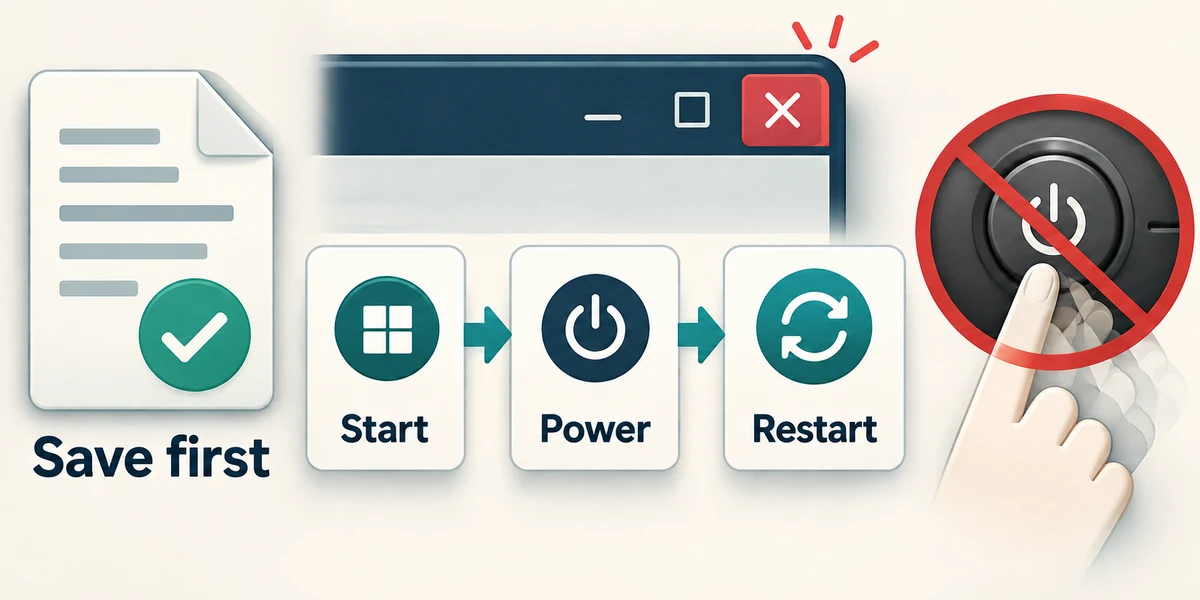
Save work that is still responding. Try closing the affected app with its top-right X and reopening it from Start. If needed, use Start, then the power symbol and Restart after saving other work. Restarting is different from repeatedly pressing the physical power button.
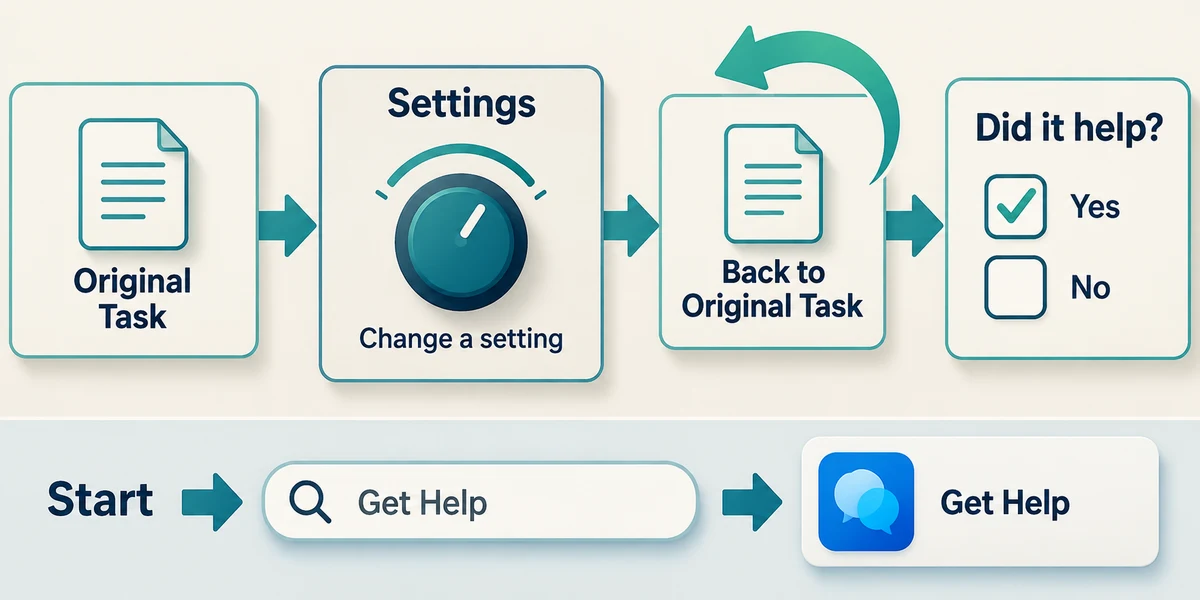
Try one change, then repeat the original task. Note whether it helped before changing anything else. If the issue continues, open Start, type Get Help and click that app, or contact a trusted person with the details.

Stop if there is smoke, burning smell, liquid damage or a swollen battery. Do not continue ordinary software troubleshooting. Follow the manufacturer’s safety advice and get qualified help. Never open a power supply.
One website fails, but two other known sites load normally. What have you learned?
The connection works for other sites, so focus on the affected site first
Check what you understand
In guided learning, click Start 3 questions to receive a selection from this lesson. Click the circle beside an answer, then click Check answer. Read the feedback and try again if needed. Click Next question after each correct answer. Answer all 3 correctly to continue.
Returning to guided learning keeps the questions and answers in your current attempt.
Read all 3 questions and explanations
Why make one change before testing again?
Answer: You can tell whether that change helped
Several simultaneous changes hide which one mattered.
An app has frozen but other apps still respond. What should you protect before restarting?
Answer: Unsaved work in the responding apps
A restart can close all apps, not just the frozen one.
What information best helps a trusted support person?
Answer: The exact message, affected task and changes already tried
Specific observations reduce guesswork.
Take this to your computer
- 1
Think of a minor problem you have previously encountered. Write the exact symptom, what was affected and one question that would help distinguish a single-app problem from a wider one.
- 2
Press Windows, type Get Help and click that app. Inspect where you would describe the problem. Close the app using its top-right X when finished; you do not need to run repairs.
The lesson examples do not change your computer. On your PC, read each confirmation before continuing; available controls can vary.
Prefer a more personal, one-to-one lesson? Basic Computing can help. Explore our services.