Understand the processor (CPU)
Understand the processor (CPU)
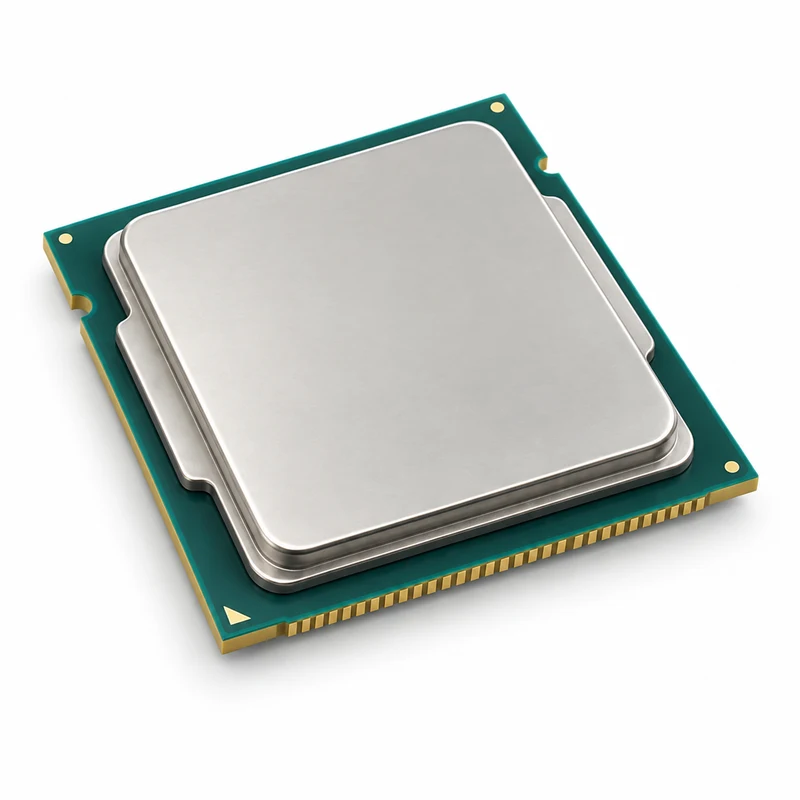
You are going to identify parts in the numbered pictures, explore six illustrated topics, then answer three short questions about what you have learned.
You will understand the CPU’s job and recognise what processor descriptions do and do not tell you.
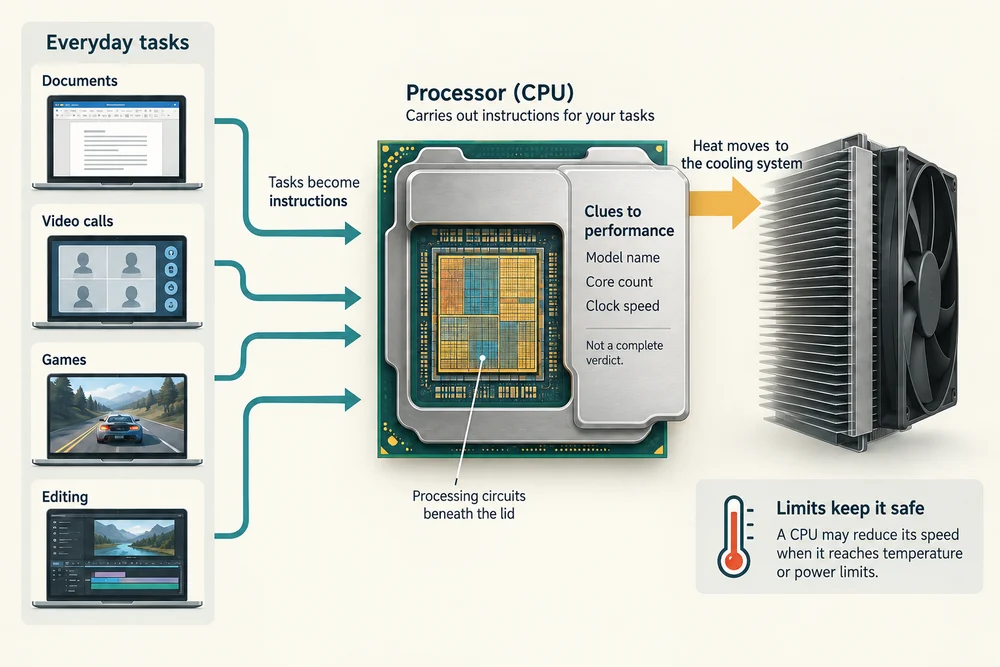
CPU means central processing unit. It is a processor inside the computer that carries out instructions from programs. Calculating a total, responding to a click and running parts of a video call all involve processing work.
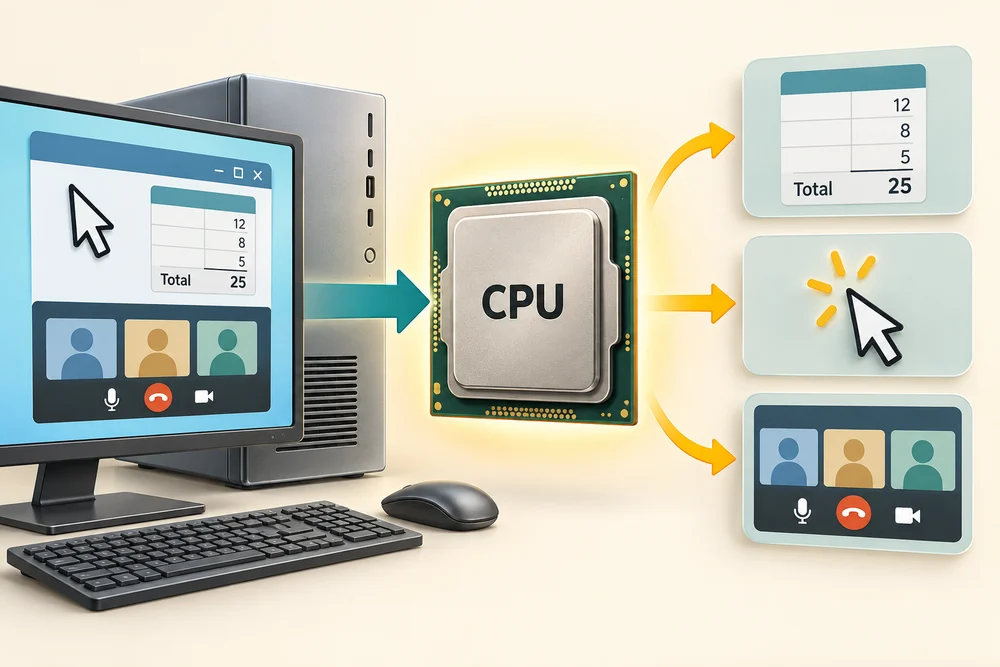
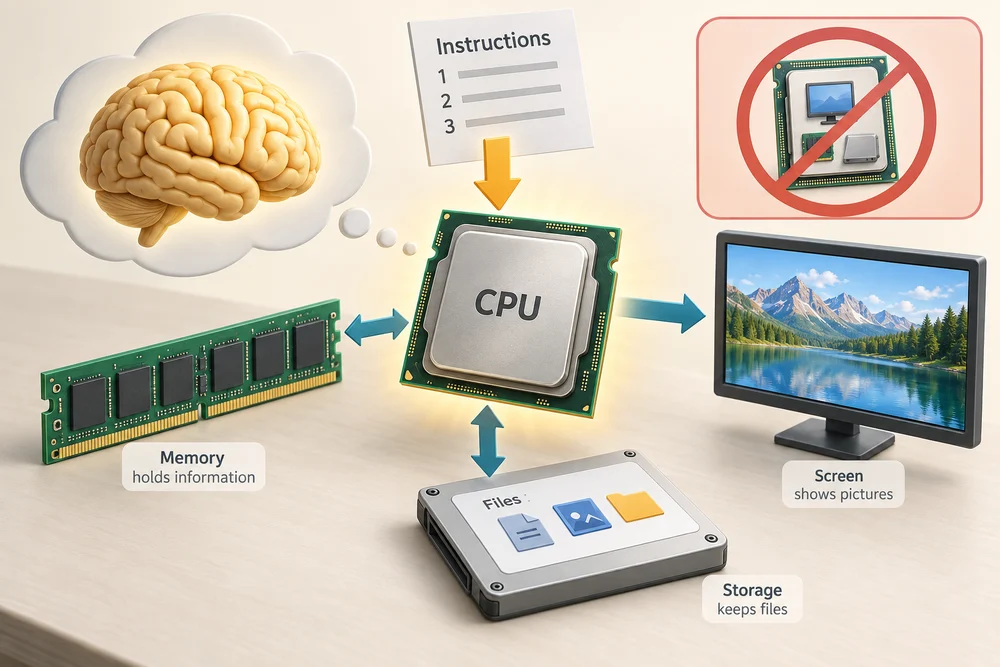
People sometimes call it the computer’s brain. That is only a rough comparison: a CPU follows instructions, and it depends on other parts to hold information, show pictures and keep files. It is not the whole computer inside one chip.
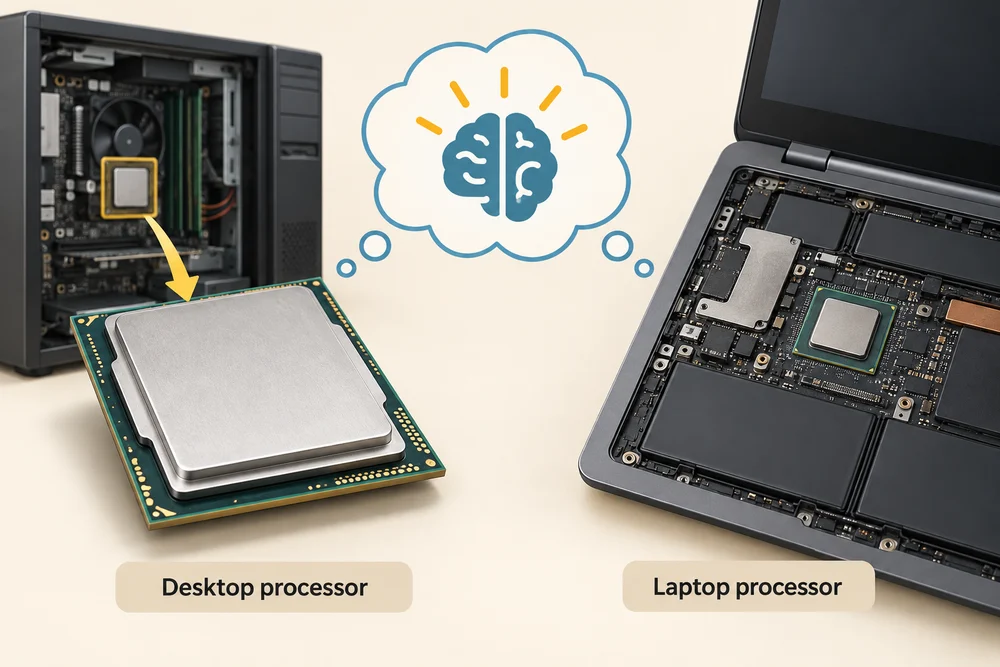
The pictures show a desktop-style processor. Laptop processors can look different and are often permanently attached to the main circuit board. You can understand their job without opening a computer.
Explore how it works
Explore the numbered parts first. Click or tap a spot, or choose its named button, then click Read explanation to move to its description. The six topic cards further down explain the wider ideas. Click a card once to read more, then Back to the pictures to return. With a keyboard, press Tab to reach a button and Enter to activate it. Explore at your own pace.
Inside a CPU package
The layers are separated in this illustration so you can see them. In a real CPU they form one compact package. This is an explanation, not instructions for taking a processor apart.
Metal heat spreader
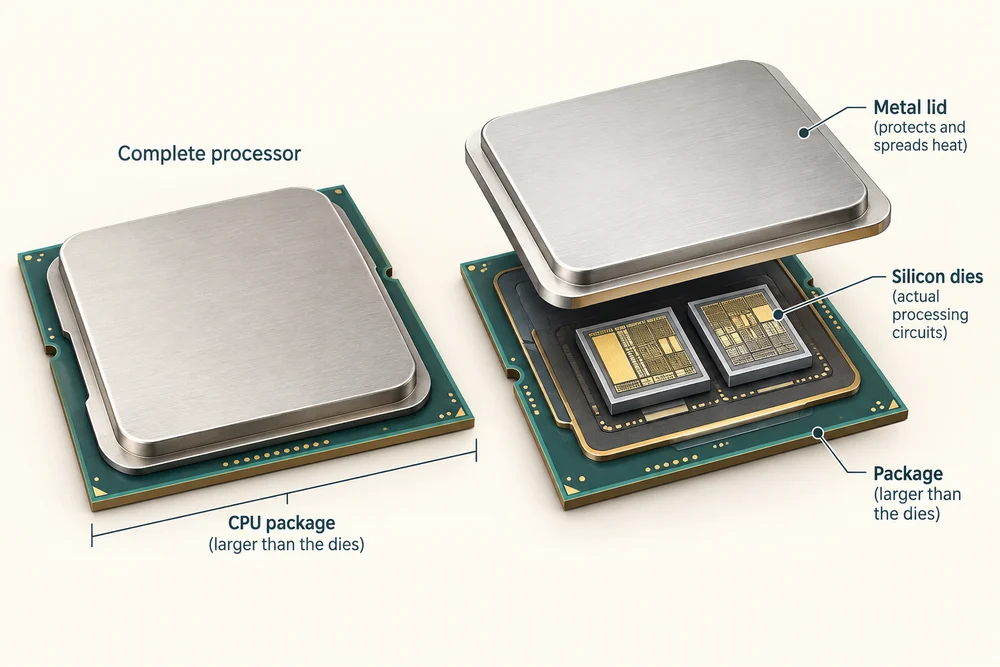
This metal lid spreads heat from the silicon below towards the cooler. It also protects the delicate chip. The silver square you usually see is the lid, not the working silicon itself.
Silicon chip
The tiny piece of silicon contains electronic circuits that carry out instructions. A core is a processing unit within these circuits. Some processors contain several silicon pieces instead of the single simplified example shown here.
Package base
The package base supports the chip and carries electrical connections between it and the motherboard. Contacts underneath connect the package to the computer. The exact contact design depends on the processor.
Carrying out instructions
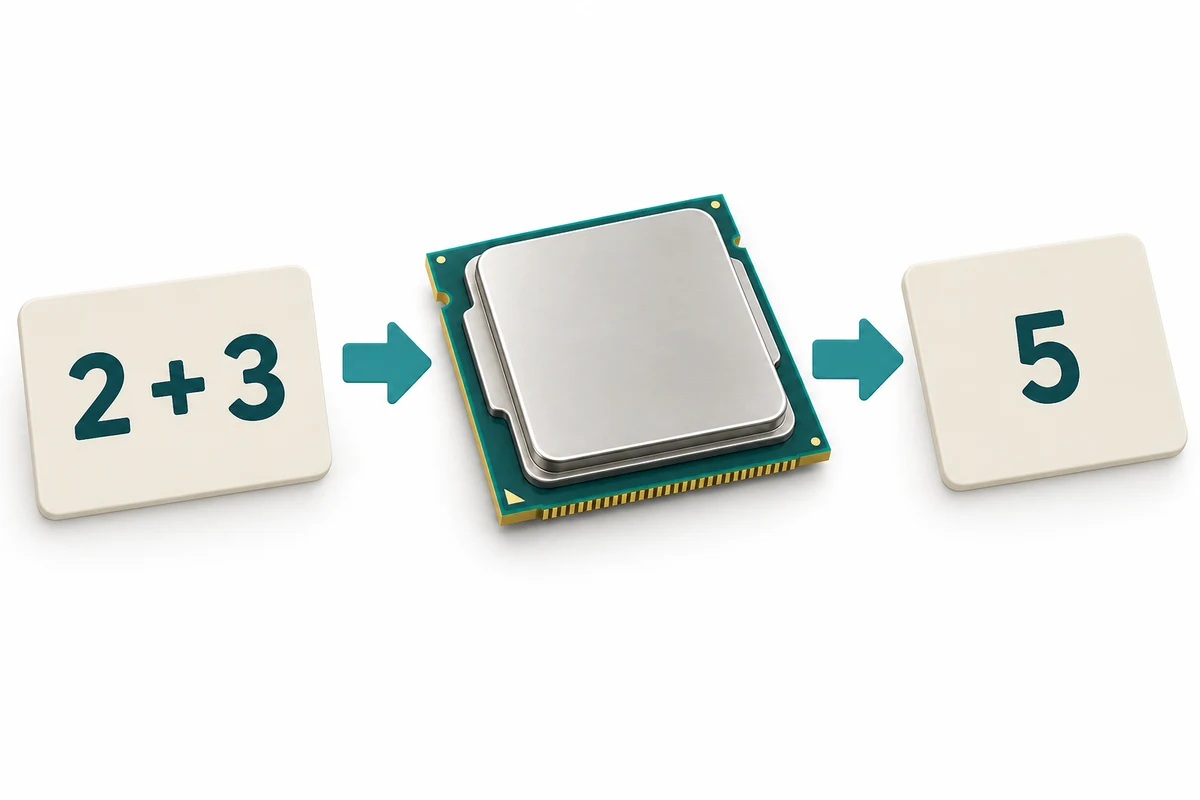
A program is a set of instructions. The CPU works through instructions to perform calculations, compare information and coordinate tasks. When a spreadsheet adds several numbers, processing turns those numbers into the result you see.
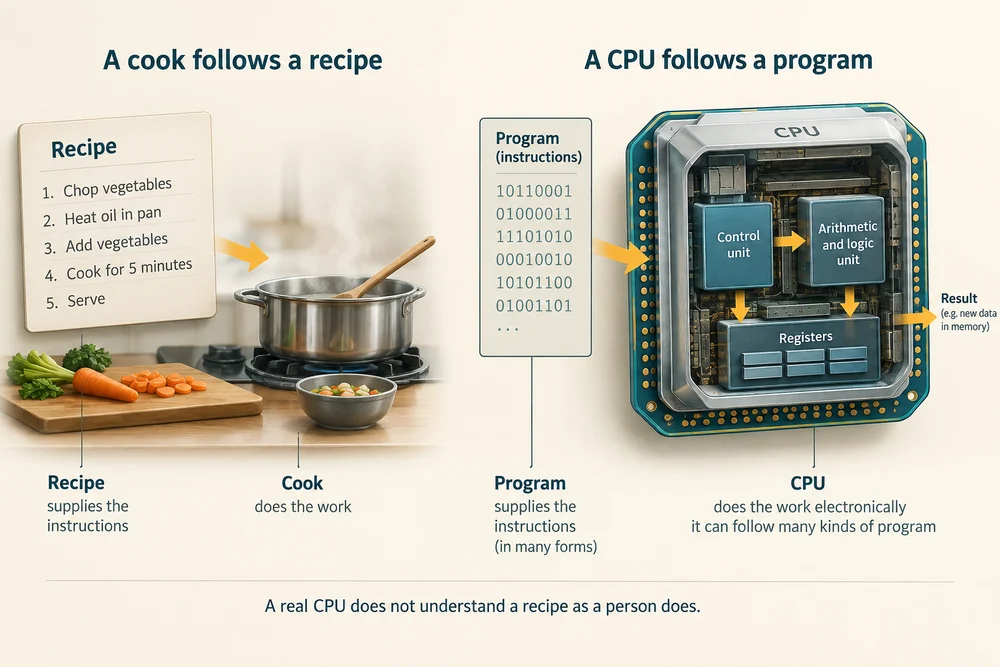
A useful comparison is a cook following a recipe. The recipe supplies the instructions, and the cook does the work. A real CPU works electronically and can follow many kinds of program; it does not understand a recipe as a person does.
The visible metal top of many desktop processors is a protective lid that also spreads heat. The actual processing circuits are in small pieces of silicon underneath, called dies. The outside package is much larger than those tiny circuits.
Working with memory and storage
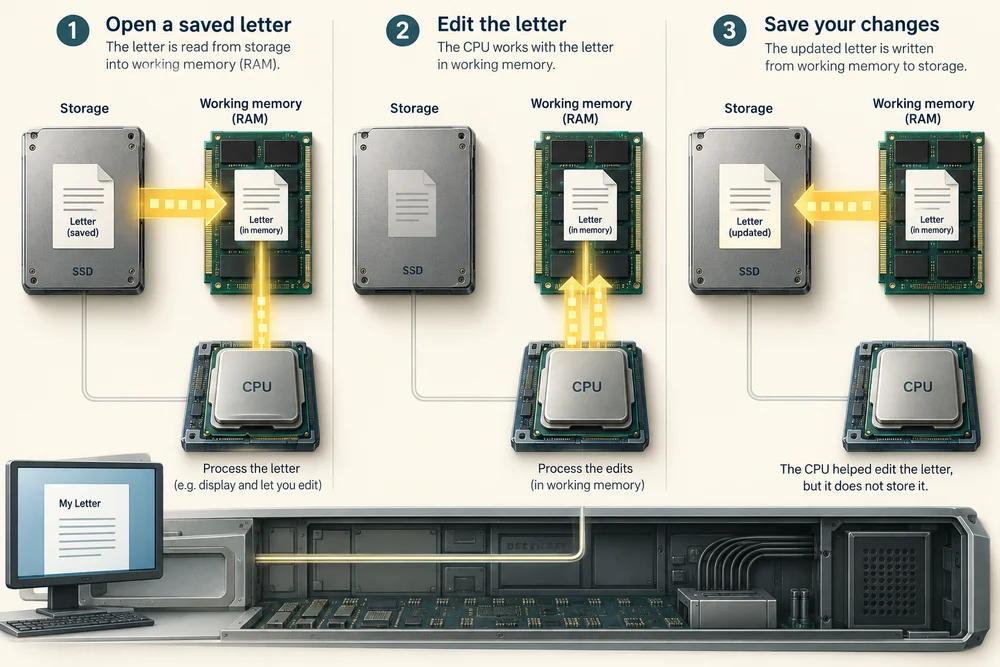
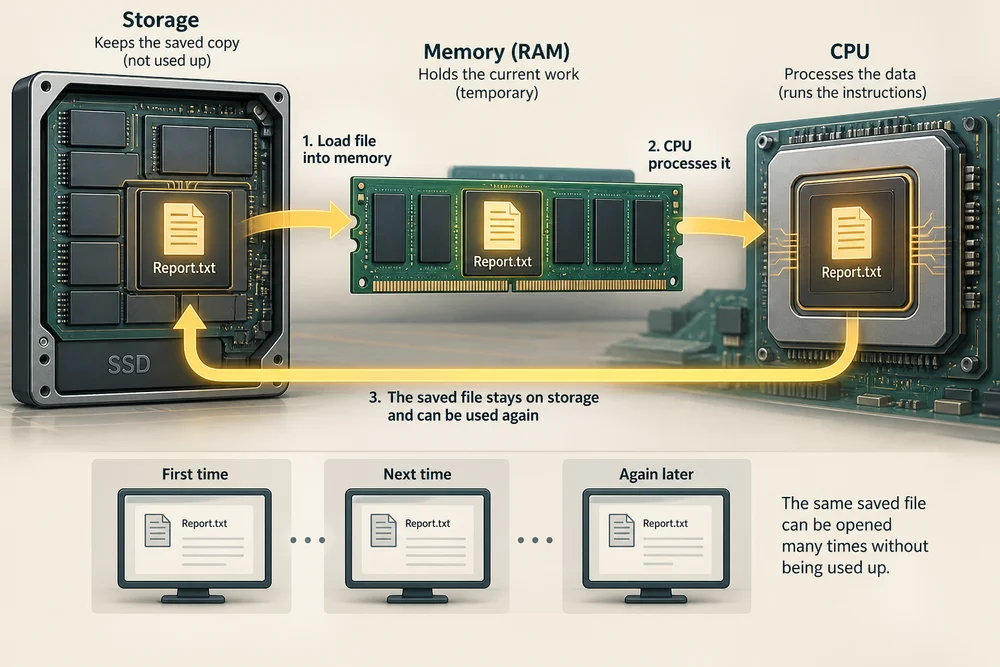
The CPU needs information to work on. RAM holds instructions and information currently in use so the CPU can reach them quickly. Storage, such as an SSD, keeps saved programs and files when the computer is switched off.
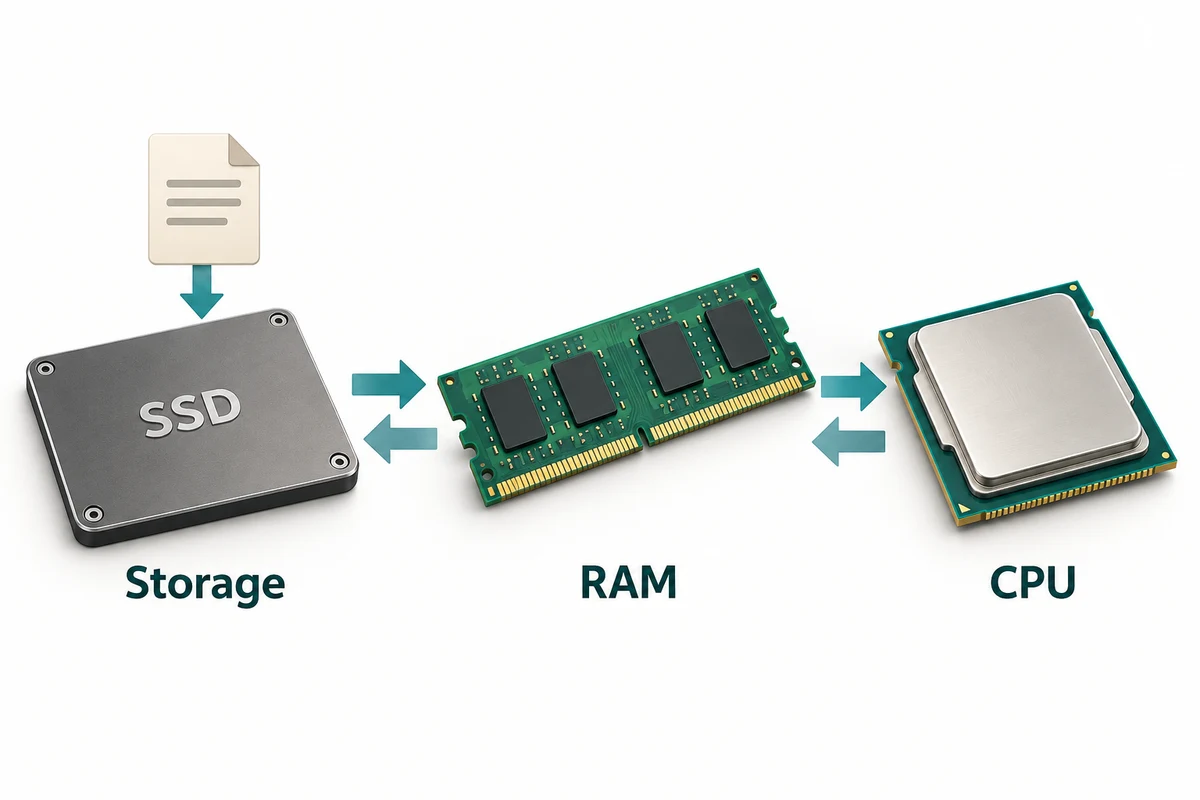
When you open a saved letter, information is read from storage into working memory and processed. Saving your changes writes them to storage. The CPU does not become a filing cabinet just because it helped you edit the letter.
The same saved file can be used repeatedly without being used up. Each time you open it, the computer can read its information again. Processing, holding current work and keeping the saved copy remain three different jobs.
More than one core
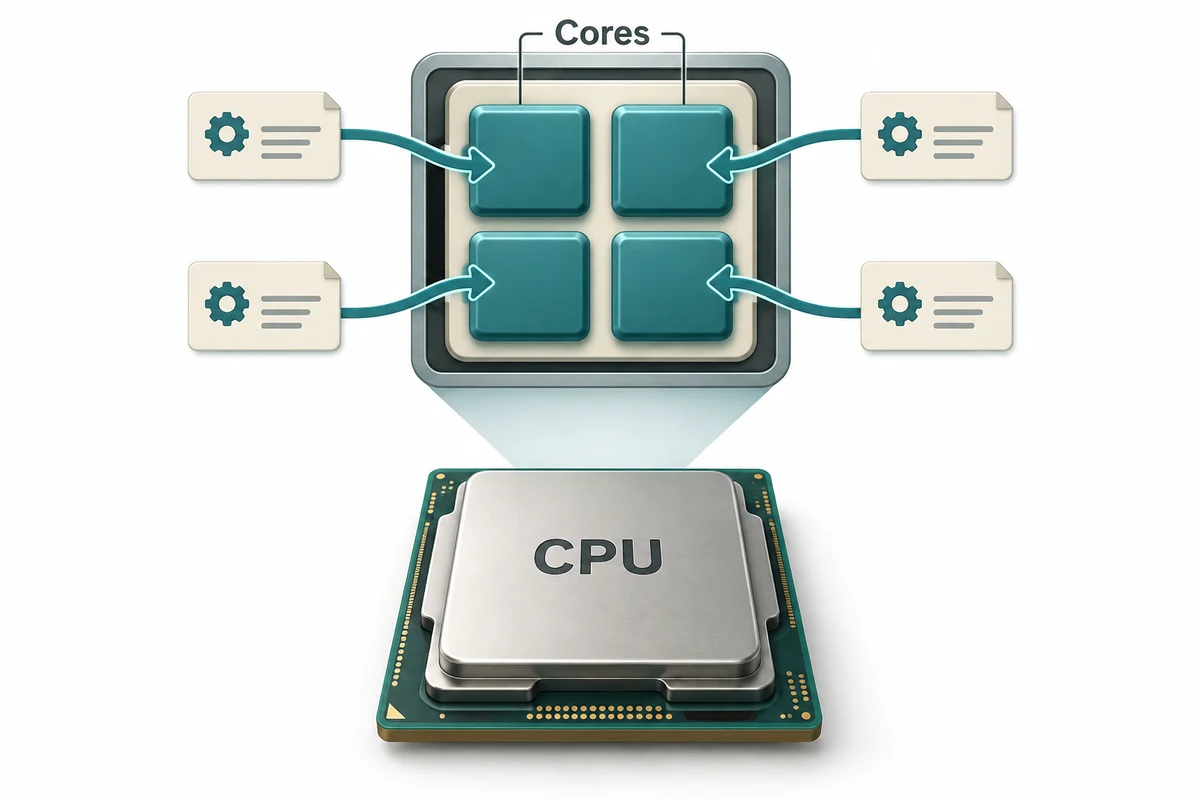
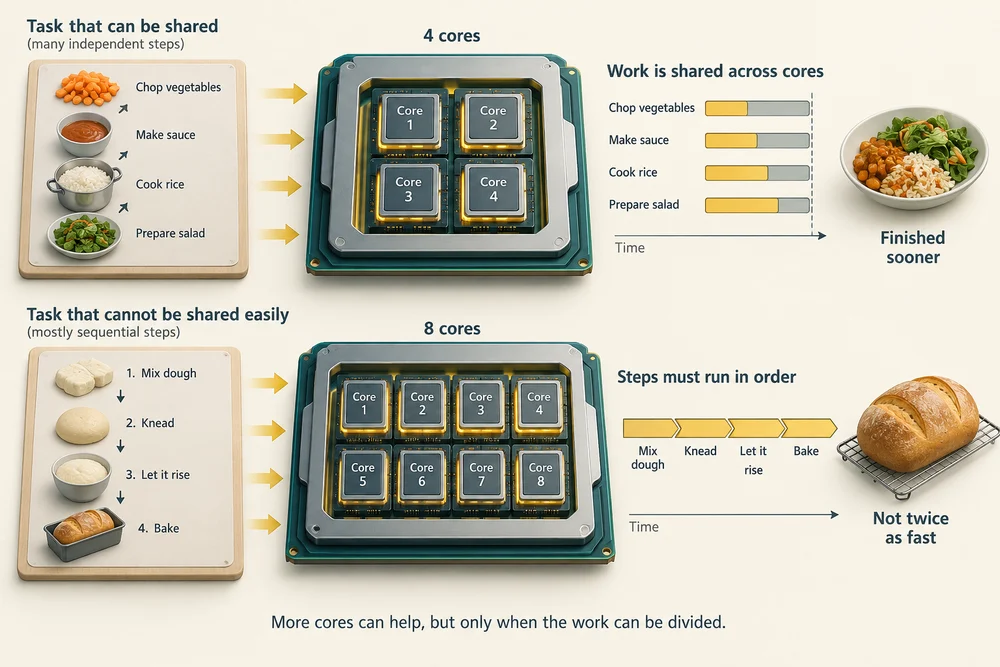
A core is a processing unit within a CPU. Several cores let a computer work on different pieces of processing at the same time. This can help when several programs are busy, or when one program can divide a large job into smaller jobs.
Think of several cooks sharing work. More cooks can help, but a recipe must have work they can share. In the same way, doubling the core count does not guarantee that every program finishes in half the time.
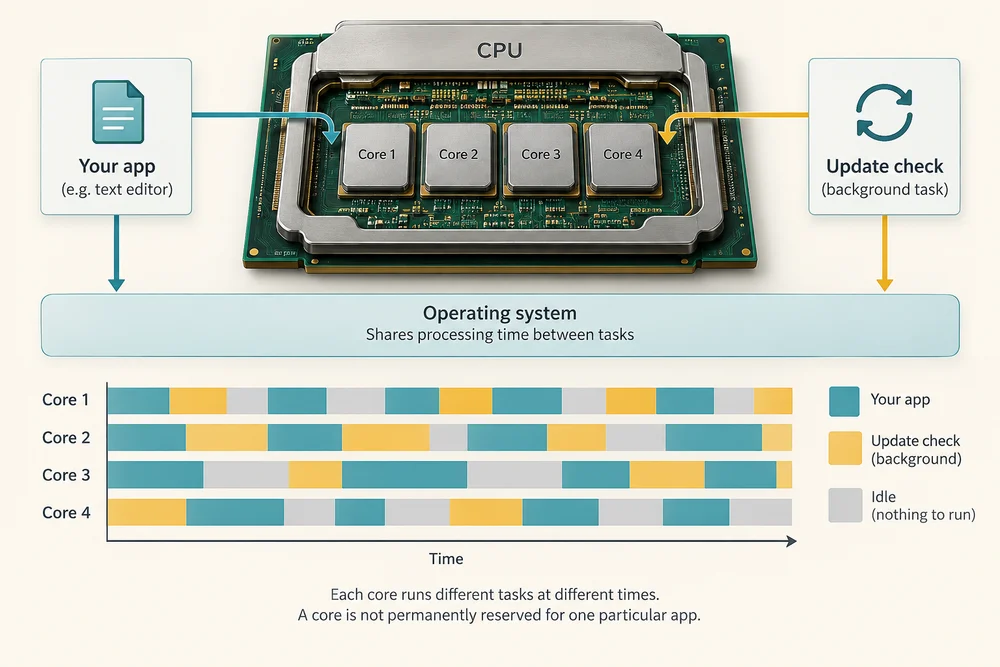
A computer can also be busy with work you did not start directly, such as checking for updates. The operating system helps share processing time between tasks. A core is not permanently reserved for one particular app.
What GHz tells you
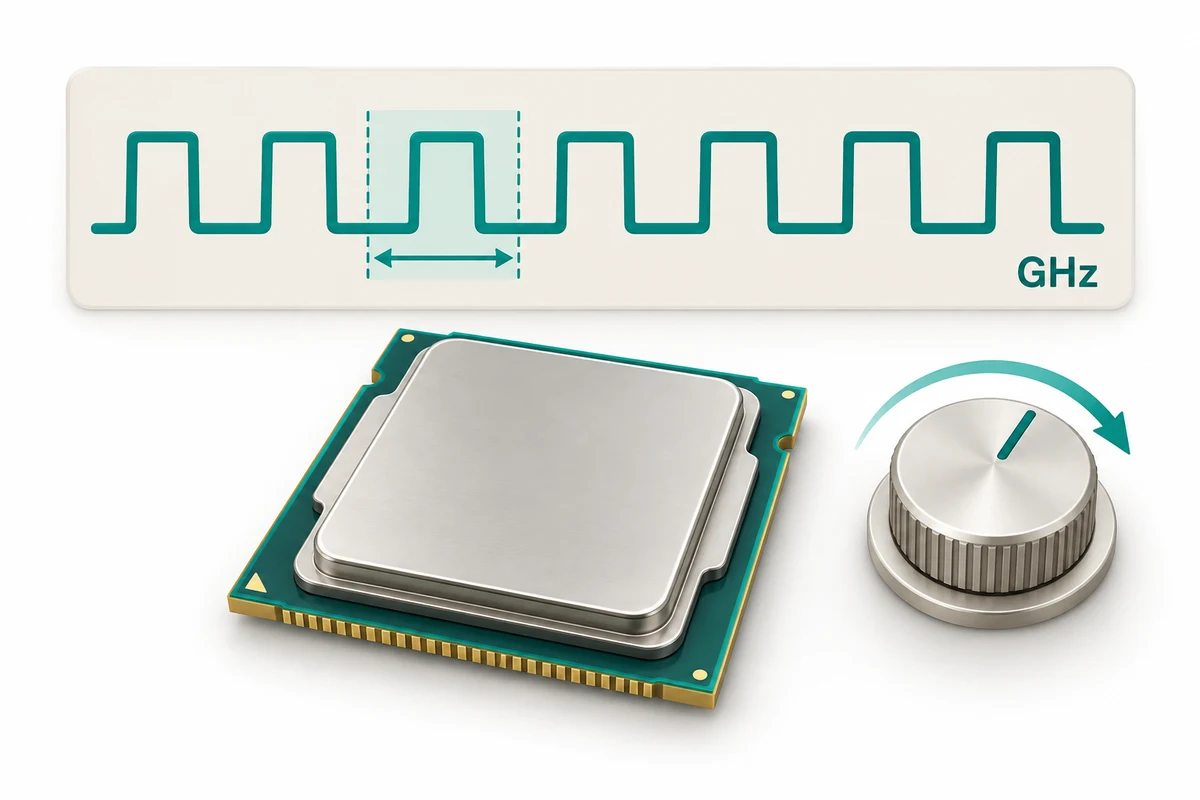
Clock speed describes the rhythm of a processor’s operation. You may see it measured in GHz, short for gigahertz. A higher clock speed can help when comparing otherwise similar processors, but different designs can do different amounts of work in each cycle.
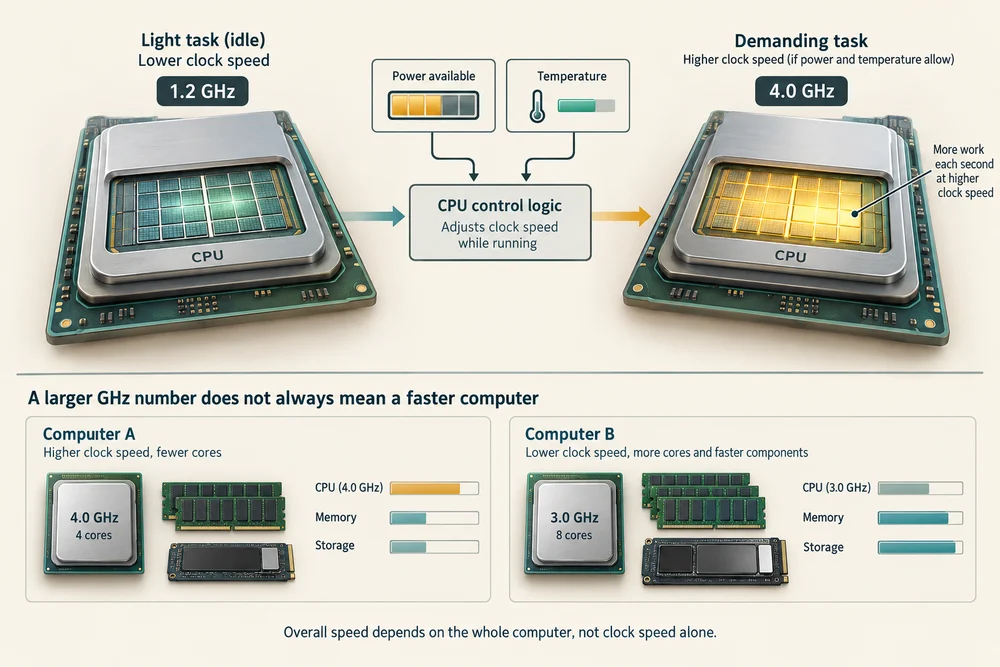
Clock speed can change while the computer runs. A processor may speed up for a demanding task when power and temperature allow. A larger GHz number alone does not prove that one complete computer will be faster than another.
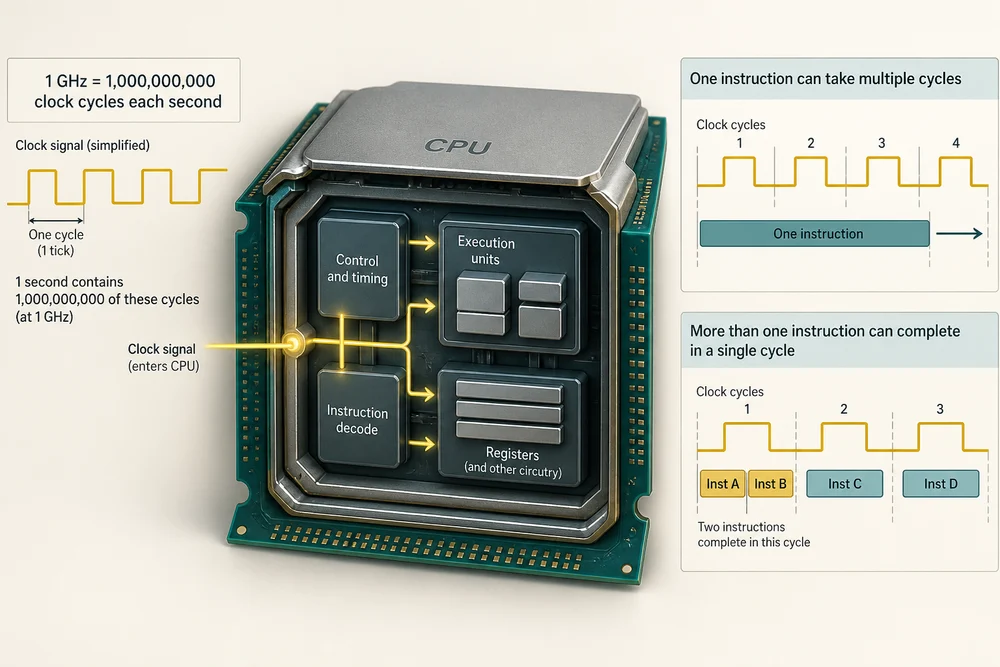
One GHz means one billion clock cycles each second. A cycle is a beat in that electronic rhythm, not necessarily one finished instruction. Some instructions take several cycles, while a processor can complete more than one instruction in a cycle.
The CPU has helpers
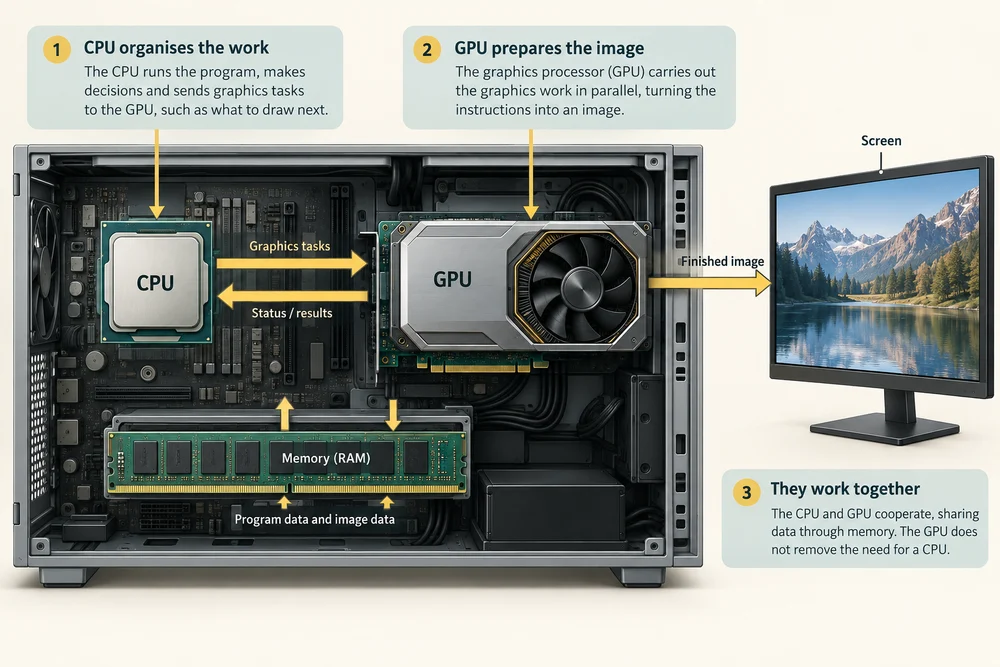
Graphics processing helps prepare pictures for the screen. Some processor packages include both CPU processing and integrated graphics. Other computers also have a separate graphics processor. These are different jobs even when they sit in the same package.
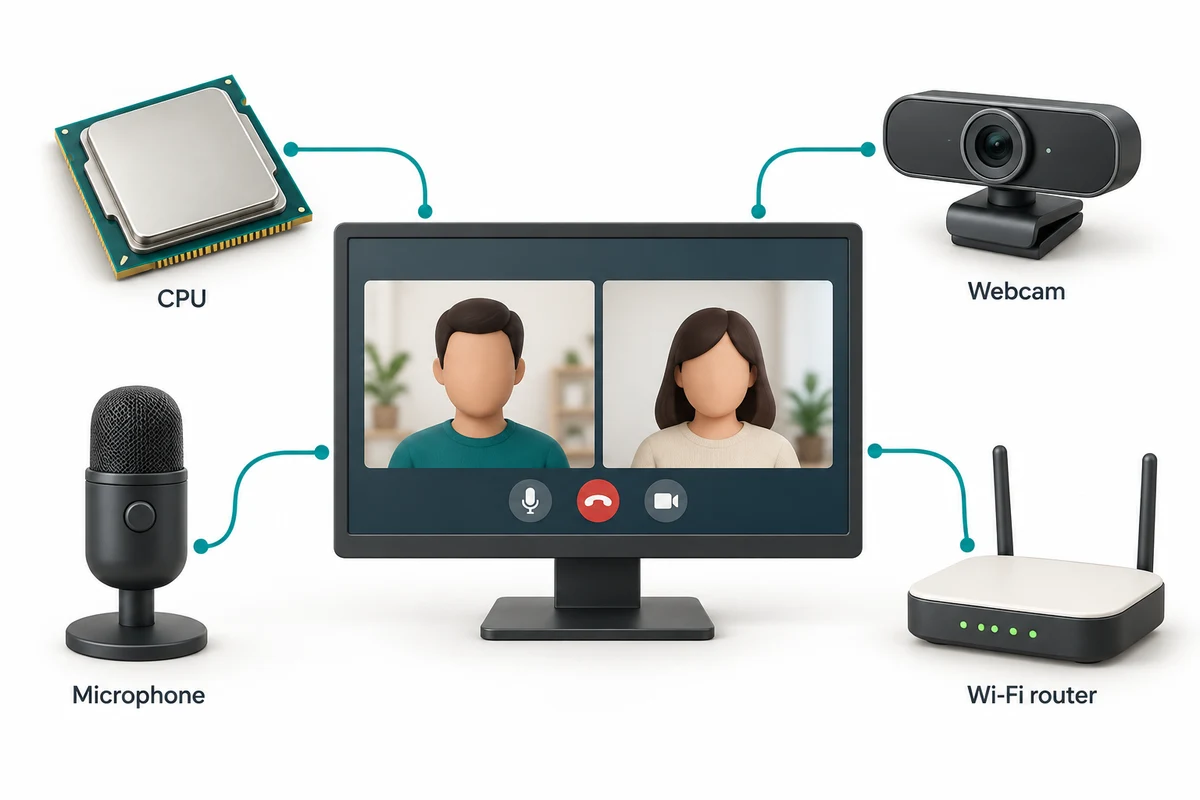
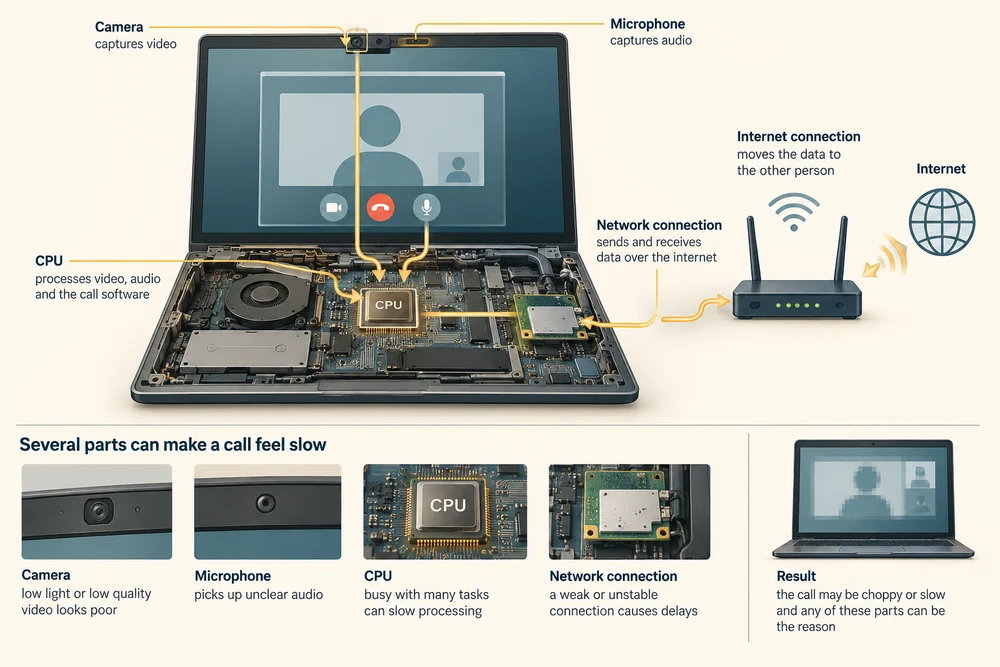
A video call also depends on its camera, microphone and network connection. A powerful CPU cannot make a weak internet connection reliable by itself. When something feels slow, several parts of the task may be responsible.
For example, when a program displays a changing picture, the CPU may organise the program’s work while graphics processing prepares the image. These parts cooperate. The graphics processor does not remove the need for a CPU.
Work, power and heat
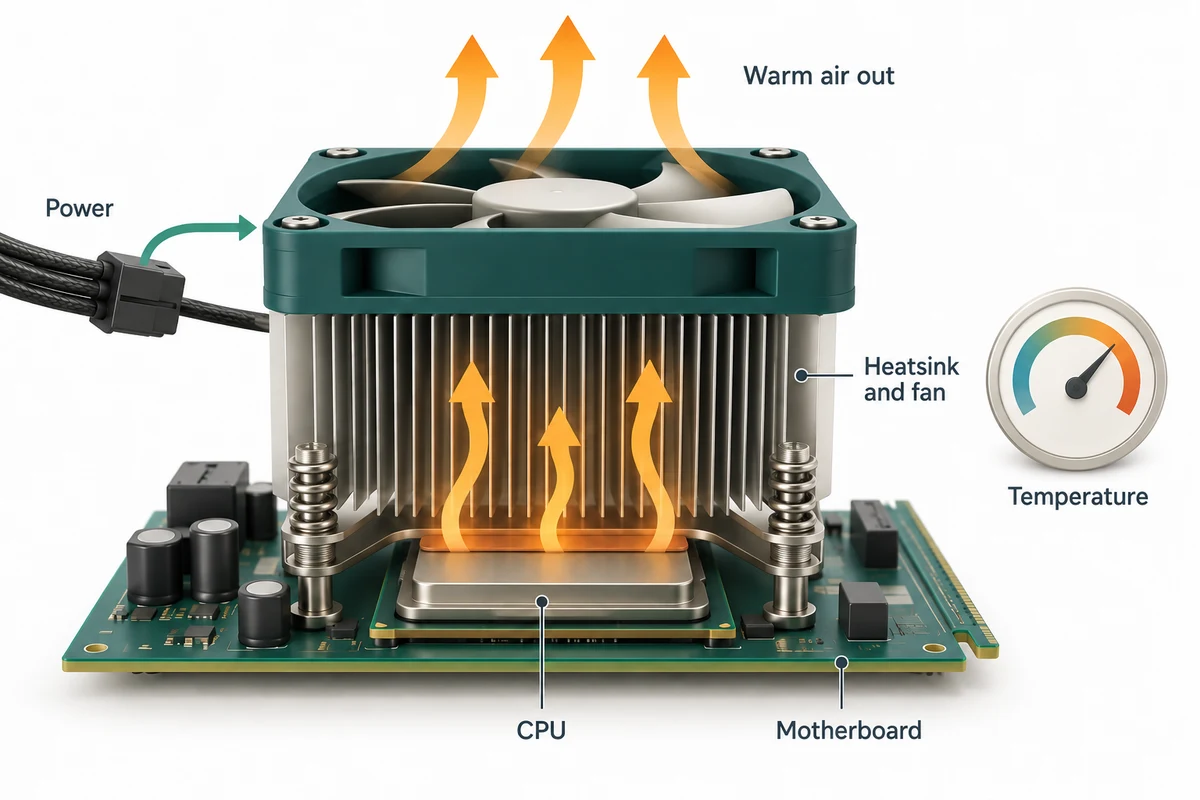
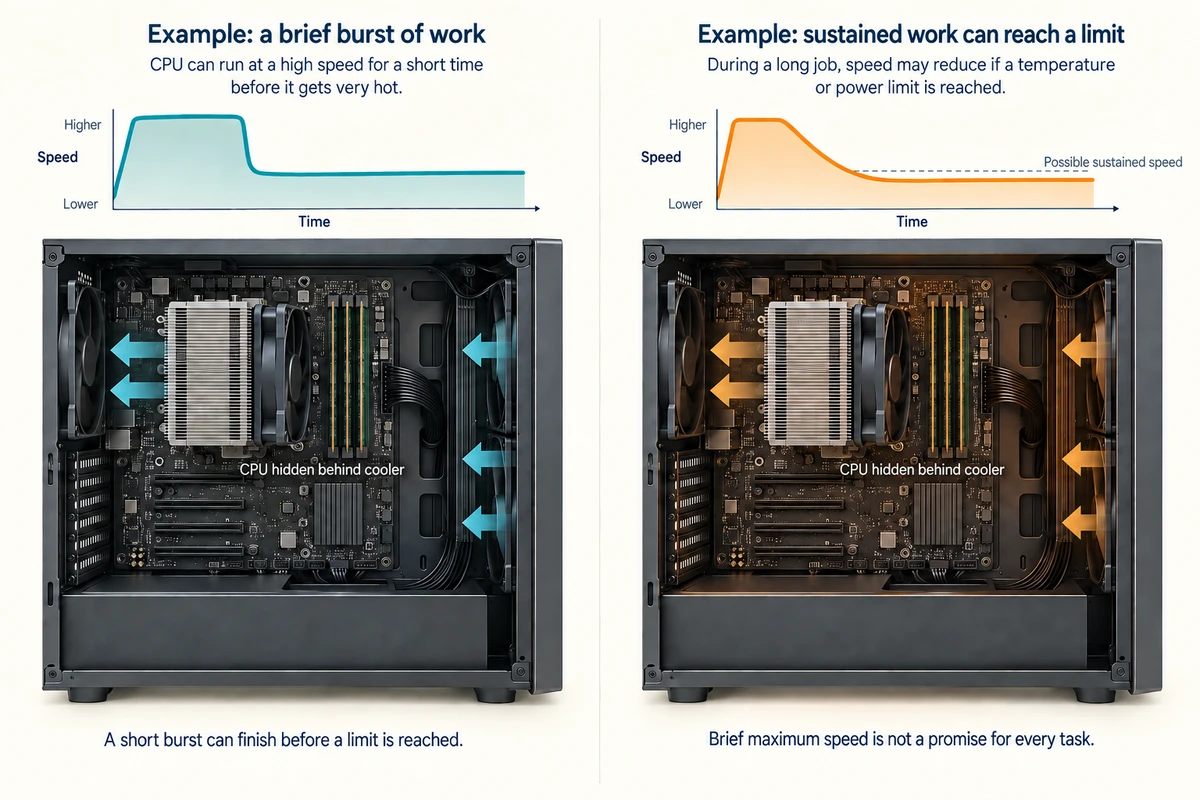
A working CPU uses electricity and produces heat. Its cooling system carries heat away. Under temperature or power limits, a processor can reduce its speed, so the cooling and overall computer design affect how it handles long tasks.
For everyday understanding, connect the processor to the work you do: documents, video calls, games or editing. A model name, core count and clock speed are clues, not a complete verdict. This lesson does not require choosing or replacing a processor.
A short burst of work and a long demanding job can behave differently. During a long job, heat needs to keep leaving the computer. That is why a processor’s brief maximum speed is not a promise about its speed throughout every task.
A software thread is a sequence of work for the CPU. Some physical cores support more than one hardware thread, shown as logical processors in Windows. These share parts of the same physical core. Eight threads do not necessarily mean eight cores or twice the speed of four. Support varies by processor.
Check your understanding
Click Start 3 questions to begin a selection from this lesson’s ten questions. Read the guidance beside each question. After the first two correct answers, click Next question. When all three are correct, click Continue below. With a keyboard, press Tab to reach a button and Enter to activate it.
In guided learning, click Start 3 questions to receive a selection from this lesson. Click the circle beside an answer, then click Check answer. Read the feedback and try again if needed. Click Next question after each correct answer. Answer all 3 correctly to continue.
Returning to guided learning keeps the questions and answers in your current attempt.
Read all 10 questions and explanations
A spreadsheet has numbers ready to add. Which job does the CPU perform?
Answer: Carry out the instructions that calculate the total.
Yes. The CPU carries out the calculation instructions. RAM holds current work, while storage keeps the saved spreadsheet.
What tells the CPU which calculations and comparisons to perform?
Answer: The instructions supplied by programs.
Yes. Programs supply the instructions. RAM capacity and clock speed affect resources and timing, but do not specify the task.
A specification lists six CPU cores. What does it mean by a core?
Answer: A processing unit within the CPU.
Yes. Each core is a processing unit inside a CPU. Six cores do not mean six separate processor packages or six areas of RAM.
When is a program most likely to benefit from several CPU cores?
Answer: When its work can be shared between simultaneous tasks.
Yes. Several cores help when work can run at the same time. They cannot divide work that must stay sequential or fix a network delay.
A processor specification includes a GHz figure. What is being measured?
Answer: The rhythm of the processor’s clock cycles.
Yes. GHz measures clock speed. Core count describes processing units and RAM capacity describes working space.
Two different processor models have different GHz figures. What else matters when comparing them?
Answer: Their design and the work the computer will do.
Yes. Different designs do different amounts of work per cycle. Core count is separate from GHz, and the task matters too.
A letter is open and being edited. Where is much of its current working information held for quick access?
Answer: In RAM.
Yes. RAM holds current working information. The SSD keeps the saved version; CPU cores carry out instructions.
A letter has been saved before the computer is shut down. Where is that saved copy kept?
Answer: On storage such as an SSD.
Yes. Saving writes to storage, which retains the letter without power. RAM and processing are different from keeping the saved copy.
A video call breaks up because its internet connection is weak. What should you expect from a faster CPU alone?
Answer: The connection can still limit the call.
Yes. A video call depends on its network connection as well as processing. More processing does not strengthen the wireless signal.
Why can cooling affect the speed of a CPU during a long demanding task?
Answer: It helps remove heat that could otherwise make the CPU slow down.
Yes. Cooling moves heat away. A CPU may reduce speed at temperature limits; the cooler does not directly select a program’s clock speed.
Connect the idea to your computer
These optional observations help connect the pictures with your own computer. You can finish the lesson without opening the case, changing a setting or buying a part.
- 1
If you already have your computer’s specification sheet or printed manual, look for Processor or CPU. A specification sheet is a list of the computer’s parts and features.
- 2
Read the processor name and any core or GHz figure beside it. Connect those words with this lesson: processor model, processing units and clock speed. It is fine if some details are not listed.
- 3
Think of a task you use your computer for. Name one other part it needs, such as RAM for current work or a network connection for a video call.
If you do not have the specification sheet or cannot identify a part, use the lesson pictures instead. Every computer is different. This activity is about understanding, not fitting or replacing hardware.
Looking to build a computer or find one that suits your needs? Contact Basic Computing for help.
Look inside your computer
Explore hardware in 3D
Choose an internal component below. Click once on Open 3D model to load a model you can turn and inspect.
Meet the component
Processor (CPU)
The processor carries out instructions. Its small silicon chip sits in a protective package that connects to the motherboard.
Choose a part
Click once on a named part above to learn what it does. When the 3D view is open, a bright yellow glow highlights it on the model.
These are simplified, representative designs. Details and proportions vary between real products. Separated parts are a teaching illustration, not instructions for taking a device apart.