Select several files
One action can affect a whole group
Decide between selecting a range, separate items or everything.
Explain Shift and Ctrl selection and check the intended group.
Selecting several files lets one command act on more than one item. This saves effort, but it also makes checking the selection important. The highlighted group, not simply the item under the pointer, is what many commands will use.

Choose the group before the command
How this works
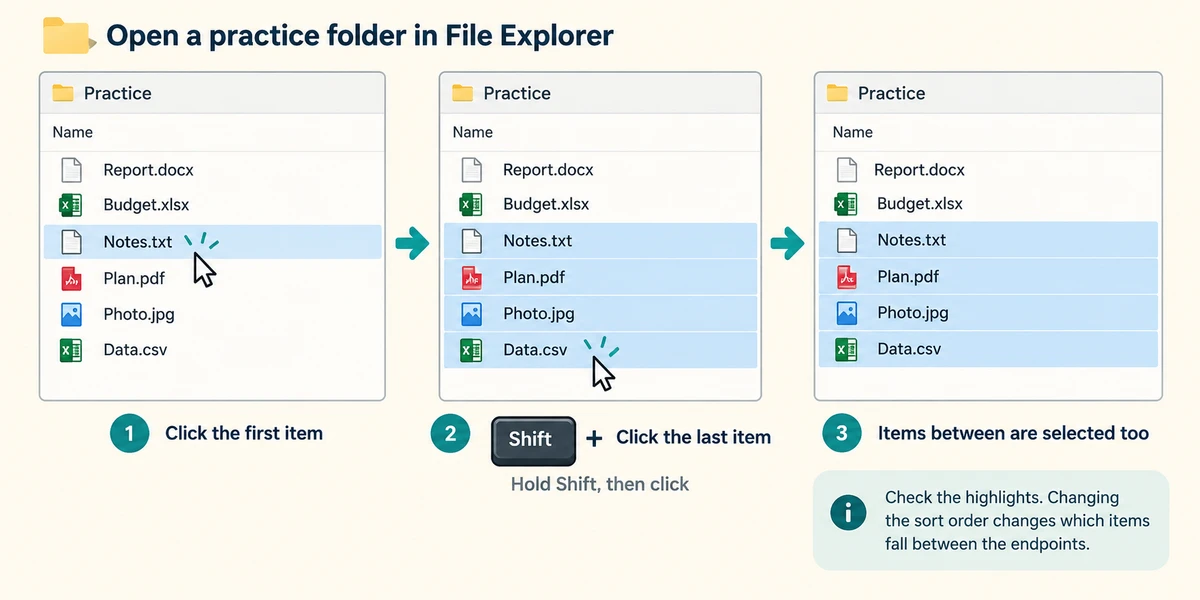
Open a practice folder in File Explorer. To select consecutive items in the current order, click the first once. Hold Shift, click the last once, then release Shift. The items between them should be selected too. Check the visible highlights because changing the sort order changes which items fall between the endpoints.
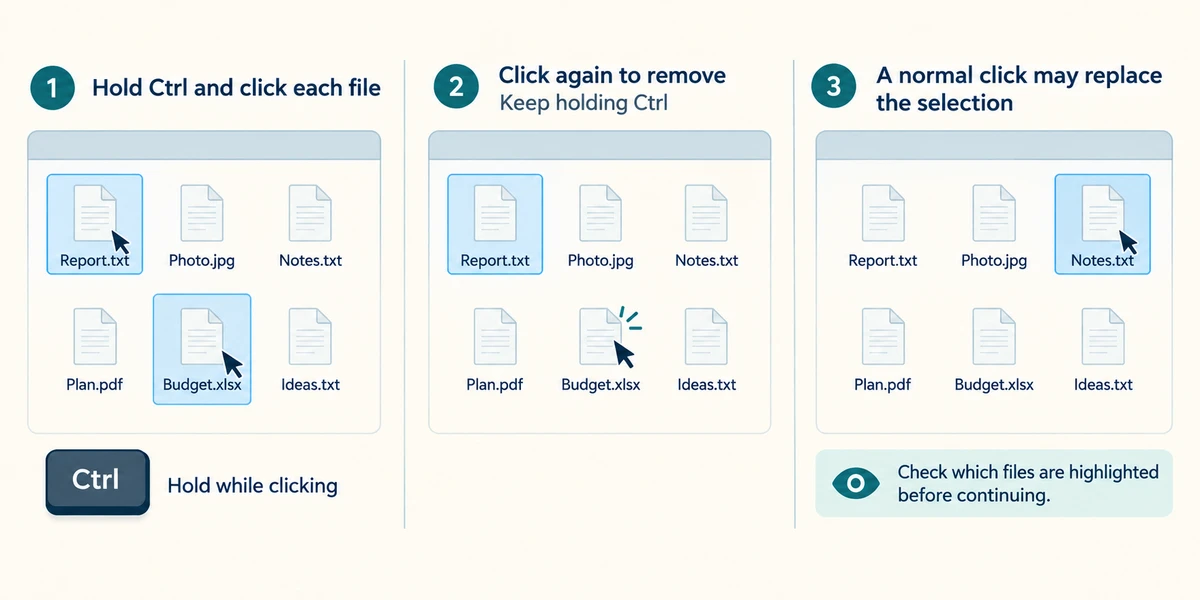
For items that are not next to each other, hold Ctrl while clicking each chosen file once, then release Ctrl. While Ctrl is held, clicking a selected item again can remove it from the selection. A normal click without Ctrl may replace the group with just one item, so inspect the highlights before continuing.
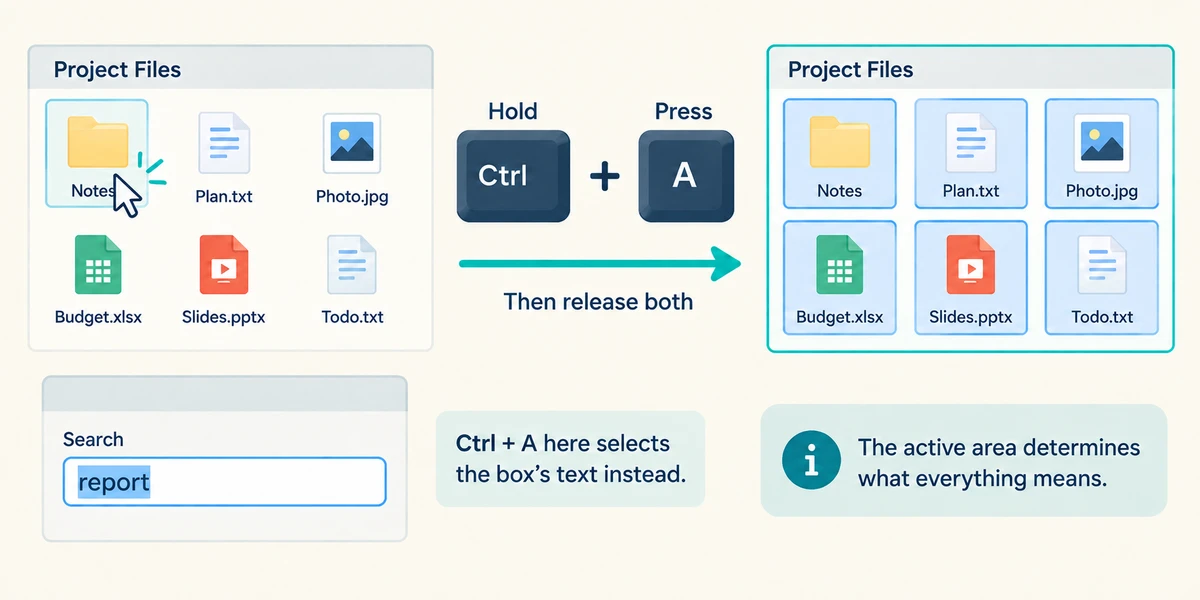
To choose everything in the active file area, click an item there, hold Ctrl, press A and release both. Use this only when you mean all its items. Ctrl+A inside a search or name box selects that box's text instead. The active area determines what everything means.
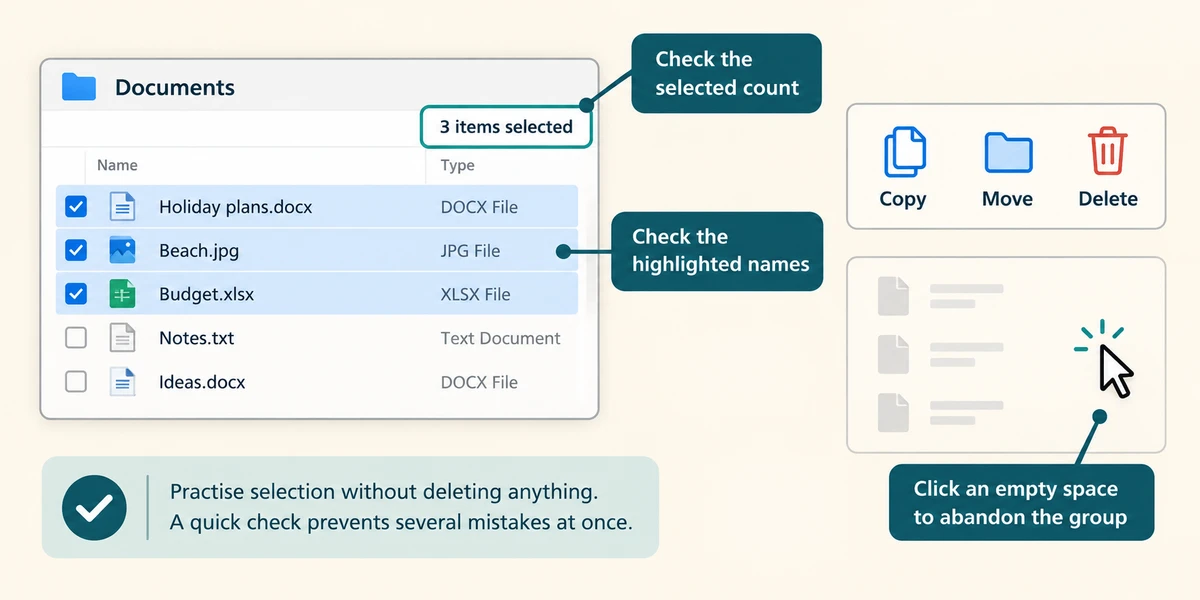
Read the selected count if File Explorer shows one, and check the highlighted names before Copy, Move or Delete. To abandon the group, click an empty space in the file area. Practise selection without deleting anything; when a command will affect several files, a quick check prevents several mistakes at once.
You want only the first and fifth photographs in a list, not the three between them. What fits?
Hold Ctrl while clicking those two photos once each.
Check what you understand
In guided learning, click Start 3 questions to receive a selection from this lesson. Click the circle beside an answer, then click Check answer. Read the feedback and try again if needed. Click Next question after each correct answer. Answer all 3 correctly to continue.
Returning to guided learning keeps the questions and answers in your current attempt.
Read all 3 questions and explanations
You use Shift to select from the second to the sixth item. What should you check?
Answer: All items in that displayed range are the ones you intend.
Range selection includes the items between the endpoints.
Ctrl+A highlights the words in the search box instead of your files. Why?
Answer: The search box has focus.
Select all acts on the active control or area.
You have accidentally included one extra item in a separate Ctrl-selected group. What can help?
Answer: Hold Ctrl and click that selected item once to remove it from the group.
Toggling its selection leaves the actual file unchanged.
Take this to your computer
- 1
Use a practice folder with harmless files. Select a short range using Shift.
- 2
Click an empty space, then choose two separate files using Ctrl.
- 3
Inspect the names and count, then clear the selection without deleting anything.
Trying this on your own computer is optional. Use only disposable practice information. This lesson's choices check your decisions; they do not operate your computer or prove that you have performed the real task.
Prefer a more personal, one-to-one lesson? Basic Computing can help. Explore our services.