Record your screen and sound
Recording captures selected sources over time
Choose capture settings for a short explanation.
You will distinguish screen area, microphone and system sound before recording.
A screen recording saves what appears in a chosen area, sometimes with microphone or computer sound. These sources are separate choices. A recording can include private messages or voices by accident, so deciding what belongs in it is part of making a useful result.

Choose sources, stop and inspect
How this works
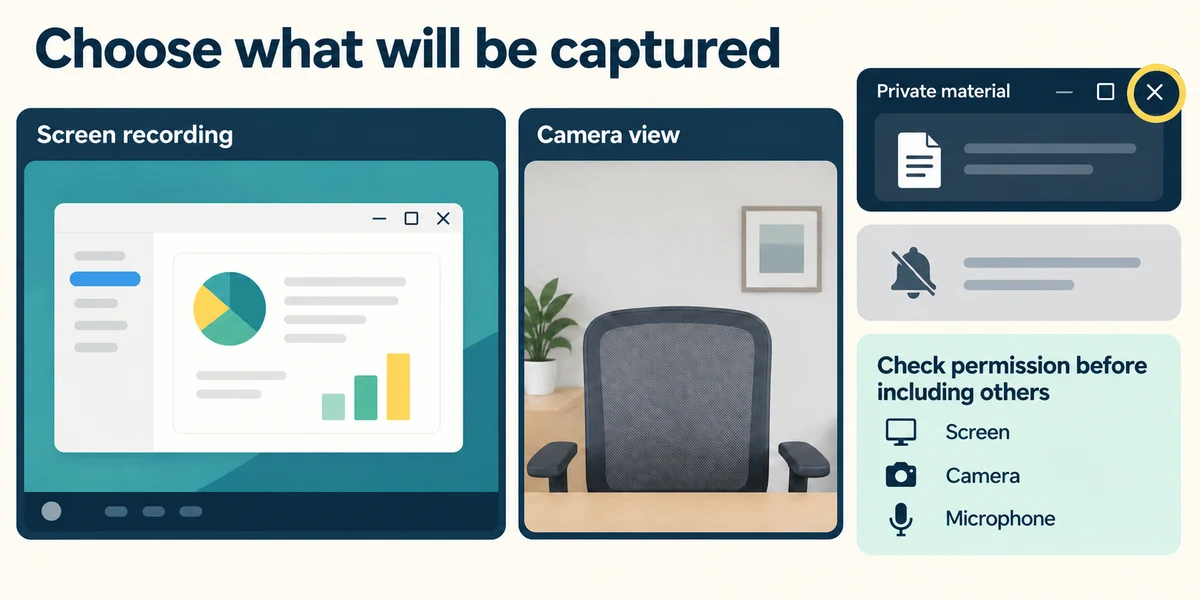
Prepare a harmless demonstration and close private material using each window’s top-right X. Consider notifications and ask permission before including other people’s voices or images. Recording a screen is different from recording the webcam; the Windows Camera app records its camera view, while a screen tool captures the selected display area.
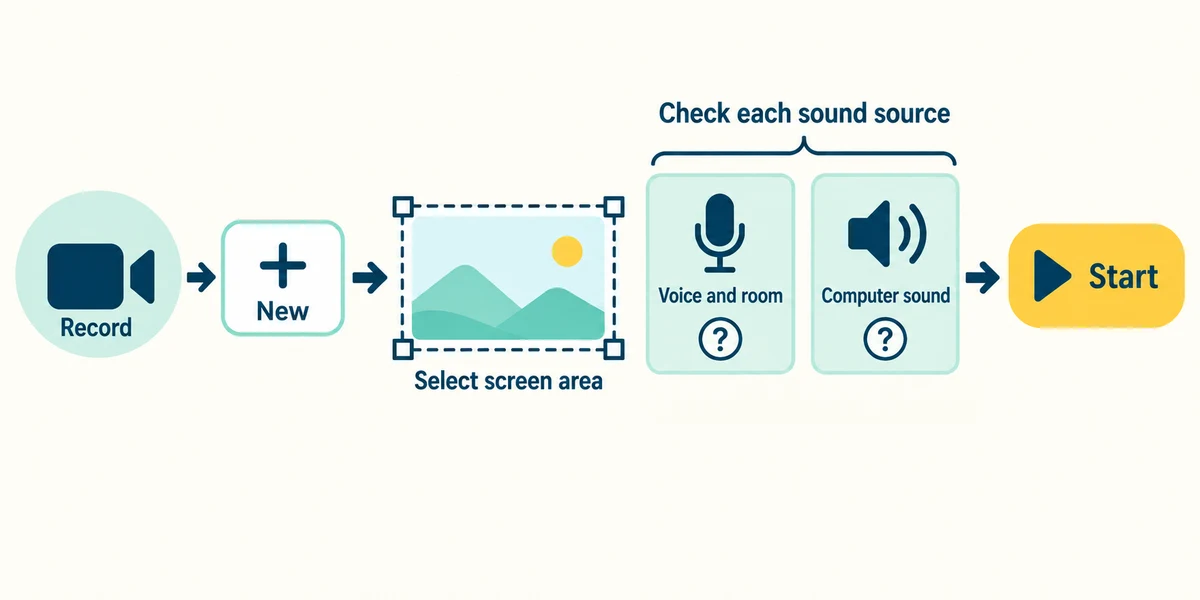
In a supported Windows 11 Snipping Tool, click Record, then New. Point at one corner of the intended screen area, hold the left mouse button, move to the opposite corner and release. Read the microphone and system-audio controls available in your version. Microphone sound is your voice or room; system sound is audio played by the computer. Turning system audio off does not stop the microphone picking up nearby speakers, so stop unwanted playback or use headphones. Check each source before clicking Start.
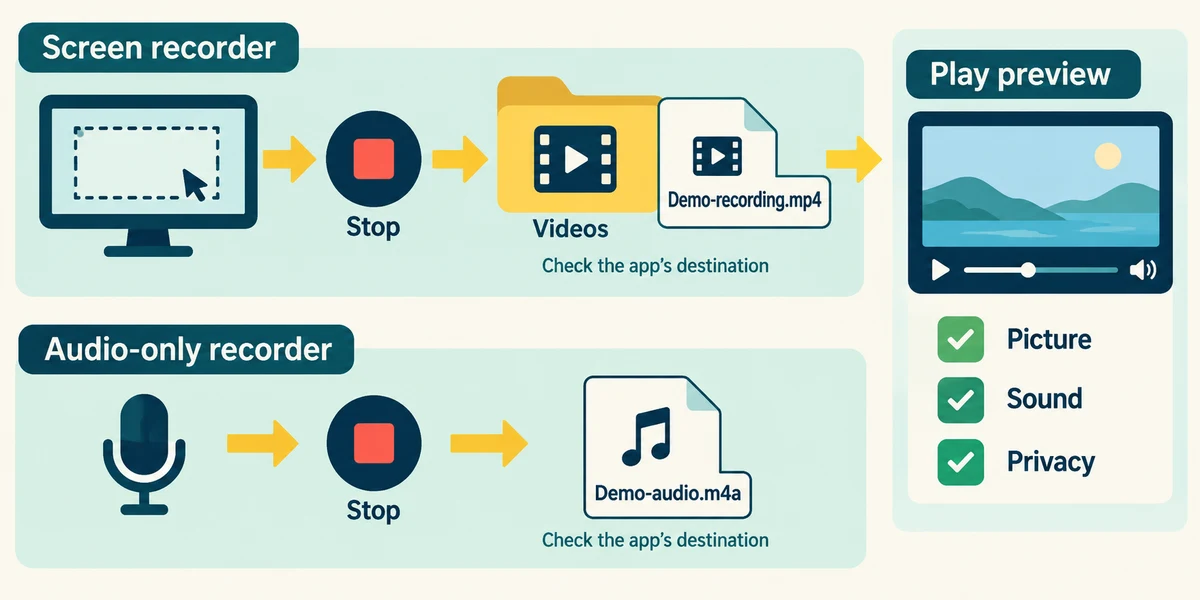
Use the recorder’s labelled Stop control when finished and inspect its preview. Save or locate the recording using the app’s stated destination, then replay the actual file and check picture, sound and private information. For sound without a screen, use a trusted audio recorder’s Record and Stop controls instead and inspect its saved file. Different tools support different sources and formats.
You have stopped the music playing on the PC. You want to record one harmless app with your voice and no other computer audio. Which choices fit where supported?
Capture that app’s area with microphone on and system audio off
Check what you understand
In guided learning, click Start 3 questions to receive a selection from this lesson. Click the circle beside an answer, then click Check answer. Read the feedback and try again if needed. Click Next question after each correct answer. Answer all 3 correctly to continue.
Returning to guided learning keeps the questions and answers in your current attempt.
Read all 3 questions and explanations
A notification appears inside the selected recording area. What should you assume before sharing?
Answer: It may be included and the saved result needs inspection
Anything visible in the captured area may appear in the recording. Review the actual result.
You only need a spoken note, with no screen picture. Which tool’s main task fits?
Answer: An audio recorder
An audio recorder captures sound over time without needing a screen video.
The preview has picture but no narration. What is useful to review?
Answer: The chosen microphone source, permission and recording sound settings
Narration depends on the correct input and allowed, enabled capture. Picture and sound are separate sources.
Take this to your computer
- 1
Optional: open the recorder already on your PC and read its source controls without starting. No camera or microphone permission is required here.
Recorder features vary. Do not capture confidential material, other people without permission or restricted content.
Prefer a more personal, one-to-one lesson? Basic Computing can help. Explore our services.