Read Task Manager performance graphs
Read Task Manager performance graphs
Compare performance graphs during different sample workloads.
You can describe an observed resource limit and its uncertainty.
Performance graphs show changing activity over time. They are useful clues when connected to what the computer was doing. A brief high number can be normal; a repeated limit during a specific slow task deserves investigation. Observation is different from proving which part to replace.
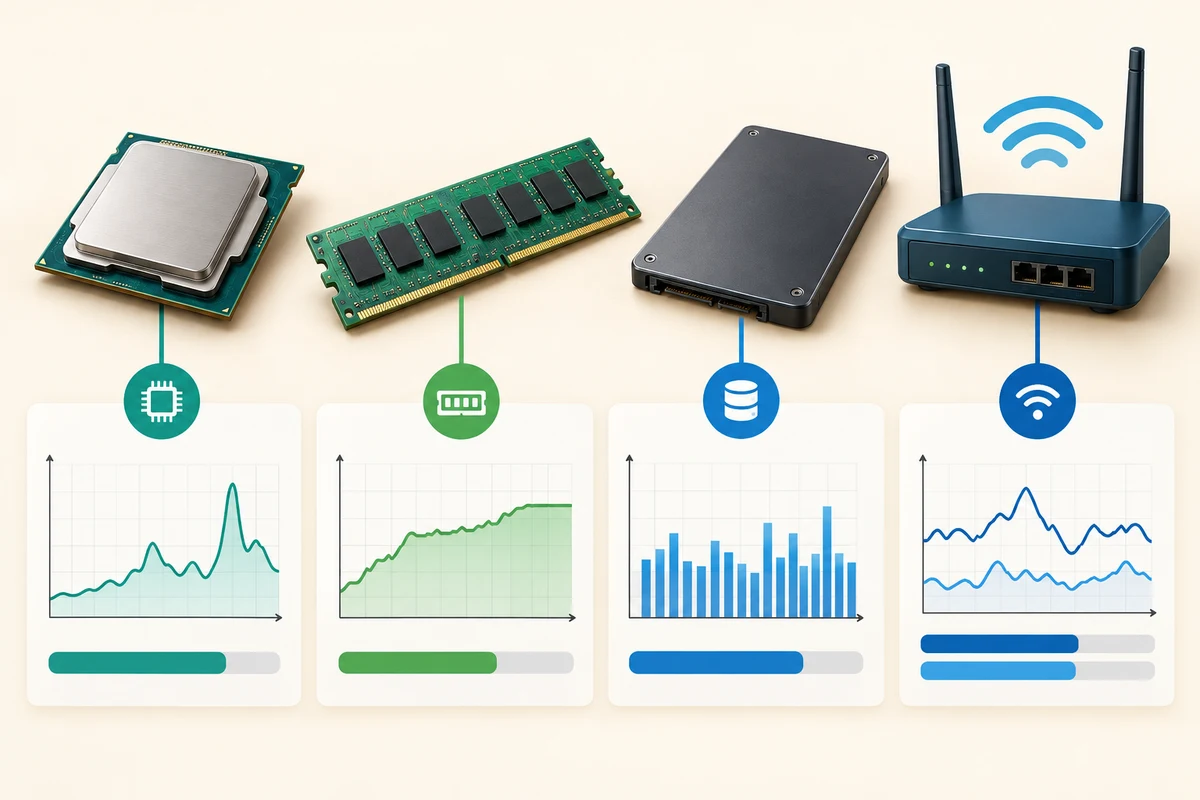
Work through the useful checks
How this works
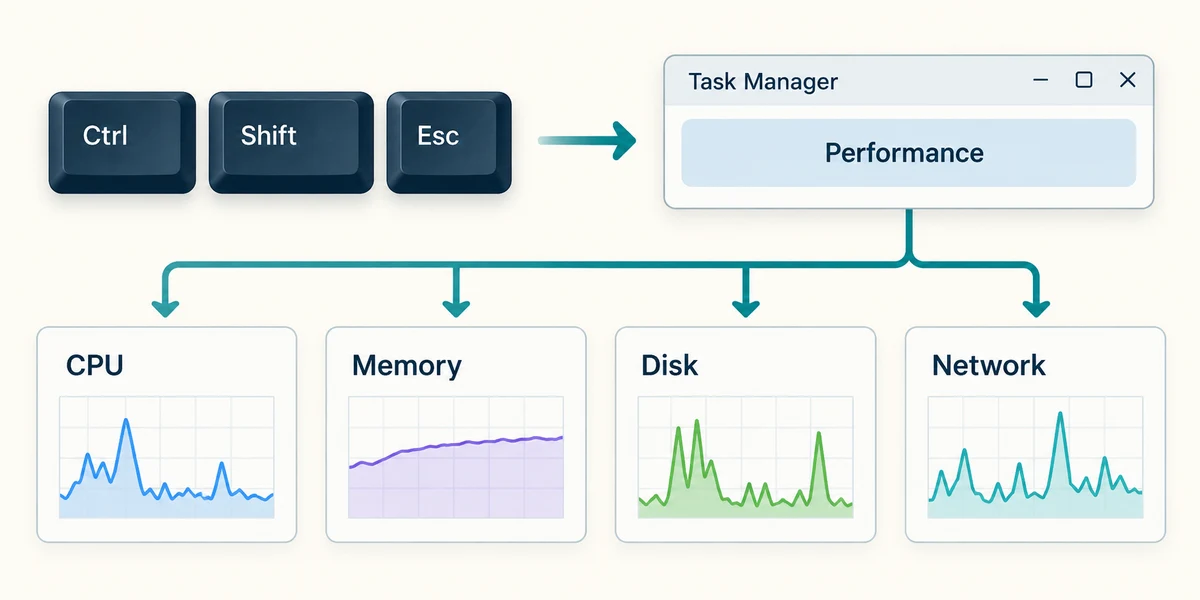
Hold Ctrl and Shift, press Escape once, then release all three keys to open Task Manager. Click Performance in its navigation. If names are collapsed, use the navigation menu button. Click CPU, Memory, Disk or the active network connection to inspect its graph. This view does not require ending a process.
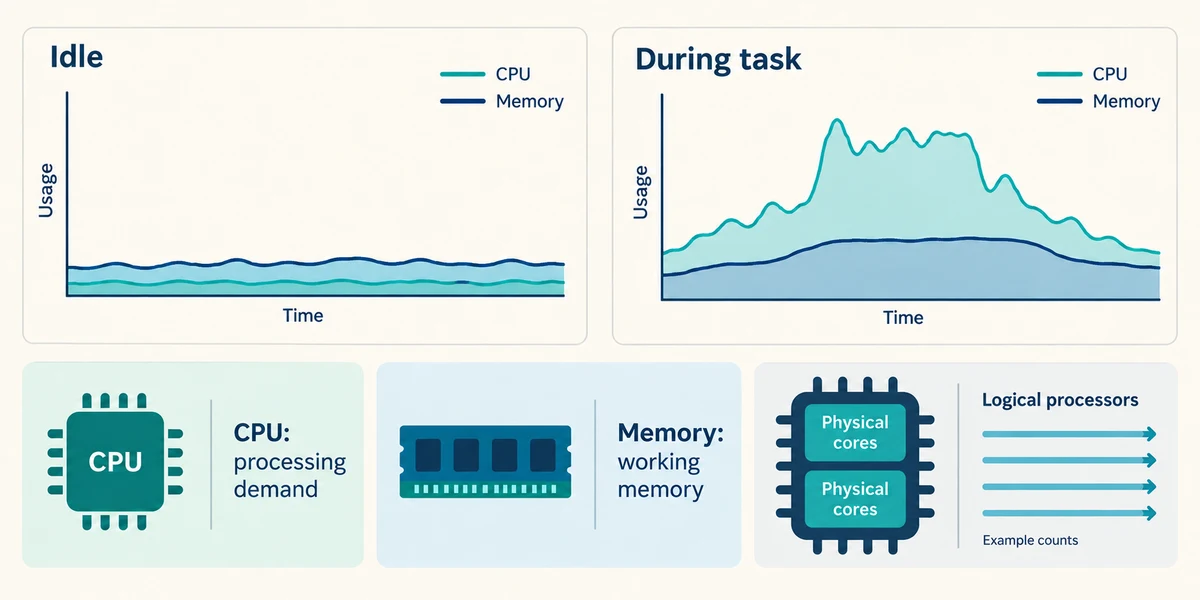
Compare an idle moment with the task you are investigating. CPU activity describes processing demand; Memory shows working-memory use. Cores are physical processing units, while logical processors describe work streams Windows can schedule. They are not automatically the same count.
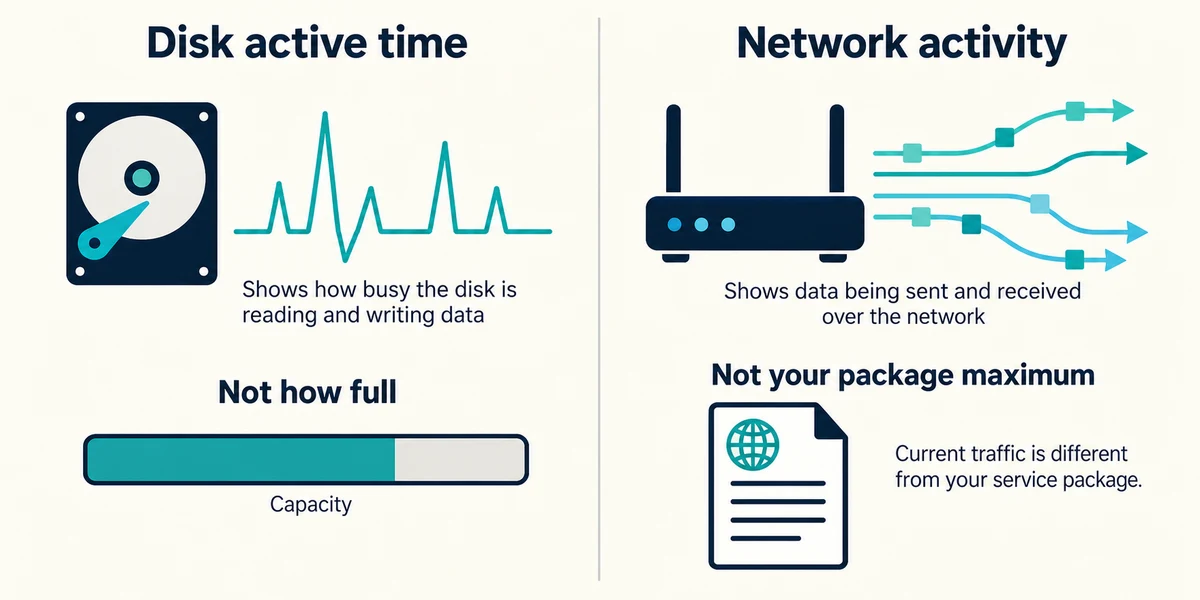
Disk active time measures how busy storage is servicing requests, not how full the drive is. Network activity shows current traffic on that interface; it is not automatically the maximum speed of your broadband package.
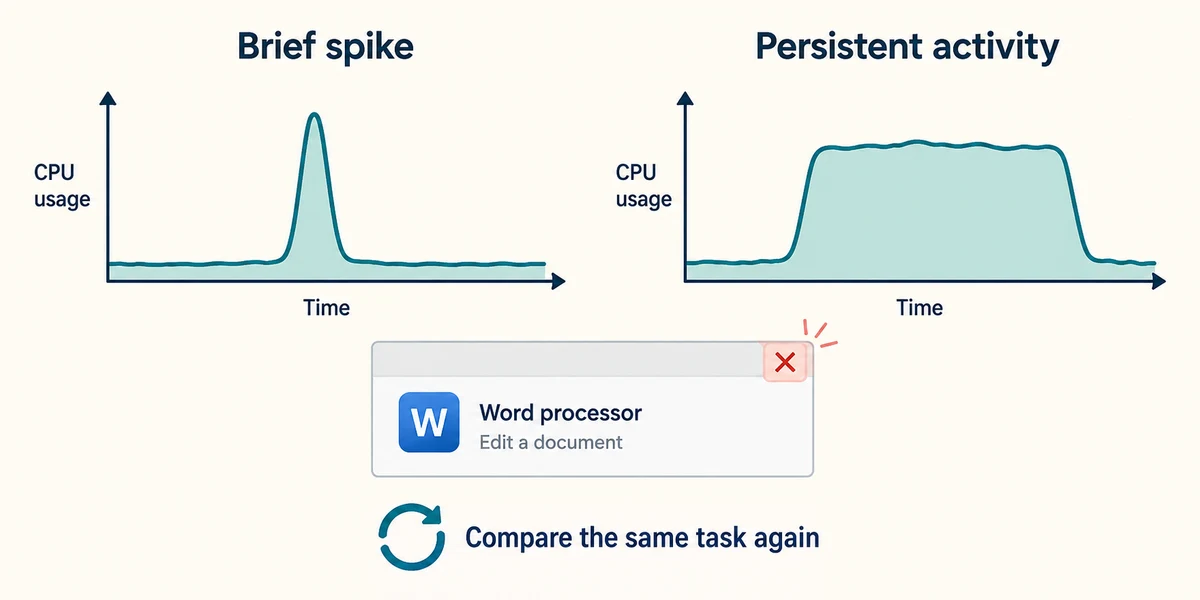
A short spike while an app opens can be expected. Persistent high activity during a repeated slow task is stronger evidence, but the app, files, temperatures and other resources still matter. Compare before and after closing a recognised unneeded app with its top-right X.
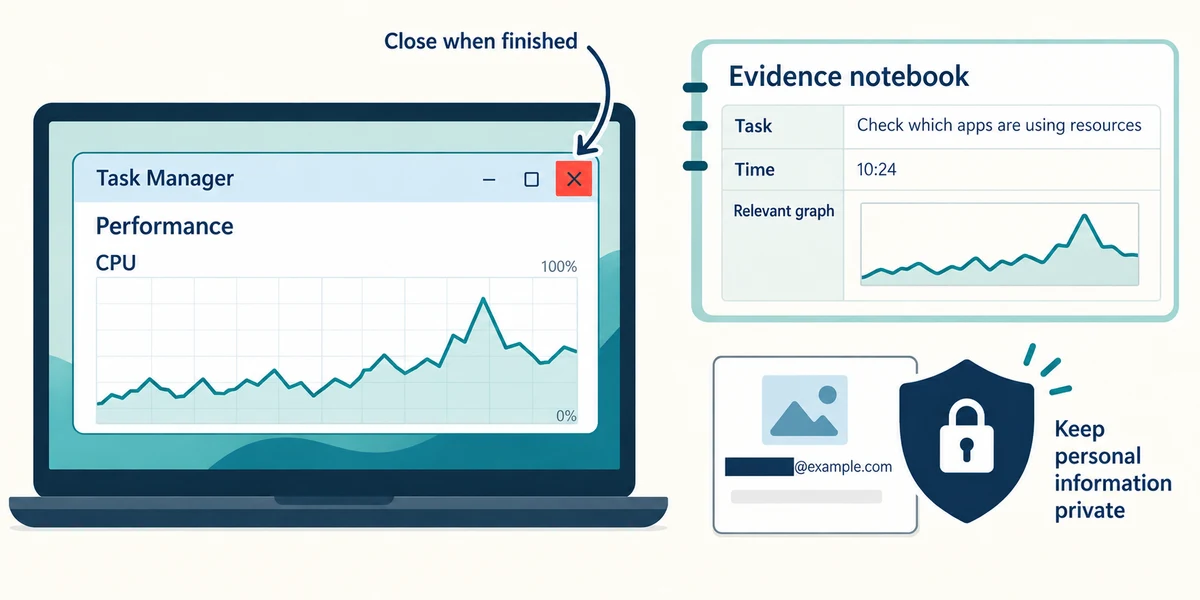
Record the task, time and relevant graph rather than ending unknown processes or buying a component from one number. Close Task Manager with its top-right X when finished. If sharing a screenshot with support, exclude personal details.
Compare the examples
Invented CPU samples of 12%, 88%, 82% and 16% show a busy period that settles down. A different sequence of 78%, 90%, 93% and 89% stays busy. These observations suggest different questions, not a proven cause. Disk active time is activity, not the percentage of storage space filled.
Disk activity reaches 100% during a large copy. Does this mean the drive has no free space?
No; active time and stored capacity are different measurements.
Check what you understand
In guided learning, click Start 3 questions to receive a selection from this lesson. Click the circle beside an answer, then click Check answer. Read the feedback and try again if needed. Click Next question after each correct answer. Answer all 3 correctly to continue.
Returning to guided learning keeps the questions and answers in your current attempt.
Read all 3 questions and explanations
CPU use briefly rises while an app opens, then falls. What is a fair interpretation?
Answer: The task caused a burst of work; this alone does not prove a fault.
A short workload-related spike can be normal. Look for repeated symptoms and sustained limits before diagnosing.
A network graph shows low traffic while nothing is downloading. What does it establish?
Answer: Little data is currently moving on that interface.
Current usage is not a maximum-speed test. Low demand can produce low traffic on a healthy connection.
Performance shows more logical processors than cores. Which explanation fits?
Answer: Windows can schedule more work streams than the physical core count alone.
Logical processors and physical cores describe related but different aspects of processing. The counts need not match.
Take this to your computer
- 1
Hold Ctrl and Shift, press Escape once, then release all three keys to open Task Manager. Click Performance and observe a familiar resource without changing anything. Compare an ordinary idle moment with opening a trusted app.
- 2
Explain whether the graph shows current activity, installed capacity or free storage. Close Task Manager using its top-right X.
The lesson uses fictional examples. Optional checks on your computer can be observational. Settings and available features vary by model and Windows version.
Prefer a more personal, one-to-one lesson? Basic Computing can help. Explore our services.