Plan backups that survive different problems
Different problems need different protection
Test a backup plan against deletion, device failure and theft.
Apply a practical 3-2-1 plan with protected copies, sensible timing and restore checks.
A spare copy is only useful if it survives the problem that affects the original. Copies beside the computer may share a theft or fire risk, while connected copies may share an unwanted change. A stronger plan considers where copies live, how they are protected and whether you can recover them.

Plan the copies and the recovery
How this works
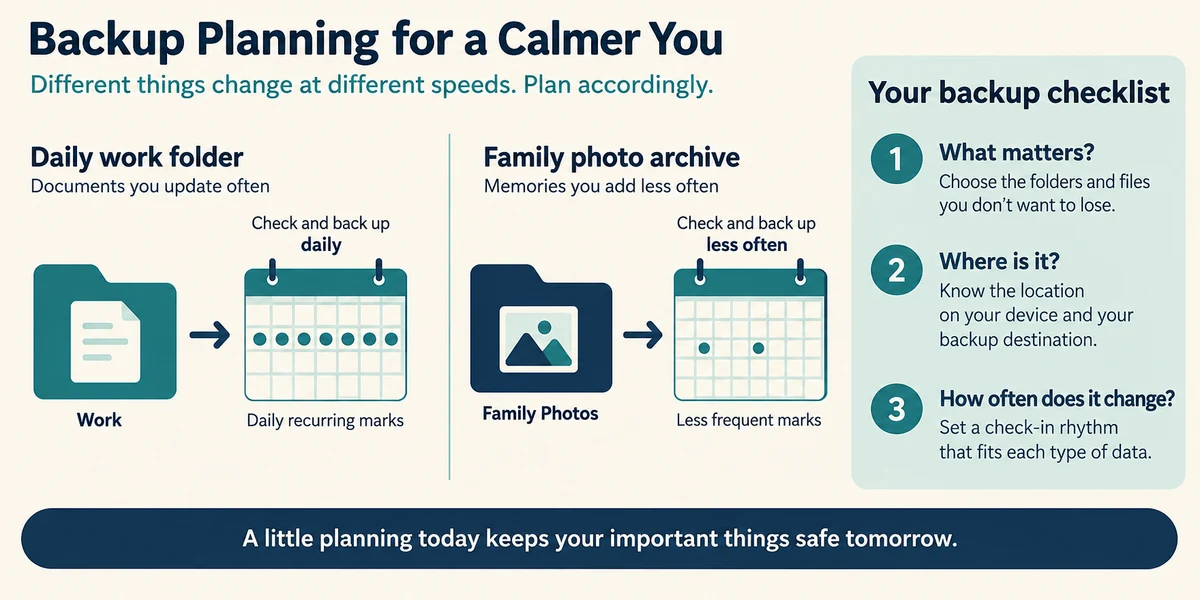
Start by listing irreplaceable work and where it lives, including custom folders and photographs. Decide how much recent work you could reasonably recreate. Files changing every day need a different backup routine from an archive that rarely changes. Use fictional examples in this lesson, not private documents.
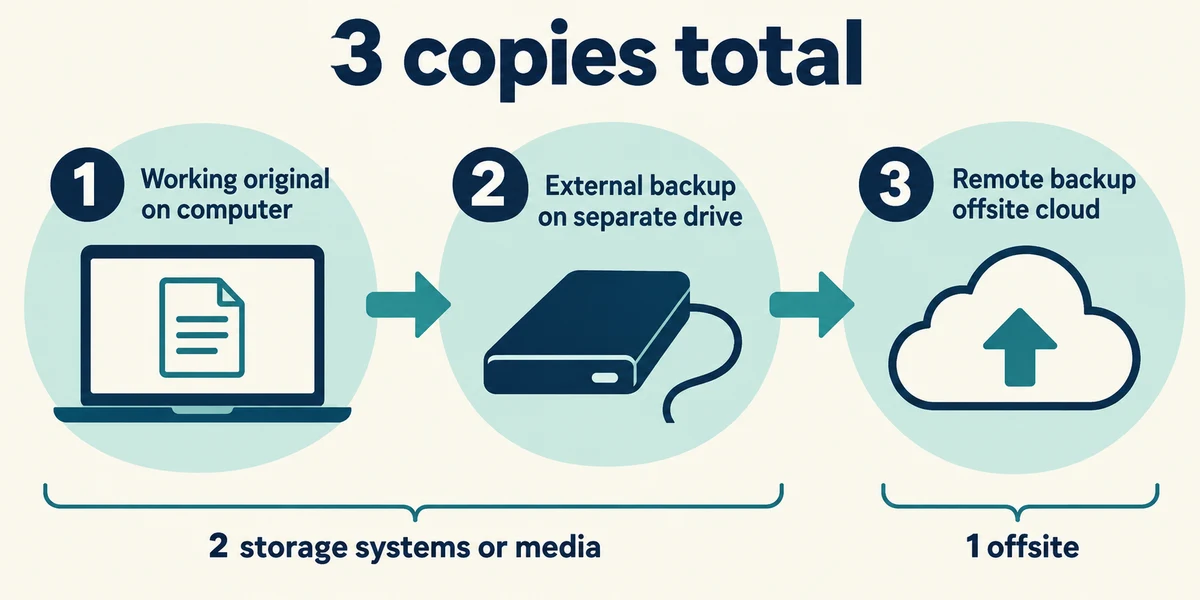
The 3-2-1 guideline means three copies in total, including the working original, across two different storage media or systems, with one copy offsite. For example, a computer original, a separate external-drive backup and a suitable protected remote backup reduce shared risks. Three folders on one drive do not meet the purpose of this guideline.
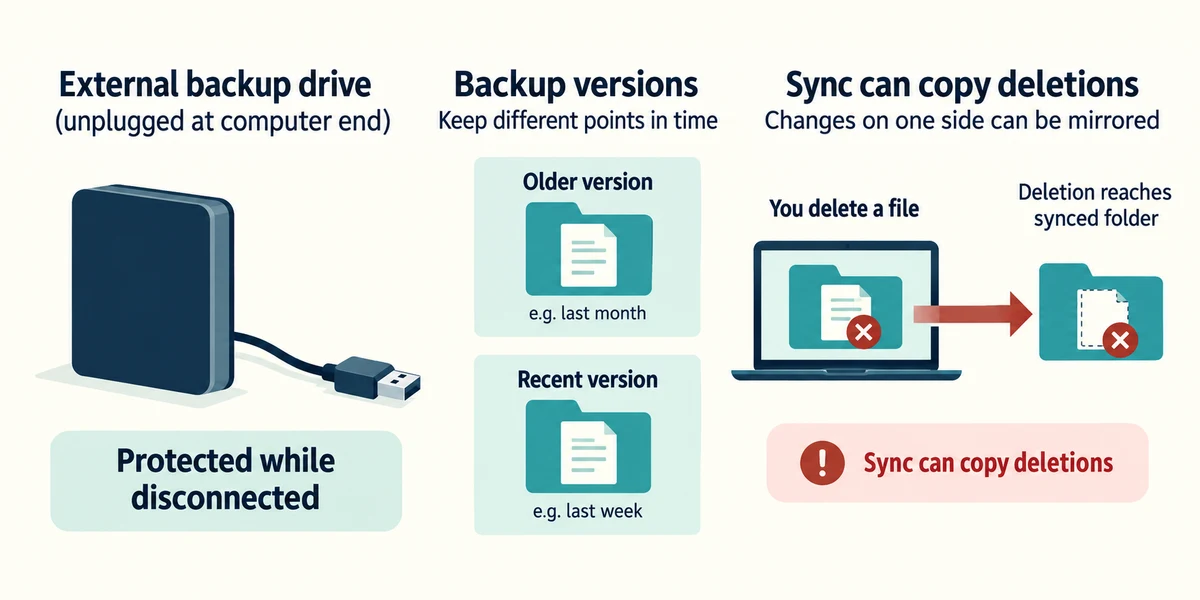
Keep at least one recovery copy protected from unwanted changes on the working computer. A disconnected backup drive is not directly writable by malware while disconnected. A properly configured backup service may provide retained or protected versions, but check its actual controls and limits. Ordinary sync can propagate deletion; do not count today’s mirrored folder as guaranteed historical recovery.
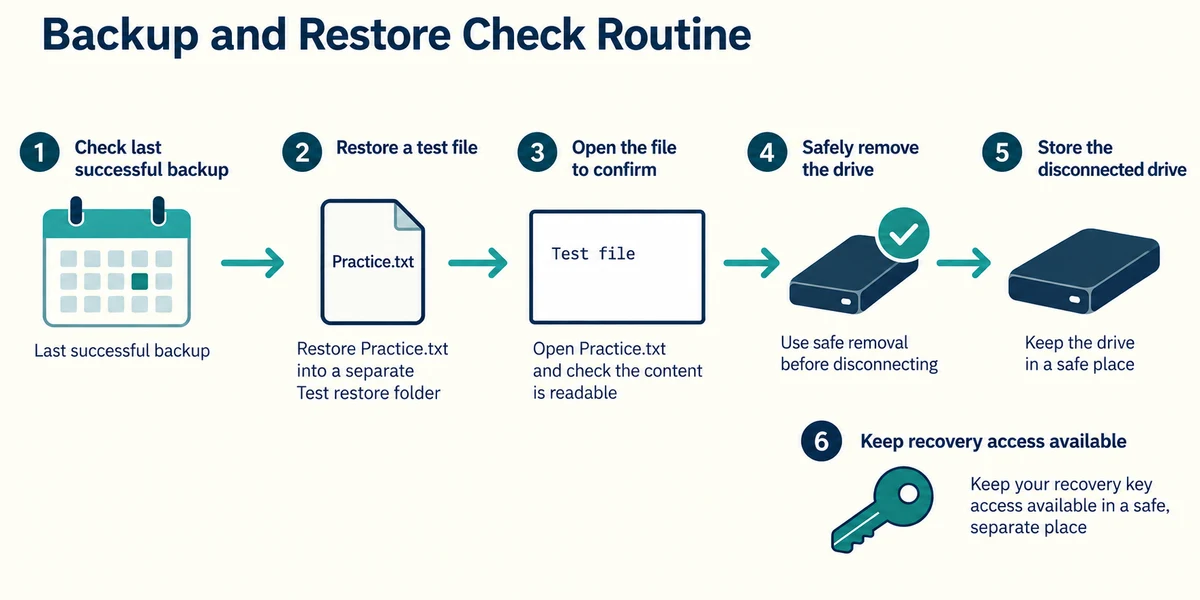
Choose a routine for updating and checking backups. Record the last successful copy and test restoring a harmless file into a different folder, then open it. After an external copy finishes, use safe removal before unplugging. Store the drive somewhere protected and keep any encryption password or recovery access separately available.
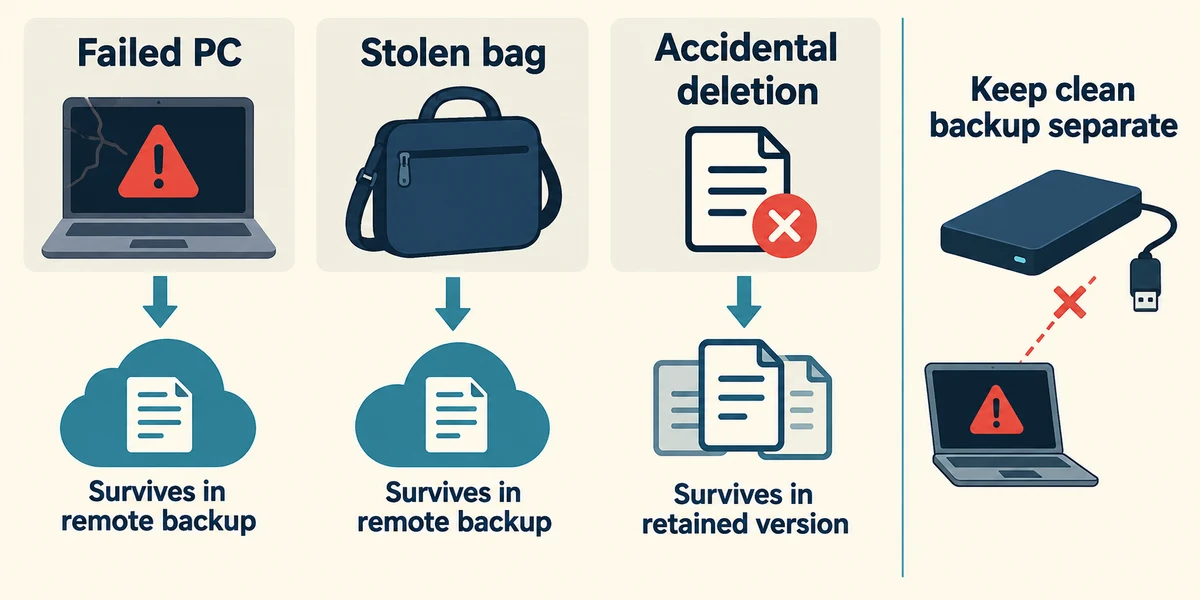
Think through a failed computer, a stolen bag and an accidental deletion. Identify which copy survives each event and how you would access it. Backups reduce the harm of lost or encrypted files; they do not prevent stolen information being exposed. If you suspect an active compromise, avoid connecting your clean backup to the affected computer and seek trusted help.
Explore the idea
A synchronised deletion can reach other devices and cloud storage. A disconnected, previously checked backup can retain an older copy, but lacks changes since that backup. Recovery history and retention depend on the service. An offline backup is useful only if it contains the needed file and can be restored.
The laptop and its only backup drive are in the same bag when it is stolen. What weakness does that reveal?
Both copies share the same physical loss risk.
Check what you understand
In guided learning, click Start 3 questions to receive a selection from this lesson. Click the circle beside an answer, then click Check answer. Read the feedback and try again if needed. Click Next question after each correct answer. Answer all 3 correctly to continue.
Returning to guided learning keeps the questions and answers in your current attempt.
Read all 3 questions and explanations
In the 3-2-1 guideline, how many copies are additional to the working original?
Answer: Two, making three copies in total.
The original is included in the total of three.
A deletion immediately reaches all synced devices. What could provide another recovery route?
Answer: A retained backup version that did not simply mirror that deletion.
Independent retained recovery can survive an unwanted current change.
A backup tool reports success. What practical check still matters?
Answer: Restore a harmless file into a separate folder and open it.
A restore checks that the saved contents are usable.
Take this to your computer
- 1
Write a backup plan for fictional documents, identifying the original, two extra copies and one offsite location.
- 2
If you already have a trusted backup, test one harmless restore to a separate folder without deleting the original.
No backup purchase, account connection or real-file transfer is required. This lesson teaches a plan; your actual recovery depends on the tools, access and versions you have verified.
Prefer a more personal, one-to-one lesson? Basic Computing can help. Explore our services.