Photo, video and music apps
Photo, video and music apps
You are going to explore three short illustrated stages, try a practice choice and answer three quick-check questions.
Choose a suitable tool for photos, video or audio. Recognise common playback controls. Distinguish playing a file from editing or deleting it.
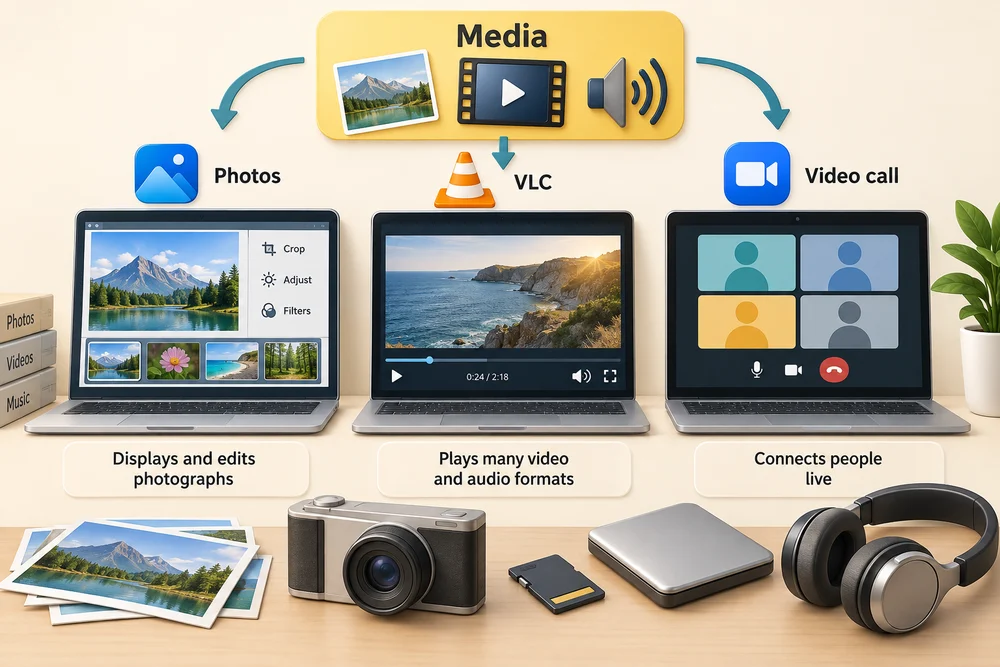
Media means things such as photographs, video and audio. Different apps help you view, organise, edit or play them. Microsoft Photos can display and edit photographs. VLC is an example of a media player that can play many saved video and audio formats. The main jobs differ: players replay recordings, photo-editing tools change pictures, and video-calling tools connect people live. Some apps combine features.
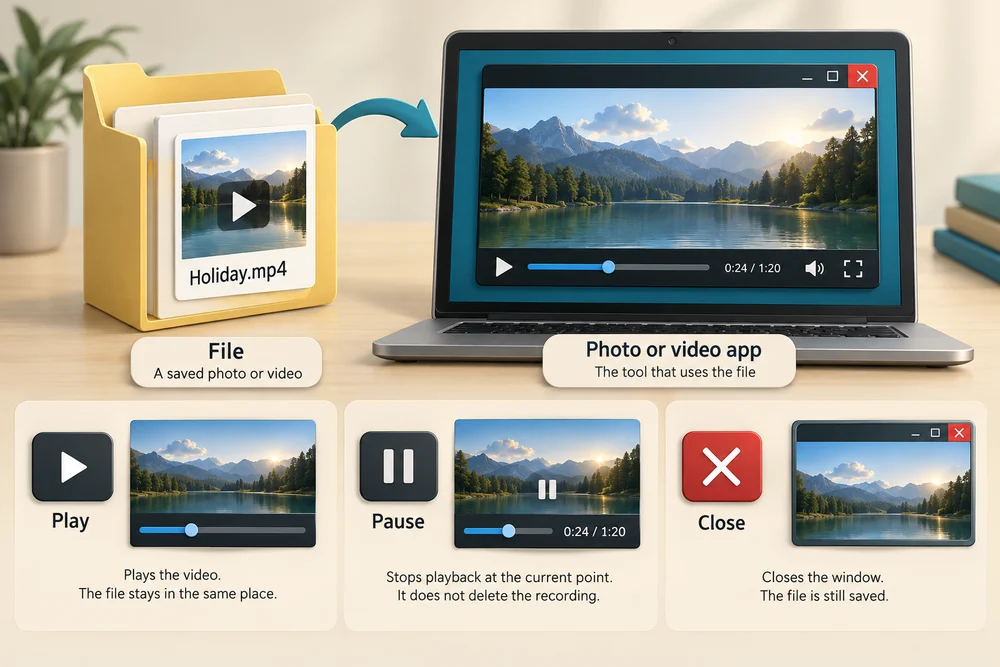
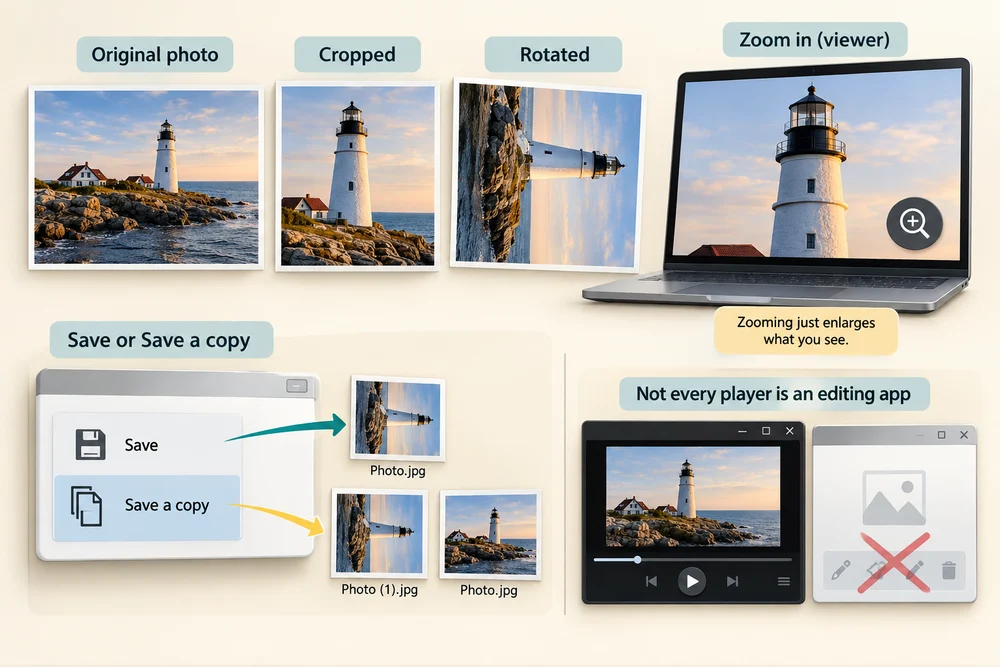
A saved photo or video is a file, while the player or photo app is the tool using it. Playing a video does not move the file. Pausing stops playback at its current point; it does not delete the recording. Closing the window is also different from deleting the file.
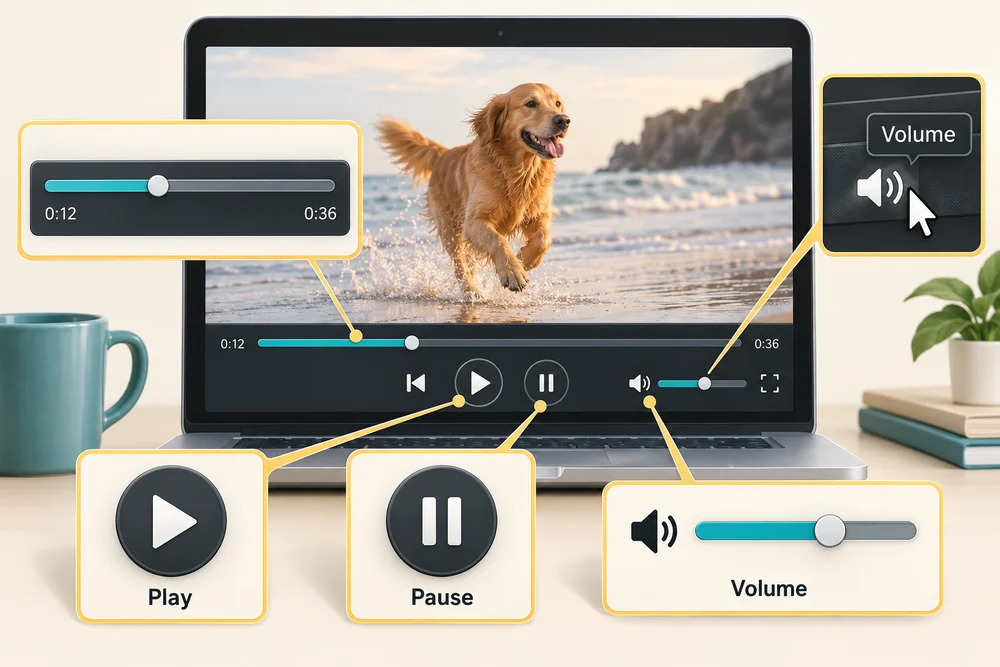
A triangle usually means Play and two upright bars usually mean Pause. A speaker control changes sound volume. The progress bar shows your place in the recording. Controls can look different, so the label shown when you rest the pointer over a button can help identify it.
Editing changes the media. Cropping leaves out part of a photo’s edges; rotating turns the picture. Zooming in a viewer enlarges what you see without, by itself, changing the saved picture. Before keeping an edit, the app’s Save or Save a copy choices matter: a separate copy can preserve the original. Not every player is an editing app.
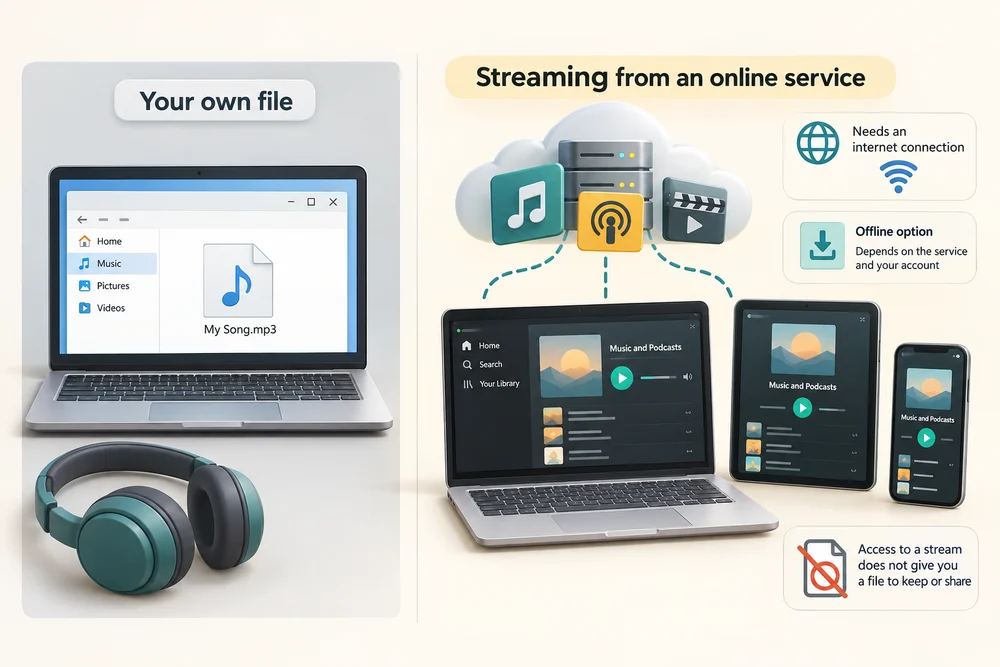
Streaming plays media delivered by an online service instead of simply opening your own local file. Spotify is a music and podcast example with app and web-player options. Streaming normally needs a connection; any offline options depend on the service and account. Access to a stream does not necessarily give you an ordinary file to keep or share.
Explore the example
Explore the different media tasks, then decide which action fits the practice scenario. The lesson uses examples rather than opening your files or starting real playback.
Explore the three stages, then try the practice choice. The guidance beside each control explains what to do. The separate Quick check comes next.
Pictures, videos and sound
1. View or edit a photograph
A photo app can show saved pictures. Some photo apps also crop or adjust them. Viewing a picture is different from editing and saving changes to it.
2. Play a video
A video player shows a moving picture and usually plays its sound. Play and Pause control playback. Pausing or closing the player does not delete the saved video.
3. Listen to music or speech
An audio app plays music or recordings through speakers or headphones. Some apps play files saved on the computer; others stream from an online service. Internet access and account requirements depend on the service.
Try a small task
A relative sends you a recording of a family celebration. Which type of app is designed mainly for watching the recording?
- A photo-editing app
Photo-editing tools are mainly for changing pictures. Some offer previews or other features, but a media player is designed around replaying recordings.
- A media player (the suitable choice)
A media player is designed mainly for replaying recordings, with controls such as Play and Pause. The main purpose is a good way to choose among apps with overlapping features.
- A video-calling app
Video-calling tools are mainly for connecting people live. They can include sharing features, but a media player is designed around watching existing recordings.
Your activity stays as you left it when you return to one section at a time.
JPG and JPEG are two endings for the same common photo format. PNG is often used for screenshots and graphics, including pictures with transparent areas. Some phones use HEIC, a format that may need extra support in Windows. If a picture will not open, keep the original and check the reader’s official guidance. Changing .heic to .jpg in a filename does not convert the picture. A suitable app can export a separate JPEG copy when another person needs one.
Check your understanding
Click Start 3 questions to begin. Click the circle beside your answer, then Check answer. After each of the first two correct answers, click Next question. When all three are correct, click Continue below. You can change a wrong answer and check again. With a keyboard, Tab reaches choices, arrow keys choose an answer, and Tab then Enter activates a button.
In guided learning, click Start 3 questions to receive a selection from this lesson. Click the circle beside an answer, then click Check answer. Read the feedback and try again if needed. Click Next question after each correct answer. Answer all 3 correctly to continue.
Returning to guided learning keeps the questions and answers in your current attempt.
Read all 10 questions and explanations
What does media include when choosing an app?
Answer: Pictures, moving images and sound recordings.
Yes. Media apps work with pictures, video or sound.
You want to keep a still picture with its unwanted border removed. Which approach fits?
Answer: Use a photo editor’s crop tool and save the result.
Yes. Cropping leaves out the unwanted border in the result. Viewer zoom only changes the displayed size; rotation turns the picture.
A training clip is saved on your PC. Which type of app is designed mainly for replaying it?
Answer: A media player.
Yes. Media players are designed to play supported video and audio files.
A recording is paused and you want it to continue. Which control usually starts it again?
Answer: Play, commonly shown as a triangle.
Yes. A triangle commonly starts playback; labels can confirm a control’s job.
You pause a recording partway through. What has happened to the saved item?
Answer: It remains; playback is waiting at its current point.
Yes. Pausing playback and deleting a recording are separate actions.
A recording is playing correctly but sounds too loud. Which control fits the change you need?
Answer: The speaker or volume control.
Yes. Volume changes sound level. The progress bar changes playback position, while Pause and Play stop and resume playback.
How does cropping change a picture?
Answer: It changes the framing by leaving out part of the edges.
Yes. Cropping is an edit that changes the picture’s framing.
You want to keep both the original picture and your edited version. What can Save a copy help do?
Answer: Create a separate version while leaving the original available.
Yes. Saving a separate copy can preserve the original; check the app’s saving choices.
Which example describes streaming?
Answer: A service delivers the recording as you play it online.
Yes. Streaming obtains media through a service rather than simply playing your own local file.
You expect to lose your internet connection. What can you assume about music from an online service?
Answer: Offline access depends on the service and your account.
Yes. Streaming normally needs a connection; supported offline access varies.
Connect the idea to your computer
These observations are optional. You can finish using the lesson’s examples, without installing an app or changing your computer’s settings.
- 1
If a photo or media app is already open, read the app’s name and identify whether you are viewing, editing or playing something. Leave any personal files unchanged.
- 2
Rest the pointer over a playback button without clicking and wait for its label. Look for Play, Pause or Volume. If no label appears, use the lesson’s labelled controls instead.
- 3
You can finish by clicking Learn at the top of this lesson and comparing the sample media again. No real playback or editing is required.
App names and layouts can vary. If a suggested app or screen is not available, use the lesson example instead. Nothing needs to be bought, downloaded, sent or deleted.
Prefer a more personal, one-to-one lesson? Basic Computing can help. Explore our services.