Organise photos with albums
One photograph can belong to several collections
Choose how to remove a photo from one collection while keeping it.
You will understand albums, libraries and deletion as different actions.
An album in a photo app is often a collection of references to pictures in its library. The same photo can appear in a holiday album and a family album without needing two separate original files. This is different from moving files between folders in File Explorer.

Group without losing the originals
How this works
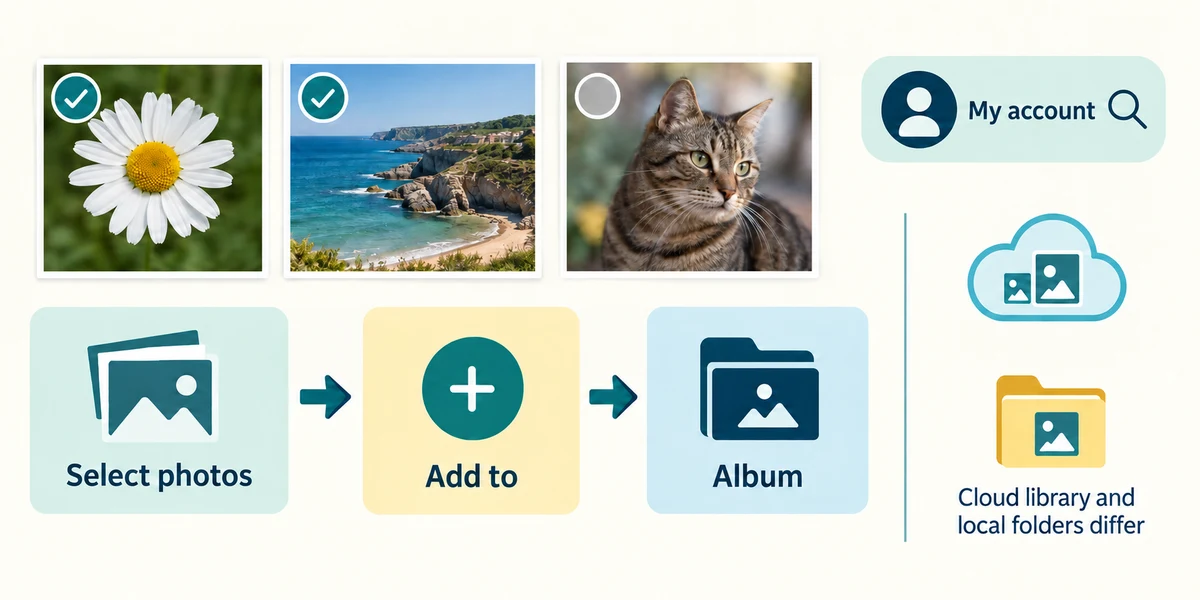
Read your photo app’s album guidance because features vary. In Google Photos on a computer, select photos with their selection circles, then use Add to and Album to create or choose a collection. Read which account’s library you are using. A cloud album is not necessarily a local folder on your PC.
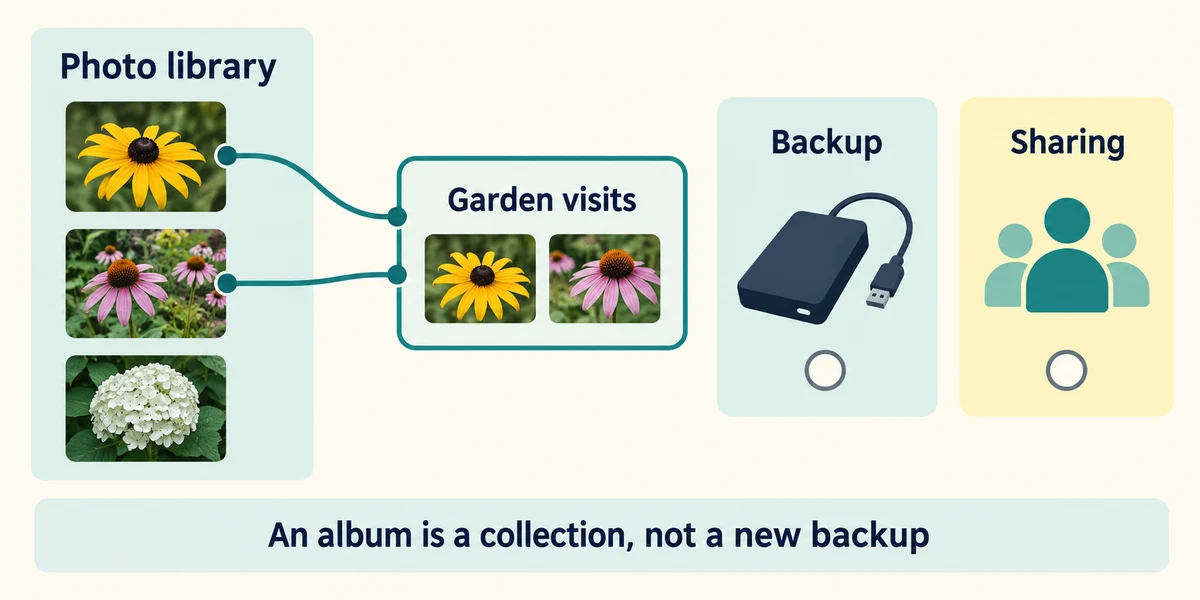
Give the album a useful name and inspect its contents. Adding an existing library photo to an album does not mean a separate backup was created. Keep photo backup and sharing as separate decisions; an album can have its own sharing settings.
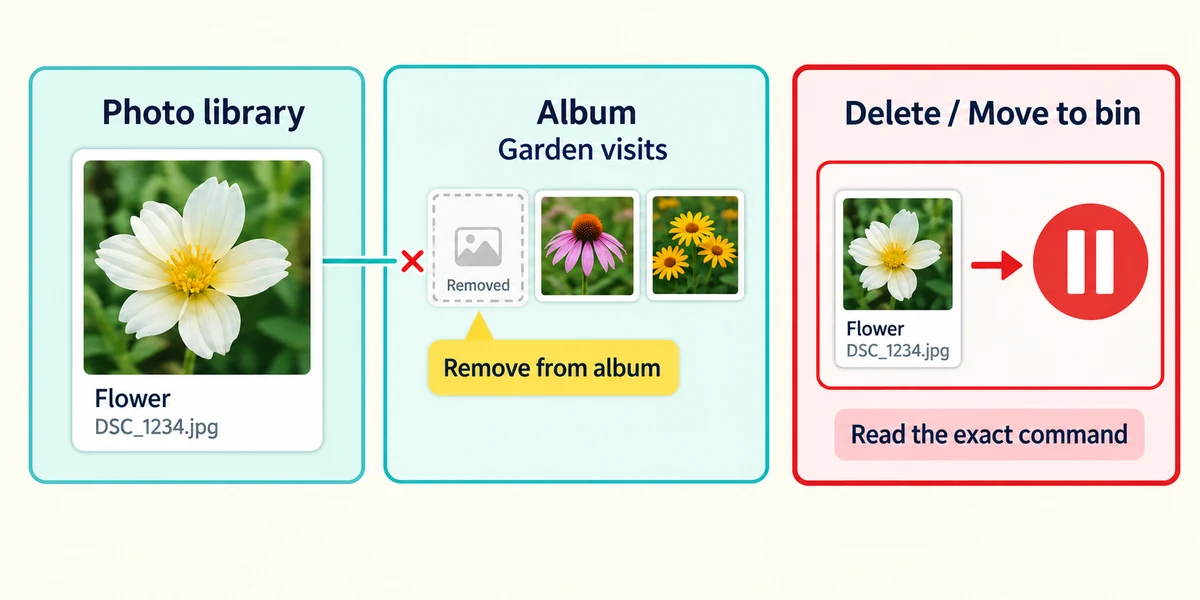
When tidying, read the exact command. Remove from album removes membership in that collection; Delete or Move to bin can remove the library item and affect other views. In Google Photos, deleting an album alone leaves its library photos, but do not assume every app uses identical behaviour. Cancel if the confirmation describes deleting files you intend to keep.
A picture belongs in your family collection but no longer in a holiday album. Which operation matches that aim?
Remove it from the holiday album
Check what you understand
In guided learning, click Start 3 questions to receive a selection from this lesson. Click the circle beside an answer, then click Check answer. Read the feedback and try again if needed. Click Next question after each correct answer. Answer all 3 correctly to continue.
Returning to guided learning keeps the questions and answers in your current attempt.
Read all 3 questions and explanations
The same picture appears in two albums. What can that mean?
Answer: Both collections refer to one library photo
Albums can be references to the same item. They do not establish separate files or backups.
A confirmation says the photo will move to the library bin. You only wanted it out of one album. What should you do?
Answer: Cancel and look for the album-specific removal command
Read the scope. Library deletion is different from removing one album membership.
You create an album in a cloud account. What should be checked separately?
Answer: Its sharing permissions and your independent backup arrangements
Organisation, access and backup are separate. A tidy album does not prove privacy or an independent copy.
Take this to your computer
- 1
Read your existing photo app’s album help. Identify the difference between removing membership and deleting a photo, without changing your library.
The Google Photos example explains one implementation. Follow your app’s own deletion and sharing labels.
Prefer a more personal, one-to-one lesson? Basic Computing can help. Explore our services.