Make a document easy to read
Help the important parts stand out
Select and format parts of a practice document, then check the preview.
Explain selecting text before formatting and distinguish font size from zoom.
Formatting changes how words look rather than what they say. A clear heading and comfortable text size can help a reader find their place. Using every style at once usually makes the page harder to scan rather than more useful.
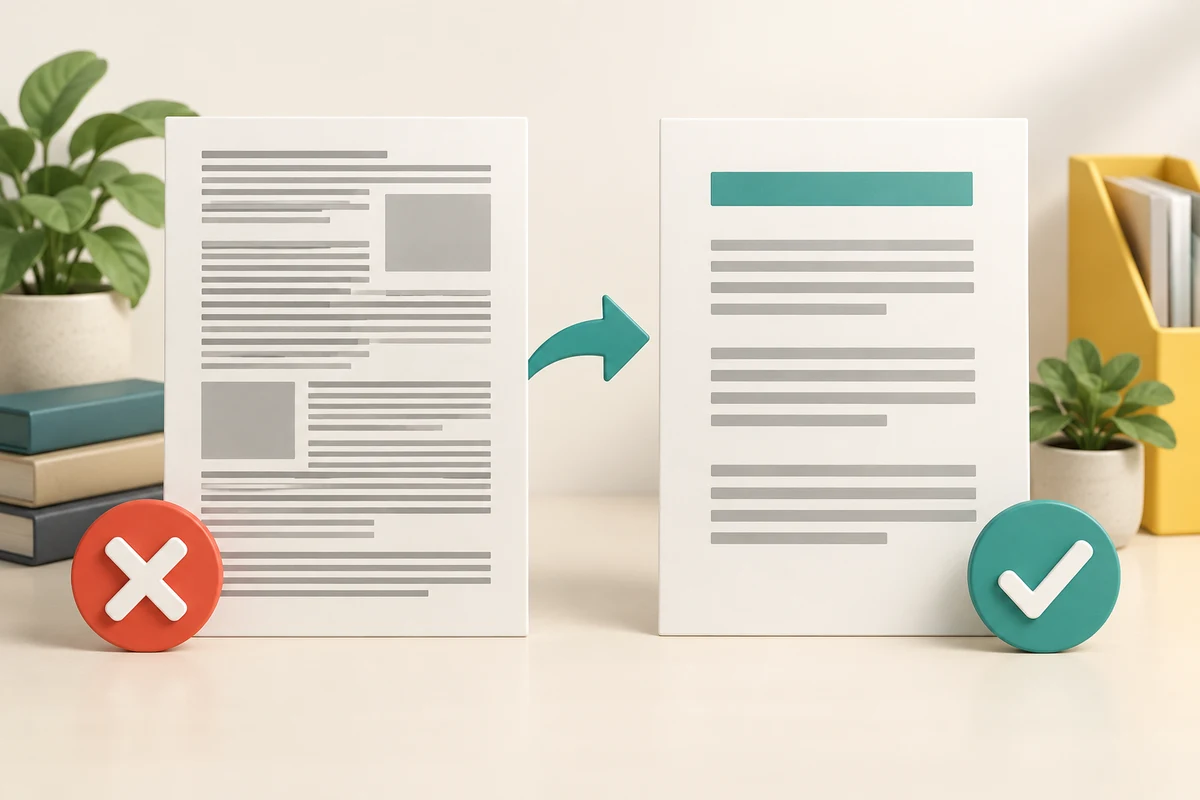
Change a small, chosen part
How this works
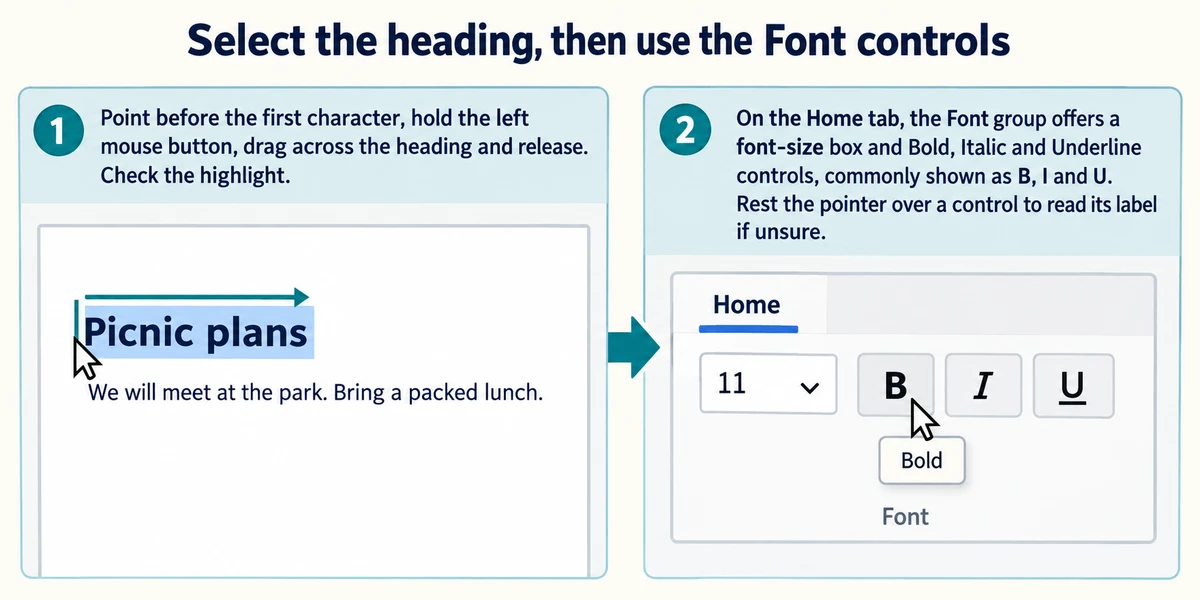
In a disposable Word document, select the heading before changing it: point before the first character, hold the left mouse button, drag across the heading and release. Check the highlight. On the Home tab, the Font group offers a font-size box and Bold, Italic and Underline controls, commonly shown as B, I and U. Rest the pointer over a control to read its label if unsure.
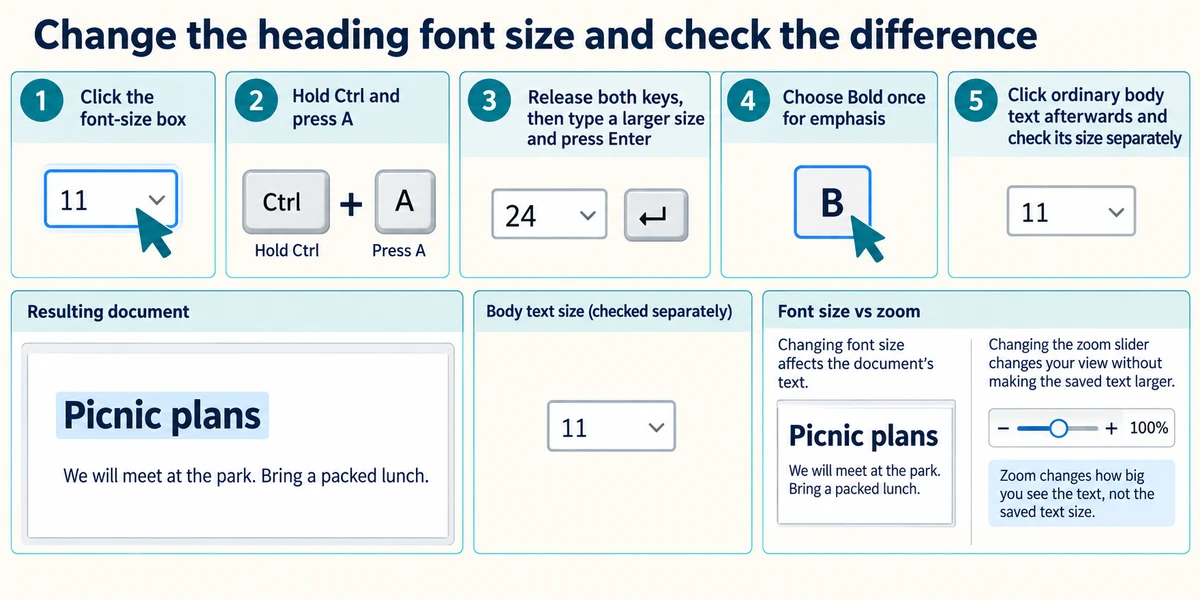
Click the font-size box, hold Ctrl and press A, release both keys, then type a suitable larger size for the heading and press Enter. Choose Bold once for emphasis. Click ordinary body text afterwards and check its size separately. Changing font size affects the document's text; changing the zoom slider changes your view without making the saved text larger.
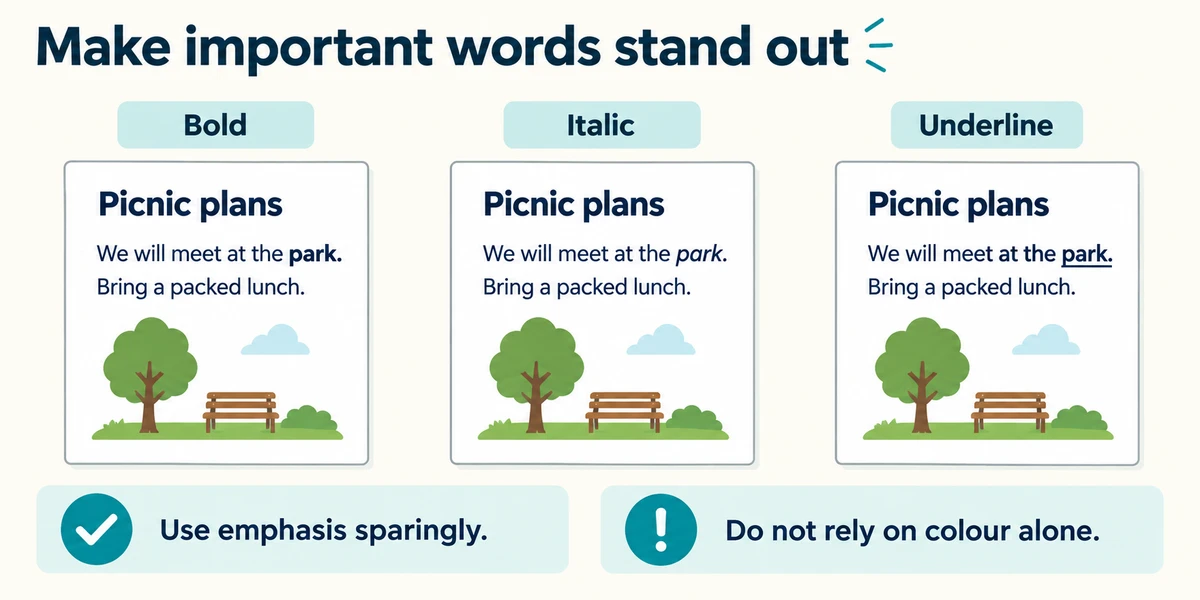
Use one clear heading style and readable body text. Bold draws attention, italic can add gentle emphasis and underline can look like a link, especially on screen. Their usefulness depends on context. Do not rely on colour alone to communicate meaning, and avoid long passages in capitals or excessive emphasis that makes every word compete.
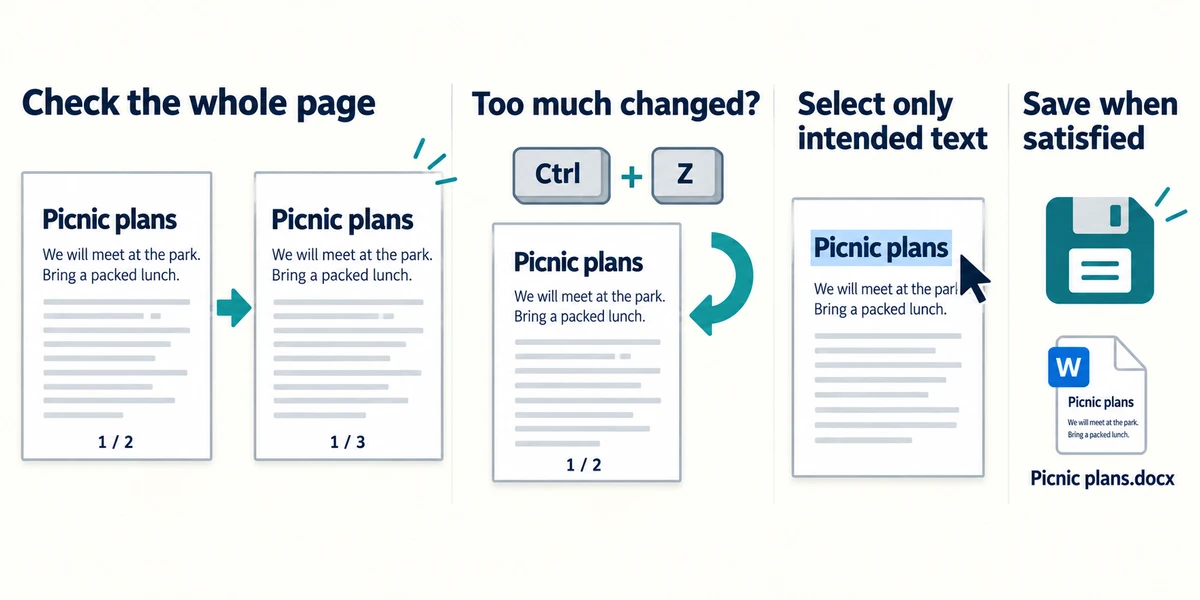
Inspect the whole page after a change because larger text can alter line breaks and page count. If too much changed, hold Ctrl, press Z and release both once, then check what returned. Select only the intended text and try again. Save when you are satisfied, keeping an original version if you may need it.
A short note has ordinary paragraphs but no clear heading. Which change is most useful first?
Select the heading and make it a little larger or bold.
Prepare a practice document
Select only Community meeting in the Practice document box, then click Heading (larger bold text) and choose 20 in Title font size. Select the two Bring lines, then click Bullet list. Click Undo to reverse your latest edit or formatting change. Click Check document when ready. This teaching editor does not create a real file.
To select text, drag from its first letter to its last. With a keyboard, hold Shift and use the arrow keys. In this small teaching editor, changing the wording clears the formatting; Undo restores your previous version.
Community meeting
Meet at the library on Tuesday.
Bring a notebook
Bring a pen
Check what you understand
In guided learning, click Start 3 questions to receive a selection from this lesson. Click the circle beside an answer, then click Check answer. Read the feedback and try again if needed. Click Next question after each correct answer. Answer all 3 correctly to continue.
Returning to guided learning keeps the questions and answers in your current attempt.
Read all 3 questions and explanations
You want only three words to become bold. What should you check first?
Answer: Only those three words are selected.
Formatting acts on the selected text or current insertion settings.
You make the text larger using the font-size control. What else may change?
Answer: Line breaks and the number of pages.
Larger text occupies more layout space.
The page looks too small on your screen, but its saved layout is already correct. What could help just your view?
Answer: Increase the app's zoom.
Zoom enlarges the view without altering the saved text layout.
Take this to your computer
- 1
Open a disposable document and select only its heading.
- 2
Apply one suitable size or emphasis change, then inspect the remaining text.
- 3
Compare a view-only zoom change with the saved text's formatting.
Trying this on your own computer is optional. Use only disposable practice information. This lesson's choices check your decisions; they do not operate your computer or prove that you have performed the real task. The controls described are from desktop Word; other document tools may arrange them differently.
Prefer a more personal, one-to-one lesson? Basic Computing can help. Explore our services.