Welcome to Basic Computing’s Learning Hub. What will you learn today?WelcomeWelcome to Basic Computing’s Learning Hub.What will you learn today?
COMPUTER COMPONENTS · LESSON 02
Inside your computer
FREE LESSON
7 minutesDesktop and laptop basicsBeginner
Section 1 of 47 minutes
Learn at your own pace
UNDERSTAND THE IDEA
The working parts inside
Different internal parts work together to run apps and keep saved information.
What am I going to do?
You are going to explore the main internal parts and distinguish memory from storage.
What will I learn?
You will learn why temporary working memory and saved-file storage are different.
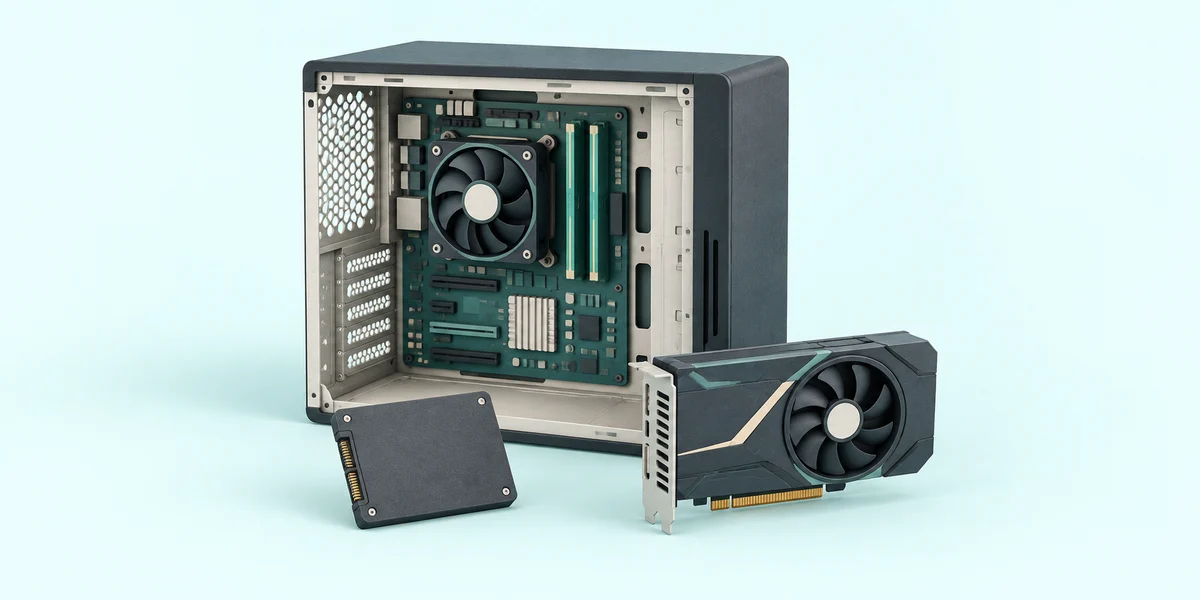
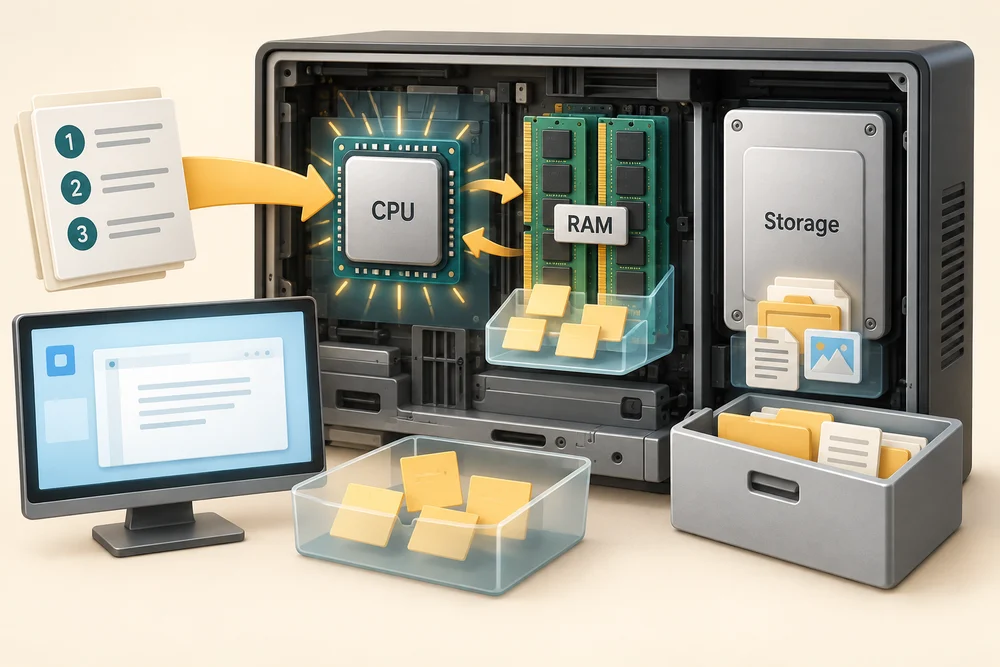
The processor, also called the CPU, carries out instructions. RAM is the computer’s temporary working memory for things it is using now. Storage, such as an SSD or hard drive, keeps apps and saved files when the power is off.
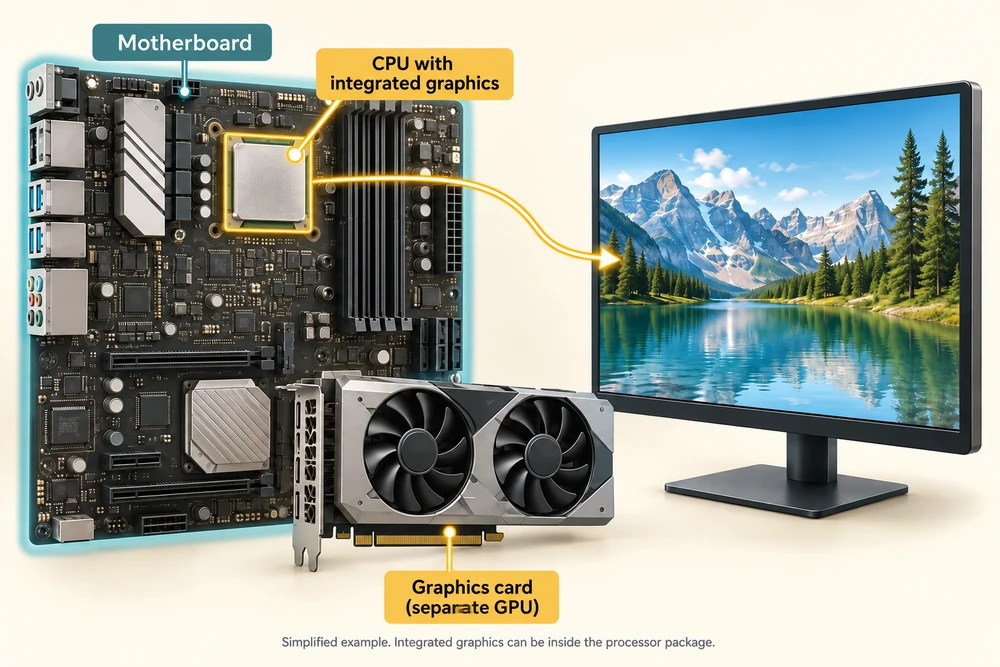
The graphics processor, or GPU, helps create the images shown on your screen. It may be built into another chip or fitted on a separate graphics card. The motherboard is the main circuit board connecting the parts so they can work together.
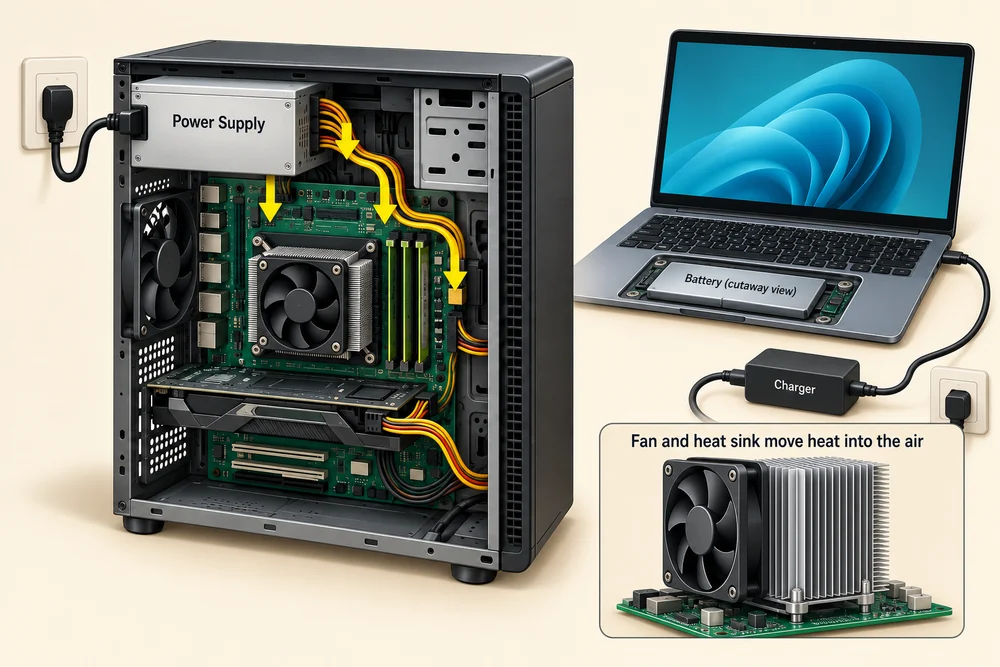
A power supply provides the electricity the parts need. Laptops also use a battery and a charger. Cooling, often including fans and metal heat sinks, carries heat away from working parts.
Working on something is different from saving it
RAM does not keep ordinary working data when power is lost. Saving a file puts its contents into storage. Having more RAM and having more storage space help with different needs.
EXPLORE AND LEARN
Separate memory from storage
You are going to explore the main internal parts and distinguish memory from storage. Explore the labelled cards, then match each job to its part. Click Show me a hint if you need help with the matching questions.
Click or tap each named part to read its job. In the two questions below, match temporary current work and keeping saved files after power is off. Click the circle beside an answer, then click Check answer. For keyboard use, Tab reaches the choices, arrow keys change the chosen answer, and Tab then Enter activates Check answer.
MAKE SENSE OF IT
Check the idea
You save a photo, shut down the computer and return tomorrow. Which part keeps it between these sessions?
Storage.
USE YOUR NEW SKILL
Try this on your computer
These names help you understand a computer description without needing to know how to build one.
1
Use the illustration to point to the CPU, RAM and storage and say one job for each.
2
If you have a printed specification for your computer, look for Processor or CPU, Memory or RAM, and Storage or SSD. Compare each label with the lesson.
3
Notice that memory and storage may both use units such as GB. The label tells you which kind of capacity is being described.
This is an optional identification exercise. Use the illustration or your device’s documentation; you do not need to open the computer case or fit any parts.