Copy a file to another folder
Use a computer with a mouse and keyboard. This practice desktop is designed for clicking, right-clicking, dragging and typing with physical keys, rather than touchscreen use on a phone or tablet.
Keep one and make another
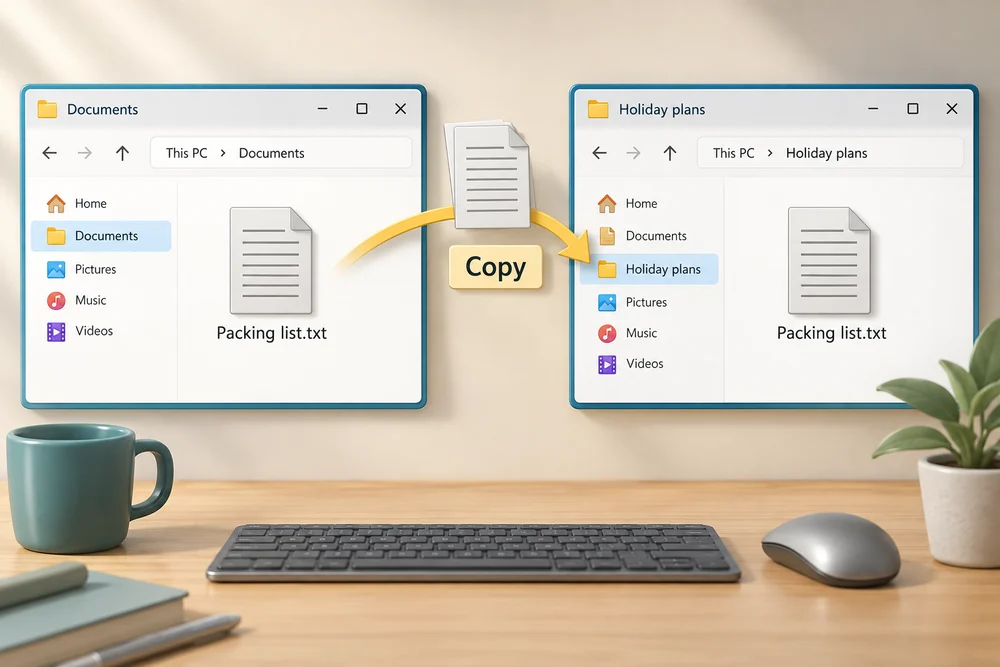
You are going to copy Packing list.txt into Holiday plans and keep the original in Documents.
You will learn how Copy and Paste make another file while leaving the original in place.
Copying makes another file with the same contents. The original stays at the source, and Paste creates a copy at the destination. In our example, you will have one Packing list.txt in Documents and another inside Holiday plans.
These will be two separate files. Editing one later would not automatically change the other. Their locations help you tell them apart, even when their names match.
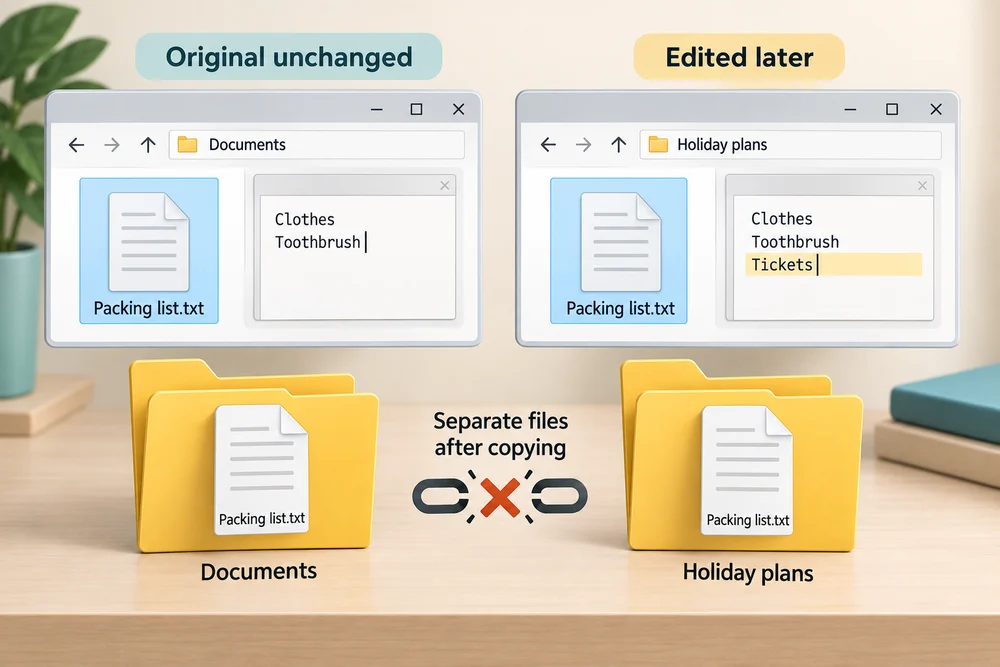
See two files in two places
A prepared list and an empty Holiday plans folder are ready in Documents. Follow the instruction popup to copy the file yourself, paste into the folder and check the result. Afterwards, Try it gives you a fresh desktop to practise independently. Click Check my work when you finish, or use the optional hints underneath.
In Documents, click Packing list.txt once to select it. Click Copy, the two overlapping pages icon at the top. Double-click Holiday plans to open it, then click Paste, the clipboard icon at the top. Double-click the new copy to see its words. The original remains in Documents, so there are now two separate files in different locations.
Make a copy of the list
Copy Packing list.txt into Holiday plans, then open the copy. Keep the original in Documents. This workspace starts fresh, so the file you moved in the previous lesson has not been moved here.
Click Packing list.txt once to select it. Click Copy, the two overlapping pages icon at the top. Double-click Holiday plans, clicking twice quickly, then click Paste, the clipboard icon at the top. Double-click the copied Packing list.txt to read it. Click the X at the top right of Notes to close it, then click Documents on the left to see the original. To start again, click Restart this practice below the practice desktop.
How many files do you have?
You select Packing list.txt in Documents, choose Copy, open Holiday plans and choose Paste. What should you find?
One file in Documents and a separate file inside Holiday plans.
Try this outside the practice desktop
You have practised inside this webpage. If you feel ready, you can repeat the skill in Windows on the same computer, outside the practice desktop. This is optional. The steps below use your actual apps and files, so use only disposable practice items. Files made in the webpage do not appear in Windows File Explorer.
Use Copy when you want to keep the original in place. Check the destination to find the copy, then check the source to find the original.
- 1
Press the Windows logo key, type File Explorer and click the app in the results. Click Documents on the left and double-click Learning Hub practice, or the practice folder name you chose. Click New at the top, then Folder. Type List copies, or another unused name, and press Enter. This empty folder will hold the copy.
- 2
Find your disposable Packing list file. If you moved it in the last lesson, double-click Holiday plans, or the destination name you chose, to look inside. Note the folder name in the location bar above the files; this is the source location.
- 3
Click the practice file once to select it. Click Copy, the two overlapping pages icon at the top. You can also hold down Ctrl, press C, then release both keys.
- 4
Click Documents on the left, double-click your Learning Hub practice folder, then double-click List copies. Use the names you chose if they differ. Check the destination name in the location bar. Click Paste, the clipboard icon at the top, or hold Ctrl, press V and release both keys.
- 5
Double-click the copy to read its words. Click the X at the top right of the app window to close it. In File Explorer, click Documents, double-click your Learning Hub practice folder, or the name you chose, then double-click the source folder you noted earlier, if needed. Double-click the original to check that it is still there. You now have two separate practice files.
PC practice is optional. Use an empty practice destination so you do not need to replace an existing file. If a matching-name message appears, click Cancel or the X on that message. Follow the folder-creation step again with an unused name to make another empty destination.
Prefer a more personal, one-to-one lesson? Basic Computing can help. Explore our services.