Understand passkeys and security keys
Sign in using a protected digital key
Choose a preparation before relying on a new sign-in method.
You will understand device unlock, physical keys and recovery differences.
A passkey lets a service check a digital key instead of asking you to type a password. Your device may ask for its usual fingerprint, face check or PIN to approve use of that key. Some passkeys sync through a credential manager; others stay on a particular device or physical security key.
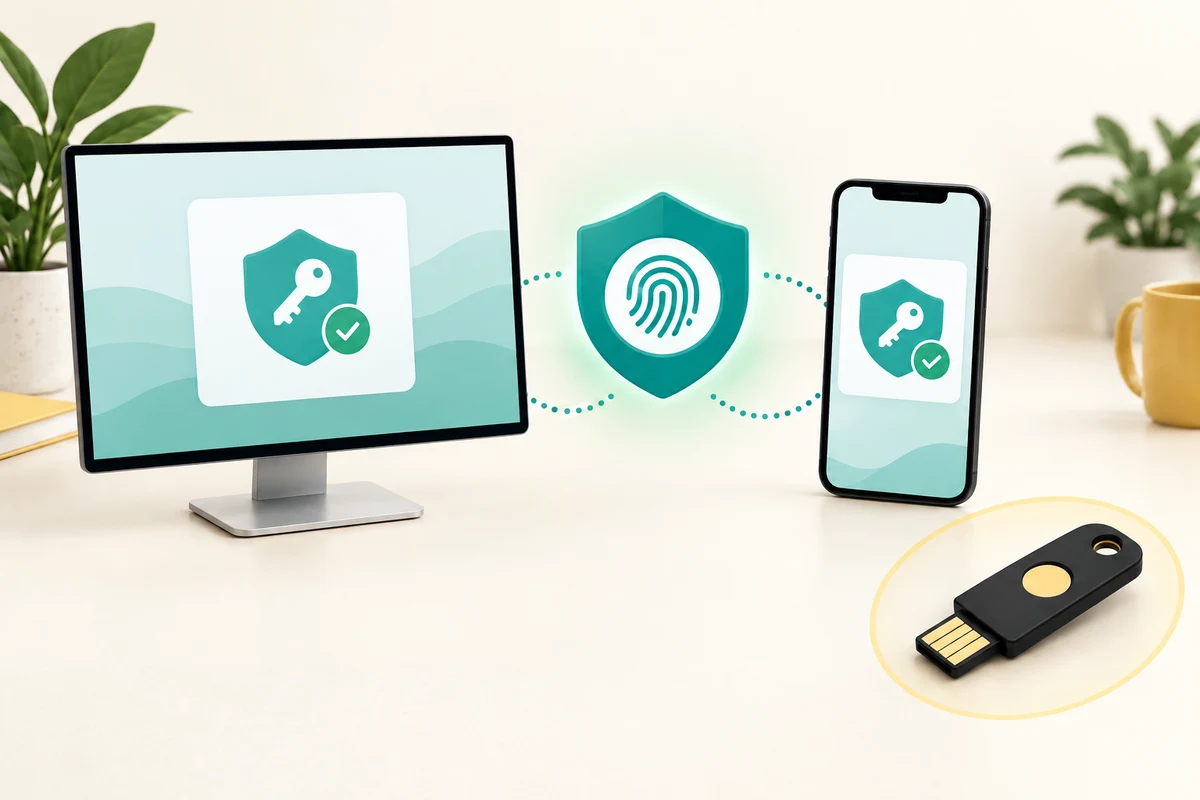
Understand where the key is kept
How this works
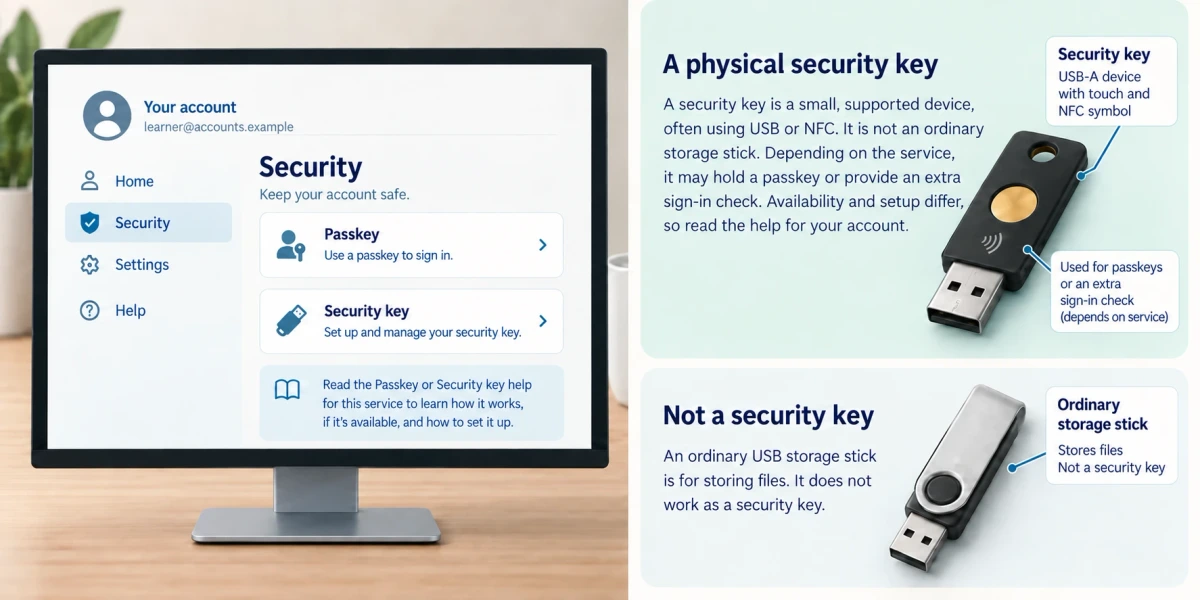
Start in the genuine account’s Security or Sign-in settings and read its Passkey or Security key help. A physical security key is a small supported device, often using USB or NFC, not an ordinary storage stick. Depending on the service, it may hold a passkey or provide an extra sign-in check. Availability and setup differ.
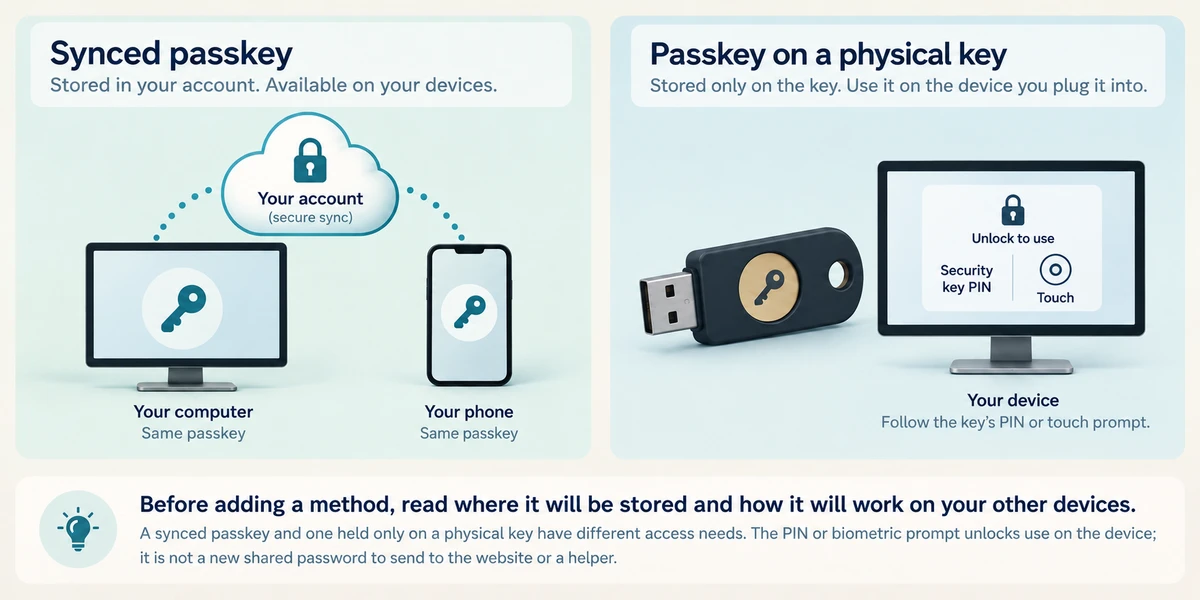
Before adding a method, read where it will be stored and how it will work on your other devices. A synced passkey and one held only on a physical key have different access needs. The PIN or biometric prompt unlocks use on the device; it is not a new shared password to send to the website or a helper.
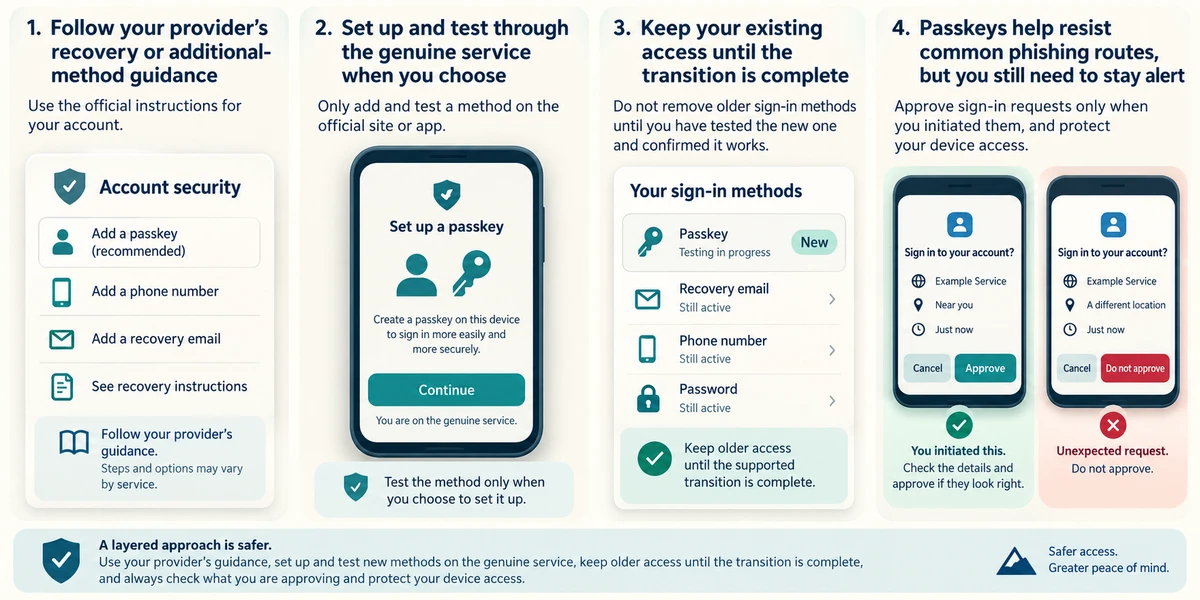
Follow the provider’s supported recovery or additional-method guidance before relying on one device or key. Test a method through the genuine service only when you choose to set it up, and keep older access until the supported transition is complete. Passkeys resist common phishing routes, but you still need to check what you are approving and protect device access.
You plan to use a passkey held only on one physical key. What should you prepare before relying on it?
A supported alternative or recovery route if that key is unavailable
Check what you understand
In guided learning, click Start 3 questions to receive a selection from this lesson. Click the circle beside an answer, then click Check answer. Read the feedback and try again if needed. Click Next question after each correct answer. Answer all 3 correctly to continue.
Returning to guided learning keeps the questions and answers in your current attempt.
Read all 3 questions and explanations
A passkey prompt asks for the PIN you use to unlock the device. What is its role?
Answer: Authorising use of the protected key on that device
The local unlock check authorises key use. Do not share it with a caller.
One passkey syncs through a manager and another stays on a security key. What differs?
Answer: Where the credential is available and what you need to use it
Storage and availability vary. A security key is a supported authentication device, not generic file storage.
An account does not offer passkeys. What remains appropriate?
Answer: A unique password and supported extra sign-in protection
Use the supported protection available. A missing passkey option does not make password reuse safe.
Take this to your computer
- 1
Read an account provider’s public passkey guidance. Identify supported devices and its recovery approach without changing an account.
Methods vary by account and device. Follow the provider’s current instructions for setup and recovery.
Prefer a more personal, one-to-one lesson? Basic Computing can help. Explore our services.