Keep two file locations ready with tabs
Keep two file locations ready with tabs
Use folder views to plan a copy without confusing views with copies.
Use File Explorer tabs without confusing them with extra file copies.
A File Explorer tab is another view of a folder within the same window. Keeping a source and destination ready can make file tasks easier. Two views do not create two copies, and closing a tab does not delete the folder it was showing.
Make the choice that fits your task
How this works
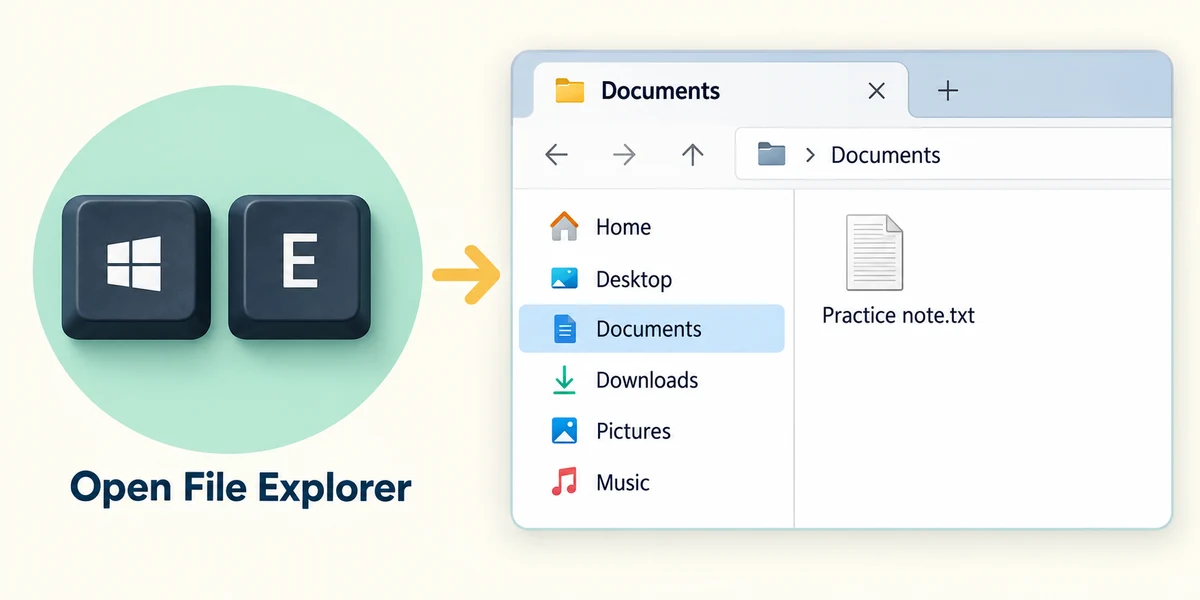
Hold Windows, press E and release to open File Explorer. Click Documents in the left navigation area. Read the address bar to confirm the folder currently shown.
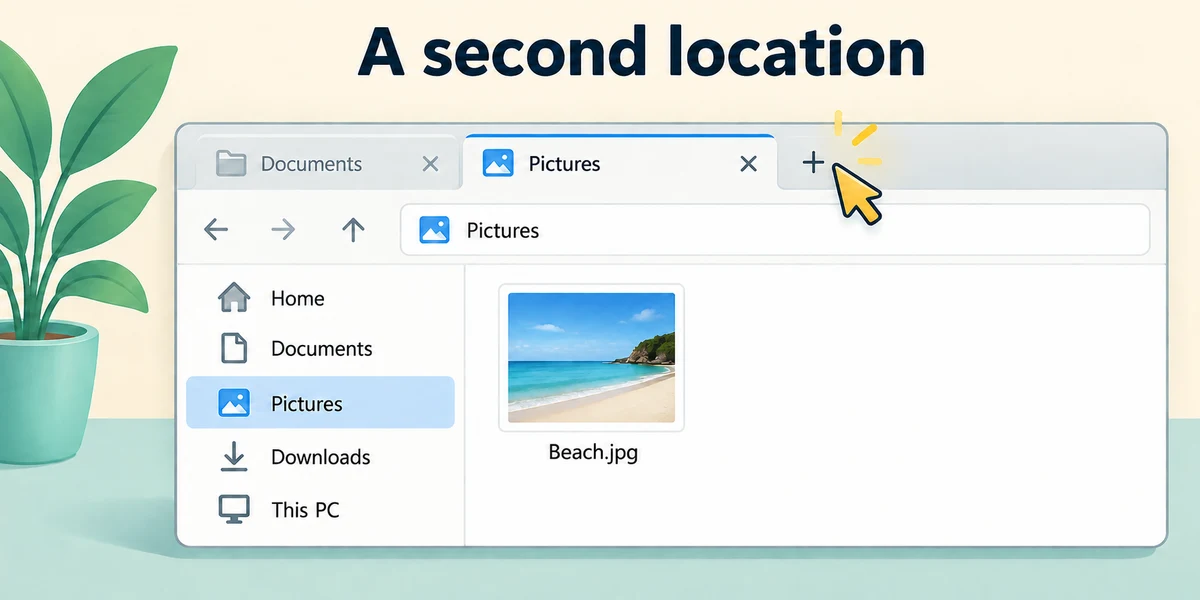
Click the plus button beside the tab at the top of File Explorer to open another tab. In this new tab, click Pictures in the left navigation area. If your Windows version has no tabs, open a second File Explorer window instead.
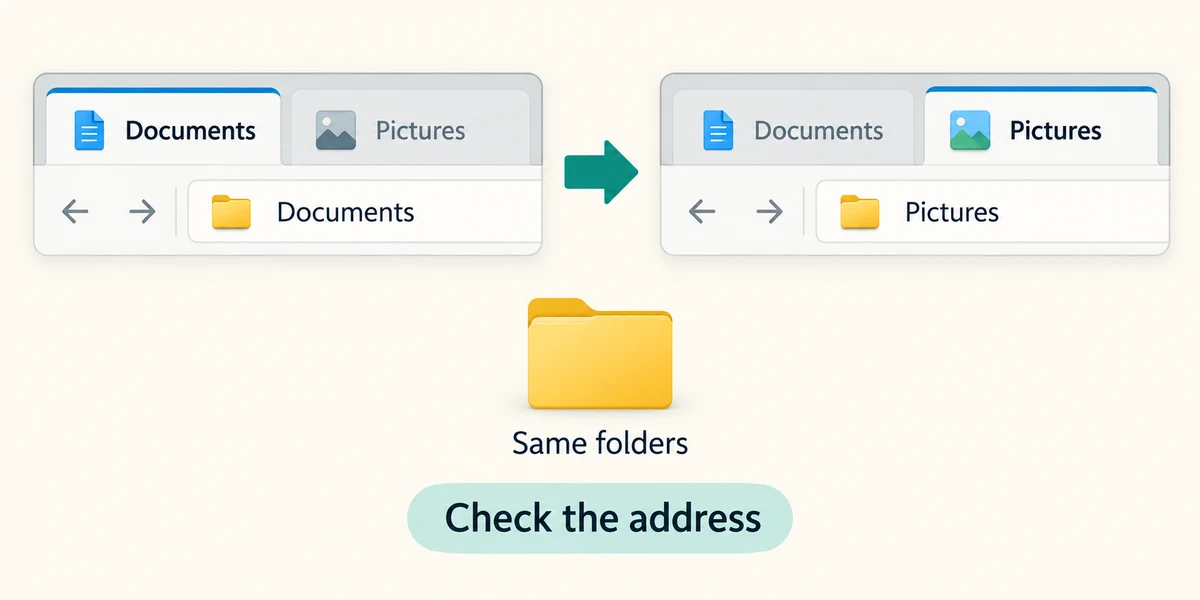
Click a tab’s name once to switch views. Check the address bar each time, especially before moving or copying files. A folder can be visible in several tabs without being duplicated.
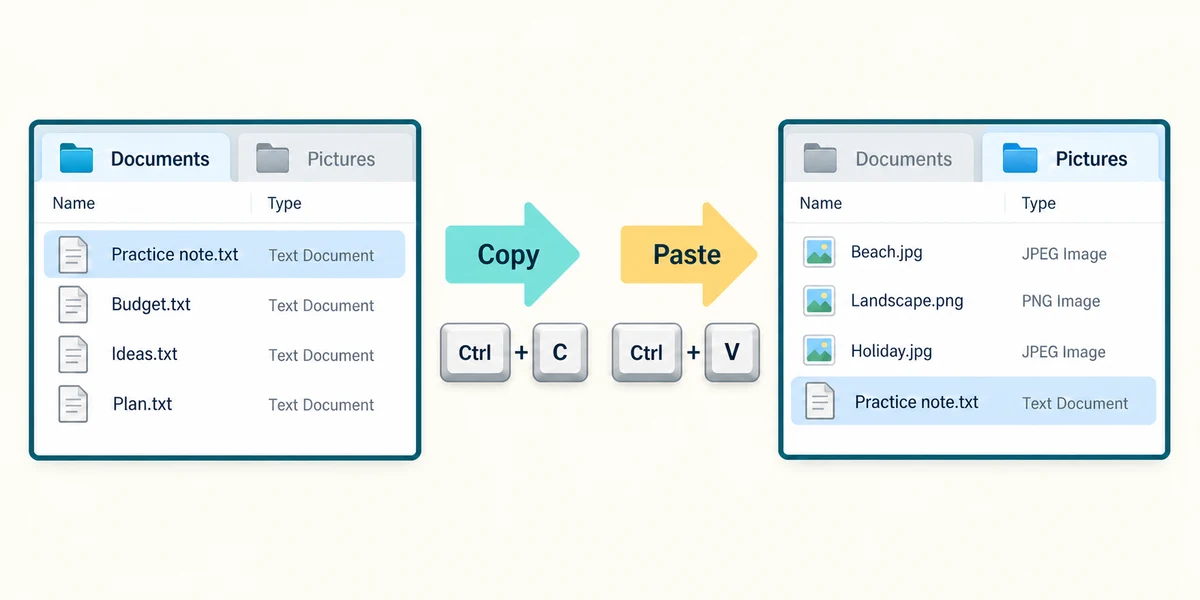
To copy a harmless practice file, click its name once, hold Ctrl and press C, then release. Click the destination tab and confirm its folder. Hold Ctrl and press V, then release. Copying creates another file; merely opening the second tab did not.
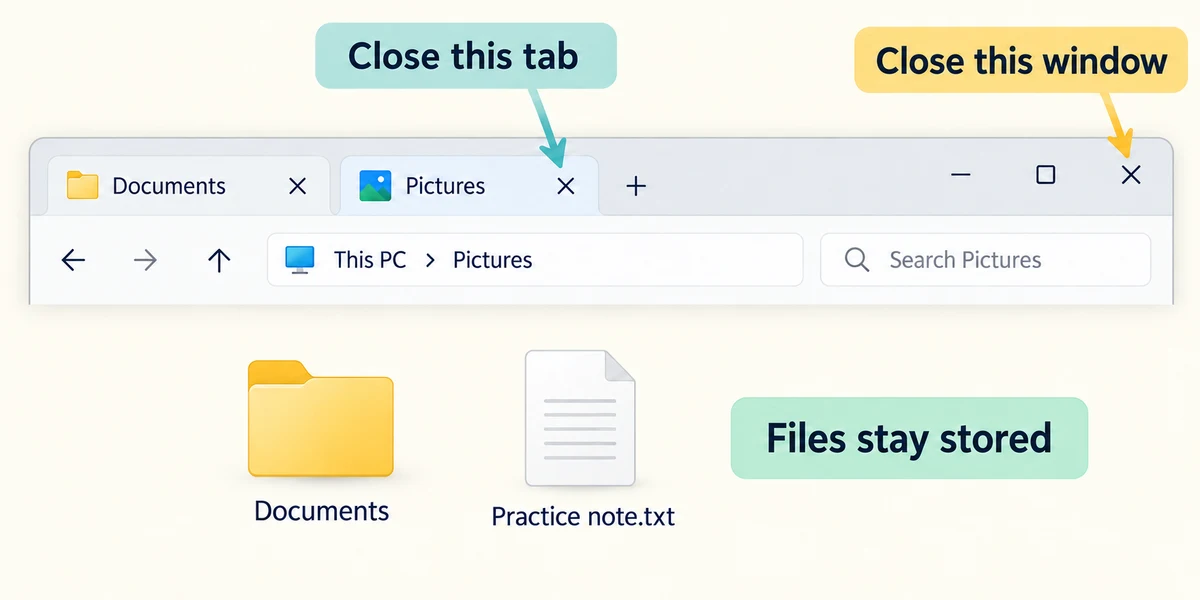
Click the small X on a tab to close that view. The large X at the window’s top right closes the window. Files and folders remain stored after their view closes.
You open Documents in two tabs. How many extra copies of its files has that created?
None
Check what you understand
In guided learning, click Start 3 questions to receive a selection from this lesson. Click the circle beside an answer, then click Check answer. Read the feedback and try again if needed. Click Next question after each correct answer. Answer all 3 correctly to continue.
Returning to guided learning keeps the questions and answers in your current attempt.
Read all 3 questions and explanations
Before pasting into a destination tab, what should you confirm?
Answer: The folder shown in that tab’s address bar
A tab can have navigated somewhere else since you opened it.
You close the small X on a Pictures tab. What happens to the folder?
Answer: It remains stored; only that view closes
Closing a view is not deleting the location.
Your File Explorer has no plus button for tabs. What is a reasonable alternative?
Answer: Use two File Explorer windows
The same source and destination idea works with separate windows.
Take this to your computer
- 1
Hold Windows, press E and release. Click Documents, then the plus button beside the top tab. In the new tab click Pictures.
- 2
Click each tab once and compare its address bar. Close one tab using its small X and confirm its folder still appears in the left navigation. If tabs are unavailable, compare two separate File Explorer windows instead.
The lesson examples do not change your computer. On your PC, read each confirmation before continuing; available controls can vary.
Prefer a more personal, one-to-one lesson? Basic Computing can help. Explore our services.