Follow an electronic signing request
The signature belongs to the agreement you reviewed
Choose what to do when a signing request is unclear.
You will know how to review a signing journey and retain its completed document.
Electronic signing records an intention through a particular digital process. A typed name, a drawn mark and a service’s completed signing workflow are not interchangeable in every situation. The important starting point is understanding the document and the process the recipient requires.

Read before completing the signing process
How this works
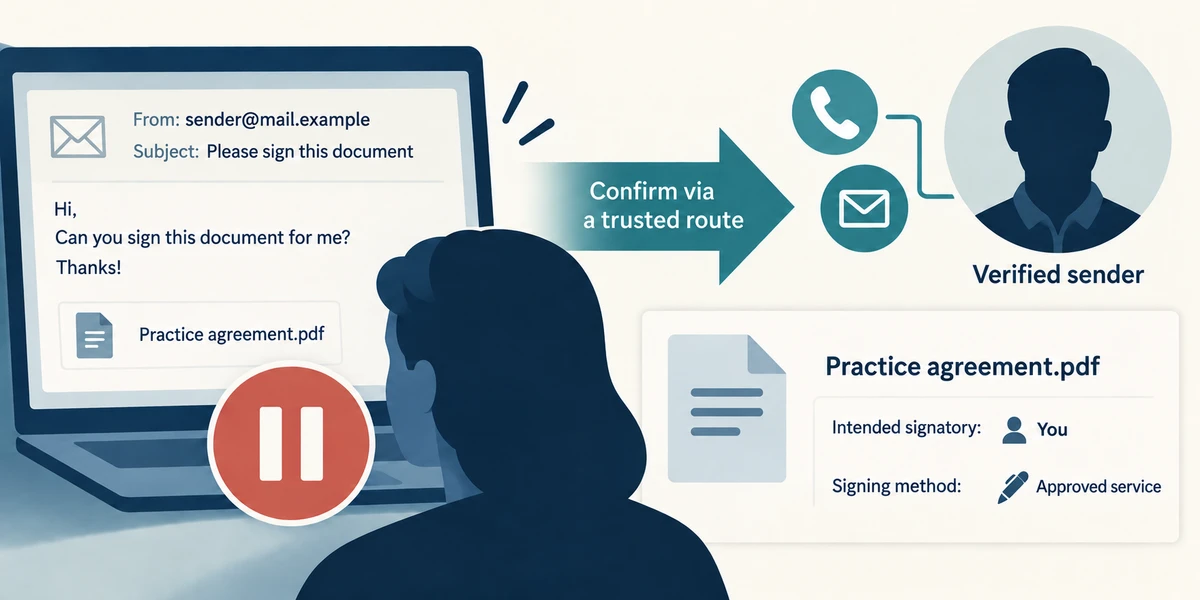
Confirm the request with the sender through a route you already trust, especially if it is unexpected. Establish the document title, intended signatory and required signing service or method. Do not upload a signature image or identity document merely because an unfamiliar message asks for one.
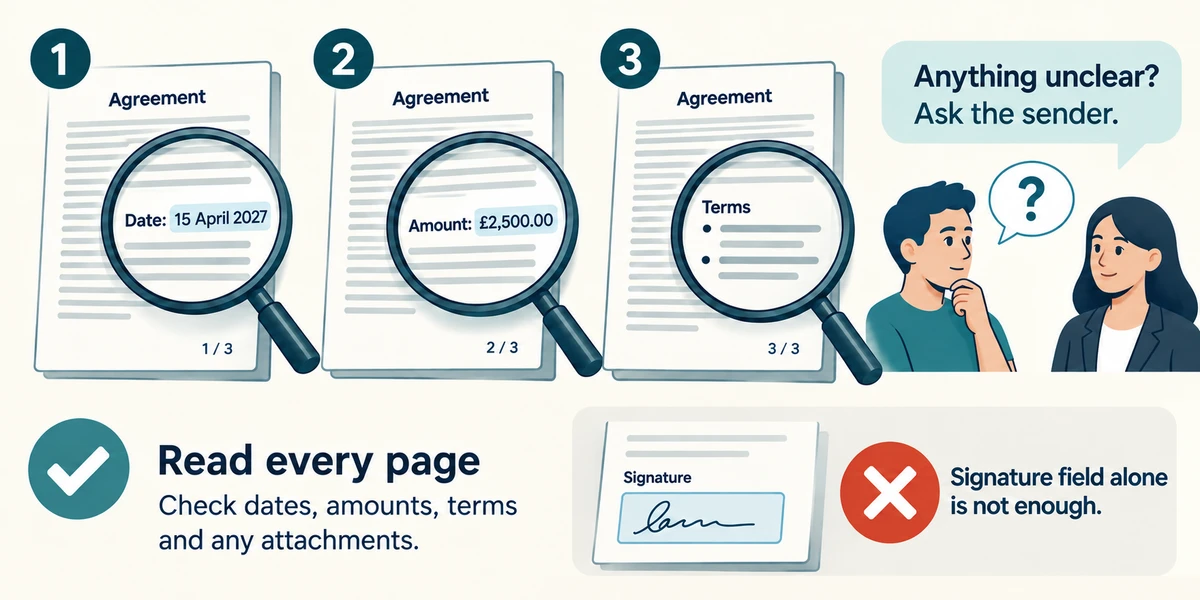
Use the verified service’s Read agreement, document view or Download PDF option to inspect the complete document. Scroll using the mouse wheel or the page controls and read every page, including dates, amounts and attached terms. Ask the sender about anything unclear before signing; jumping between highlighted fields does not replace reading.
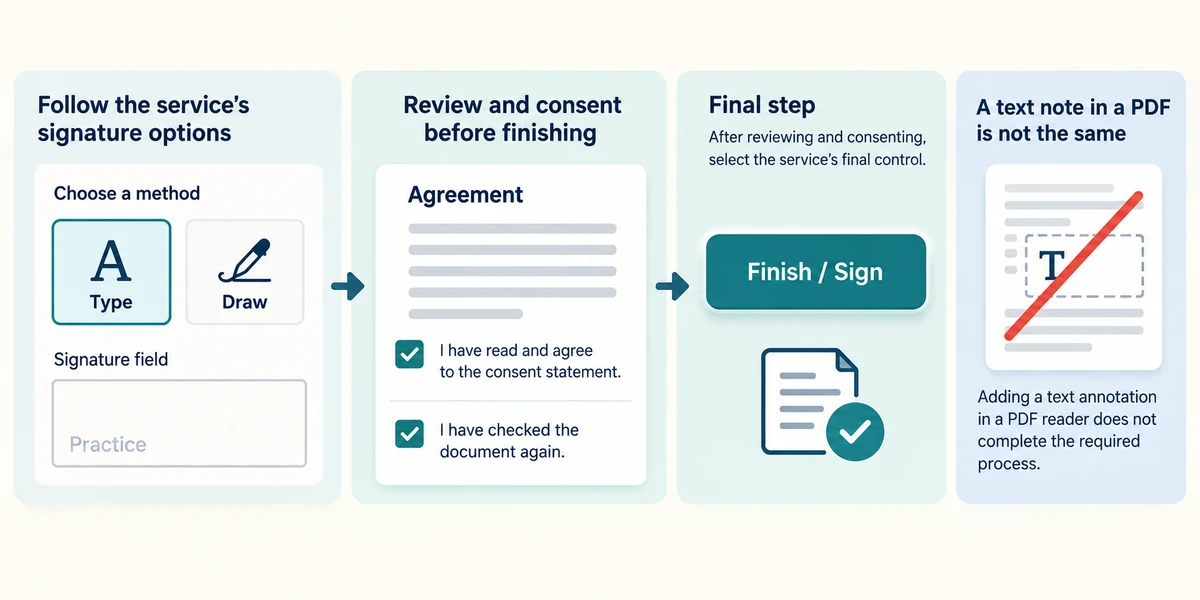
When you later intend to sign, follow the service’s named fields and instructions. It may offer typing, drawing or another method and require a final Finish or Sign control. Read any consent statement and check the document again before that final action. Do not assume adding a text annotation in a PDF reader completes the required process.
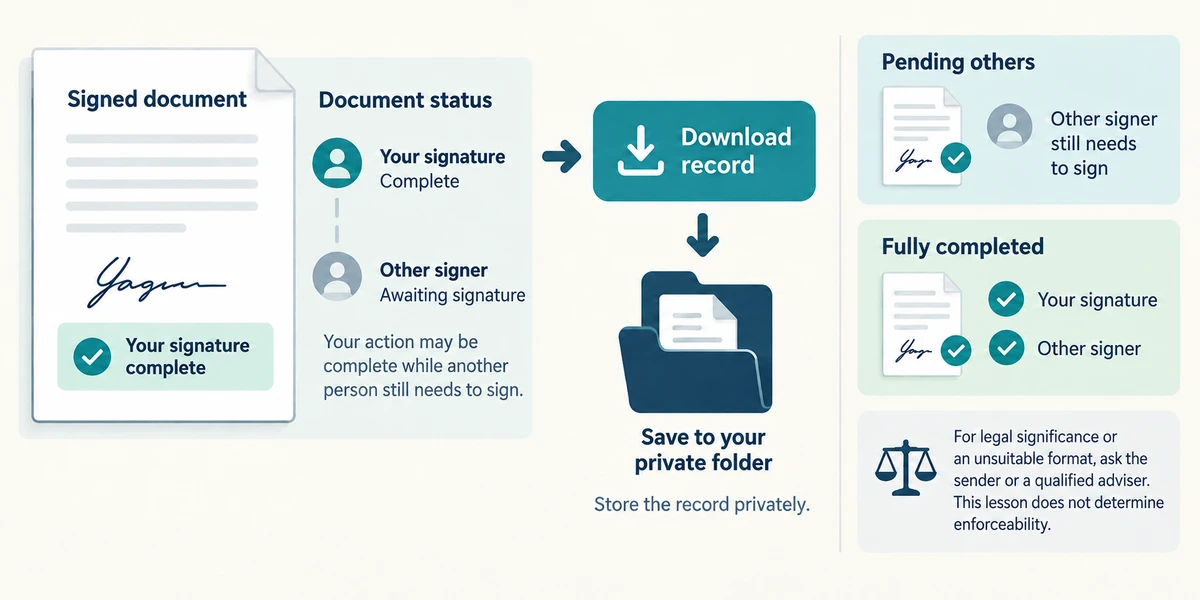
Keep the final completed copy and its confirmation using the service’s Download control. Read its status: your action may be complete while another person still needs to sign. Store the record privately. For legal significance or an unsuitable format, ask the sender or a qualified adviser; this lesson does not determine enforceability.
You can type your name on a PDF, but the sender asks you to complete a particular signing service. What should you do?
Follow or clarify the sender’s required signing process
Check what you understand
In guided learning, click Start 3 questions to receive a selection from this lesson. Click the circle beside an answer, then click Check answer. Read the feedback and try again if needed. Click Next question after each correct answer. Answer all 3 correctly to continue.
Returning to guided learning keeps the questions and answers in your current attempt.
Read all 3 questions and explanations
The signing service jumps straight to a signature box on page four. What should happen before signing?
Answer: Read the full agreement, including the other pages
Highlighted fields locate actions; they do not explain all the terms you are agreeing to.
The status says waiting for another signer after your action. What does it mean?
Answer: Your action may be complete while the overall agreement is still pending
Read the service’s status and keep the appropriate record. One person’s completed action is not always the final agreement.
An unexpected signing request has familiar branding but unfamiliar terms. What is the useful next step?
Answer: Confirm it with the known sender independently
Verify the sender and understand the terms before committing to the process. Branding can be copied.
Take this to your computer
- 1
Read a signing provider’s public help page and identify its read and download controls.
- 2
Do not sign an agreement or create a real signature for this lesson.
The appropriate method depends on the document and recipient. This is process guidance, not legal advice.
Prefer a more personal, one-to-one lesson? Basic Computing can help. Explore our services.