Share identification carefully
A document proves something to a particular recipient
Choose how to prepare the evidence a verified service requests.
You will know how to check the requester, required evidence and upload result.
Identification documents can contain information that is difficult to change. Sharing them should serve a clear, verified purpose. The useful question is not just whether you can upload a file, but whether this recipient needs this evidence through this particular route.

Verify, prepare and check
How this works
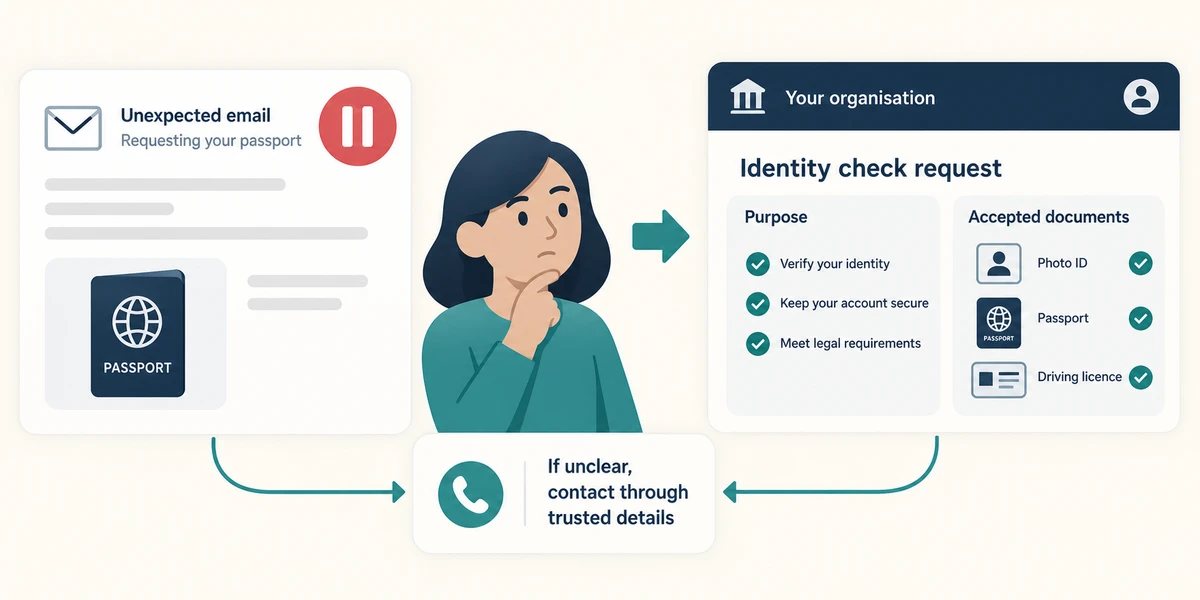
Read the request in the organisation’s genuine account or service, reached independently. Establish what is being checked and what documents are accepted. An unexpected message asking for a passport is not enough. Contact the organisation through details you already trust if the request or recipient is unclear.
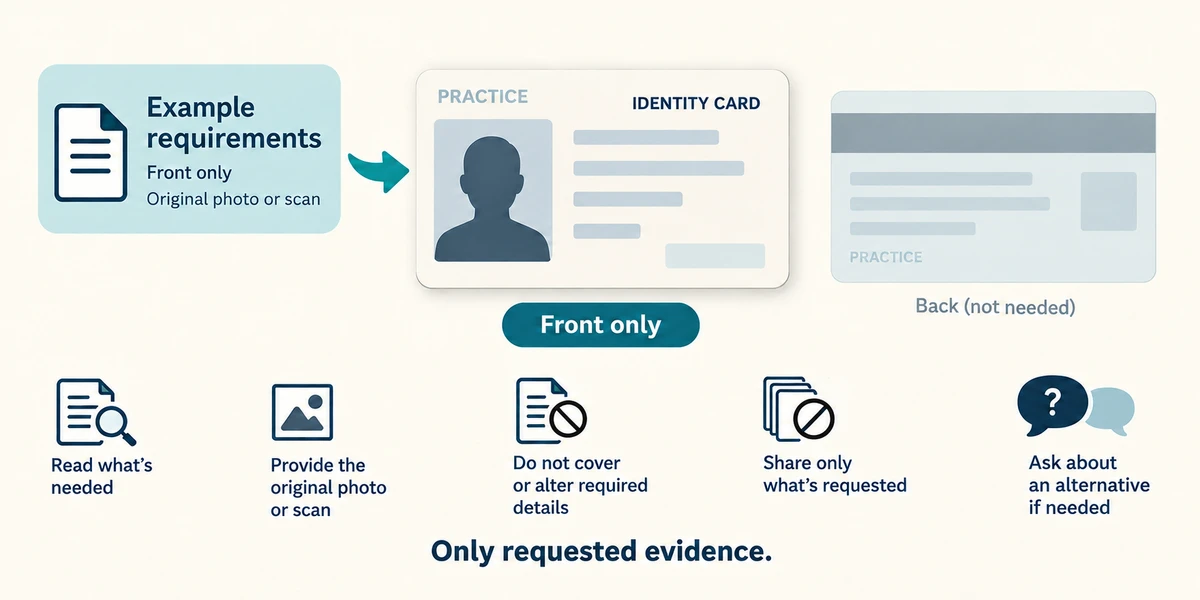
Read whether the service needs the front, back, every page or a particular part of the document, and whether an original photograph or scan is required. Do not cover or alter required details unless its instructions allow this. Share no extra documents merely to be thorough. Ask about an alternative if you cannot provide the stated evidence.
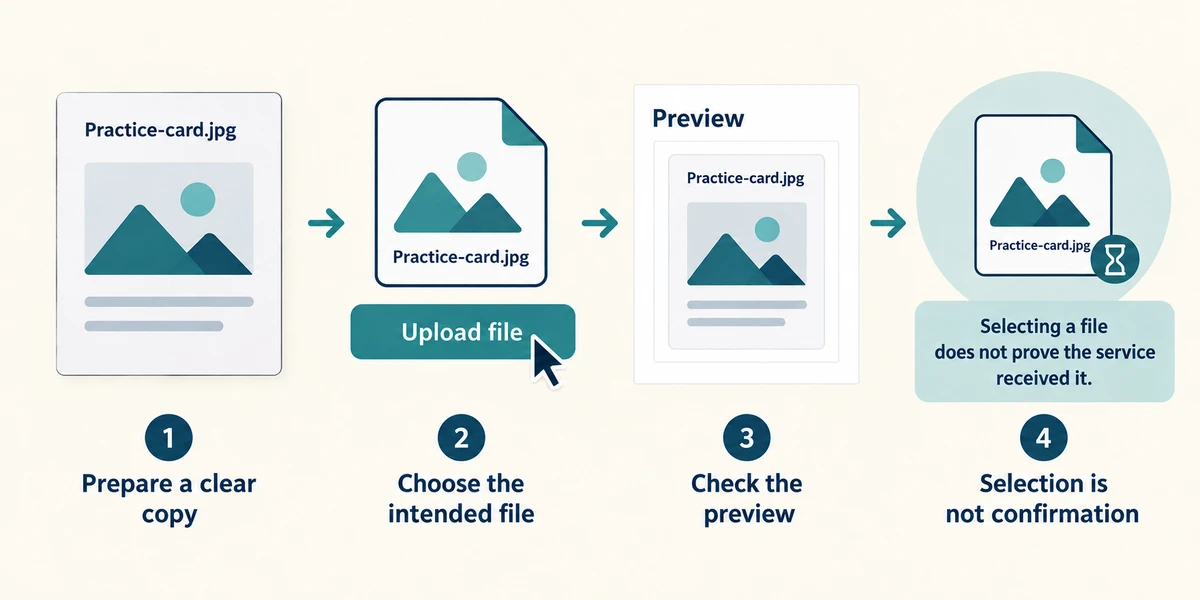
Prepare a legible copy without glare, missing edges or unrelated material in the background. Check the required file type and size. Use the verified service’s upload control, choose the intended file once and inspect its preview or filename before the final submission. Selecting a file does not prove that the service received it.
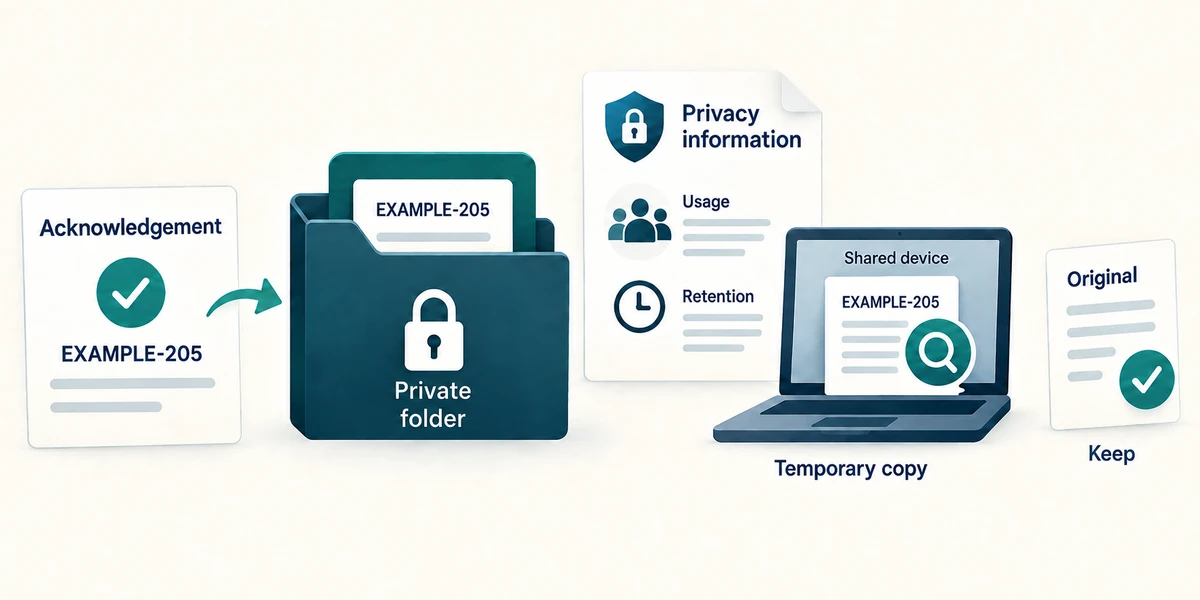
Read the acknowledgement and any next steps. Keep the reference privately. Check the organisation’s privacy information for how evidence is used and retained, and review temporary copies on shared devices. Do not delete an original you still need. This lesson never asks for your identification.
A verified service asks for the front and back of one accepted identity card. You have both clear images and several unrelated documents. What should you prepare?
The two required card images in the stated format
Check what you understand
In guided learning, click Start 3 questions to receive a selection from this lesson. Click the circle beside an answer, then click Check answer. Read the feedback and try again if needed. Click Next question after each correct answer. Answer all 3 correctly to continue.
Returning to guided learning keeps the questions and answers in your current attempt.
Read all 3 questions and explanations
An email unexpectedly asks you to upload a passport. What should happen before preparing the file?
Answer: Confirm the request through the organisation independently
A message cannot verify itself. Use a genuine account or contact route you already trust.
The preview cuts off a required corner of the document. What is the useful correction?
Answer: Retake or rescan it so the required document is legible and complete
The actual image must contain the required information. Renaming or changing the viewer zoom does not restore missing content.
The file is selected but the page still shows Submit evidence. What is established?
Answer: The file is prepared for submission, but receipt is not confirmed
Check the submission and acknowledgement separately. Selection does not prove receipt or approval.
Take this to your computer
- 1
Read a public identity-evidence guide only. Identify accepted documents and the official help route.
- 2
Do not photograph, select or upload real identification for this lesson.
Requirements vary by organisation. No lesson can decide that an unexpected identity request is safe from its appearance alone.
Prefer a more personal, one-to-one lesson? Basic Computing can help. Explore our services.