Remove an app you no longer need
Remove an app you no longer need
Choose the right way to remove an app while protecting its work.
Distinguish uninstalling an app from removing its shortcut.
An installed app occupies storage and may keep its own settings or data. A desktop or taskbar shortcut is only a convenient way to reach it. Uninstalling removes the app itself; deleting or unpinning a shortcut usually does not. Check what you need to keep before removal.

Make the choice that fits your task
How this works
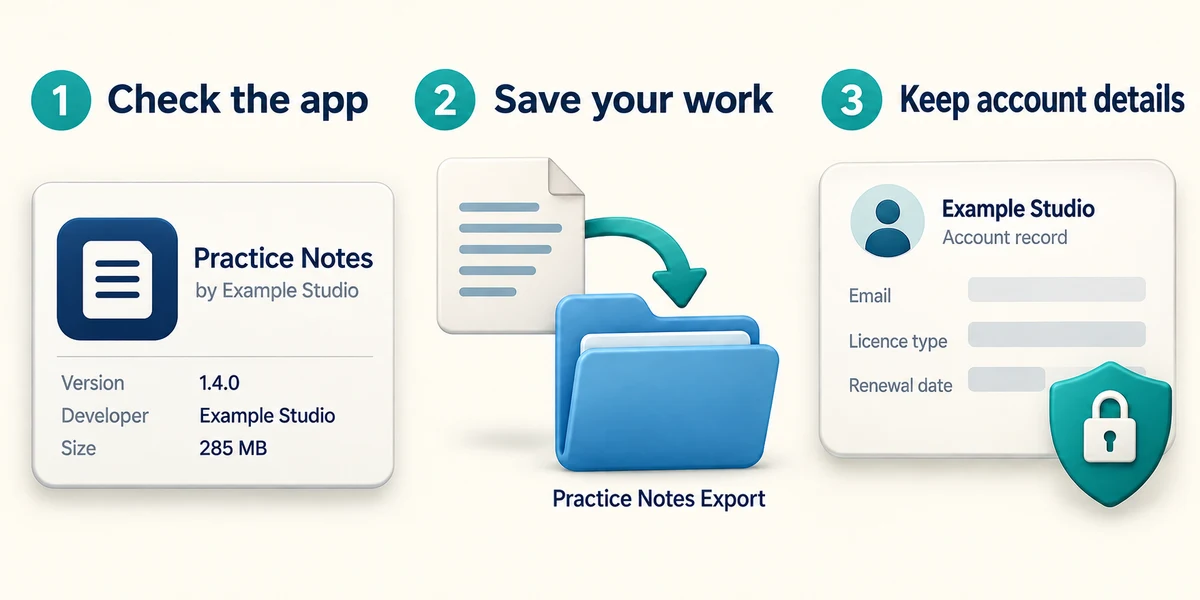
Identify the exact app and whether it holds work you still need. Save or export important app data using that app’s guidance. For a paid app, keep licence or account details in case you later reinstall it.
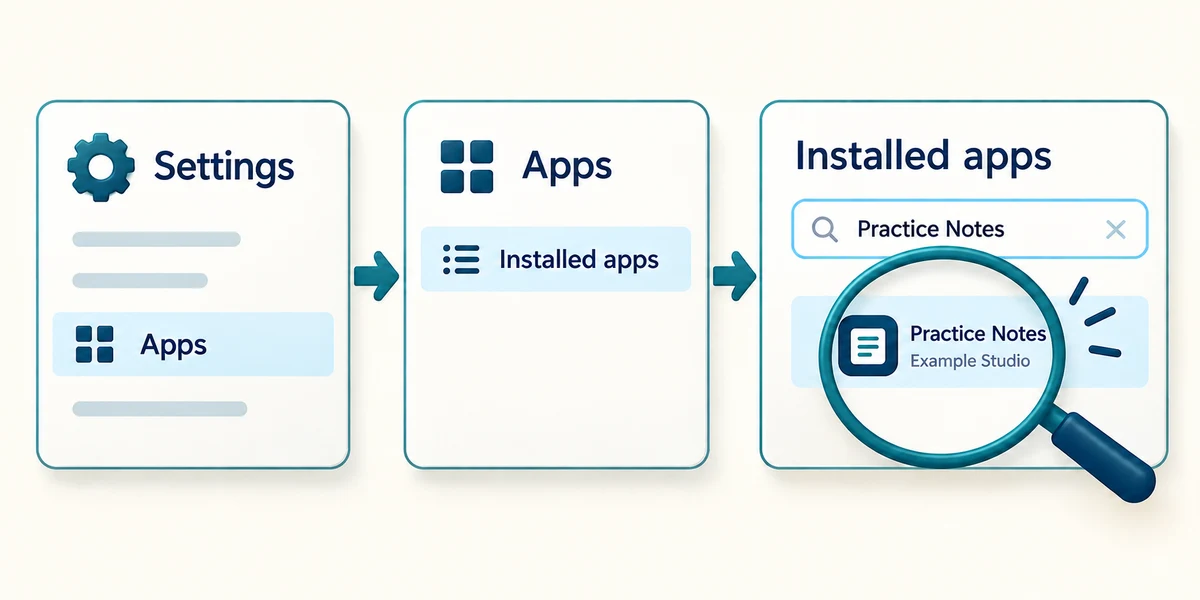
Hold the Windows key, press I once, then release both keys to open Settings. Click Apps, then Installed apps. Click the search box and type the app’s name. Check that the name and publisher match the app you intended.
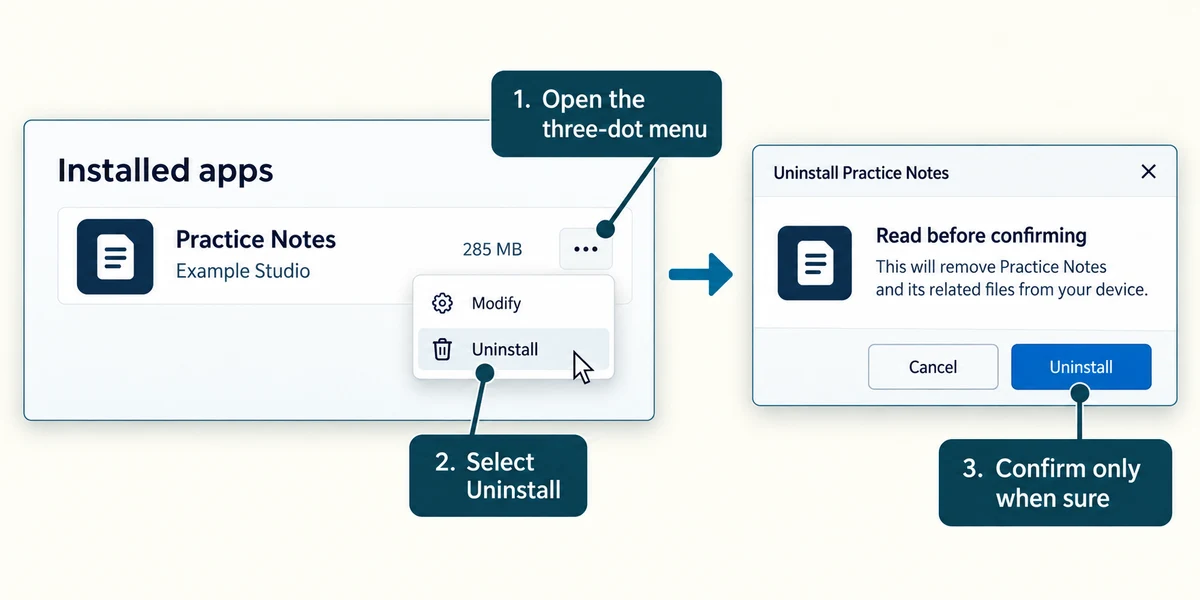
Click the three-dot menu beside that app, then Uninstall. Read the confirmation and the app’s own removal questions before confirming. Stop if you are unsure what will be deleted or asked for administrator permission you do not have.
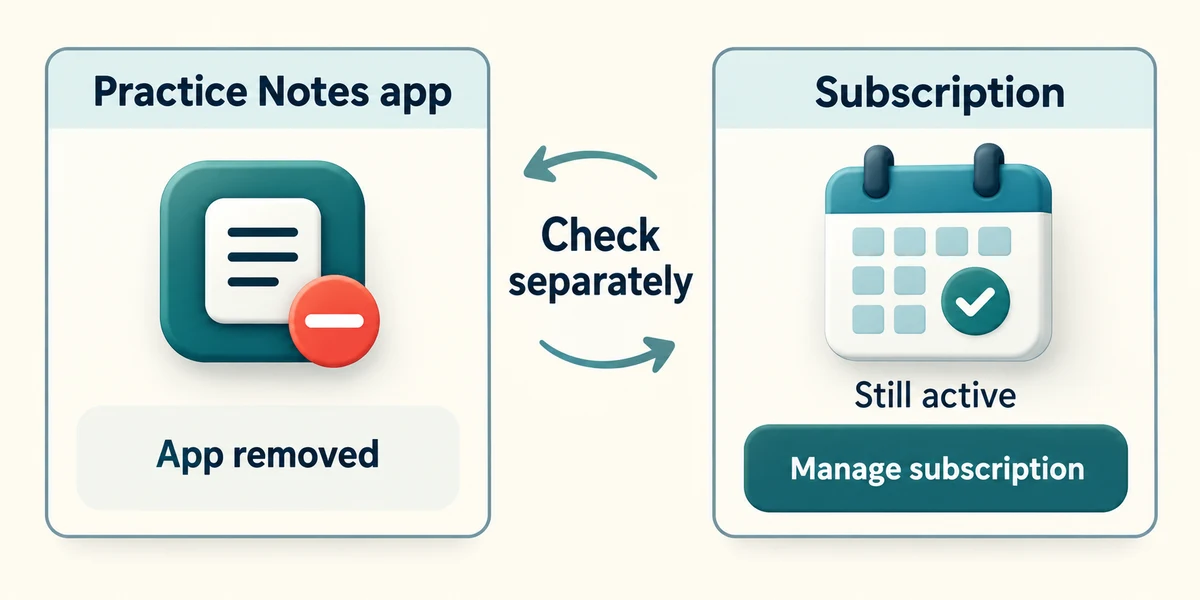
Removing an app does not necessarily cancel a paid subscription. Check subscriptions separately in the provider’s official account pages. Some Windows components cannot be removed this way; do not use a random cleaner to force them out.
You want a trial editor removed from the computer, not just out of sight. Which route fits?
Find that editor in Installed apps and use Uninstall
Check what you understand
In guided learning, click Start 3 questions to receive a selection from this lesson. Click the circle beside an answer, then click Check answer. Read the feedback and try again if needed. Click Next question after each correct answer. Answer all 3 correctly to continue.
Returning to guided learning keeps the questions and answers in your current attempt.
Read all 3 questions and explanations
What should you check before removing an app that stores your projects?
Answer: Whether its projects need saving or exporting
Removal can affect app data; keep important work first.
You have uninstalled a subscription app. What may still need attention?
Answer: Cancelling the subscription through its provider
Removing local software does not necessarily stop billing.
A listed app name is unfamiliar and you are unsure what uses it. What is the better choice?
Answer: Identify it before removing it
Some unfamiliar entries support other software or devices.
Take this to your computer
- 1
Hold the Windows key, press I once, then release both keys to open Settings. Click Apps, then Installed apps. Click the search field and type the name of an app you recognise.
- 2
Read its name and publisher. Before choosing Uninstall from the three-dot menu, check saved work and any subscription separately. For observation only, close Settings with the top-right X without removing anything.
The lesson examples do not change your computer. On your PC, read each confirmation before continuing; available controls can vary.
Prefer a more personal, one-to-one lesson? Basic Computing can help. Explore our services.