Keep useful apps within easy reach
Keep useful apps within easy reach
Compare a pinned shortcut with an installed and running app.
Pin and unpin app shortcuts without removing the apps.
Pinning keeps a shortcut in a predictable place, even when an app is closed. It is useful for apps you return to often. A taskbar icon can mean an app is pinned, currently running, or both. Removing a pin tidies the taskbar without uninstalling the app.

Make the choice that fits your task
How this works
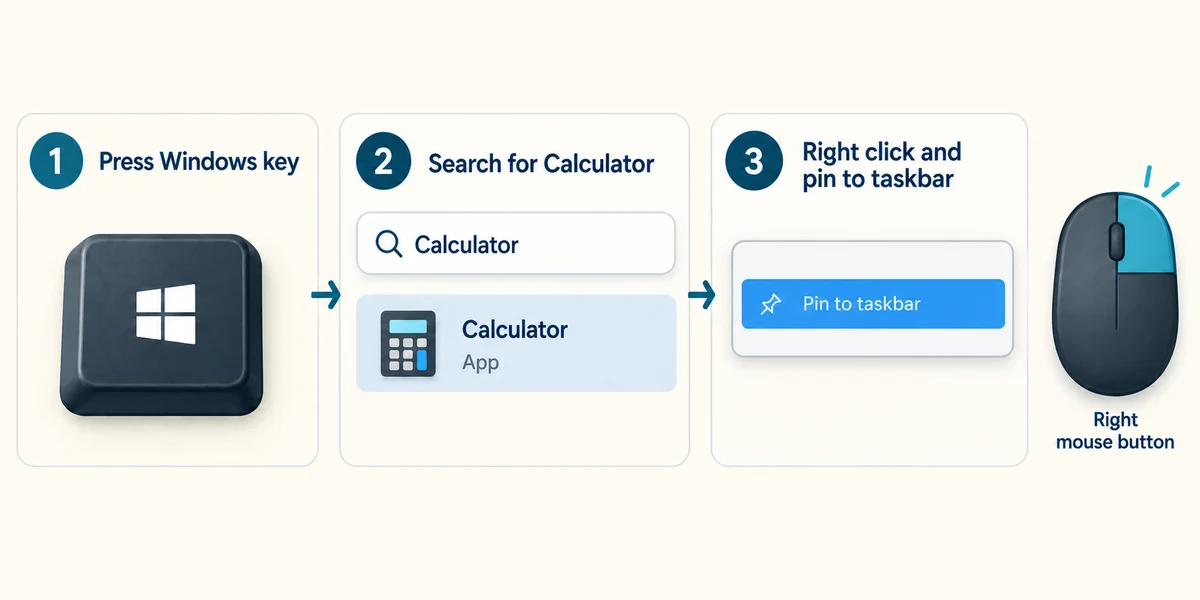
Press the Windows key once to open Start, then type the name of an installed app. In the results, right-click the app by pressing the right mouse button once. Click Pin to taskbar if that is where you want it.
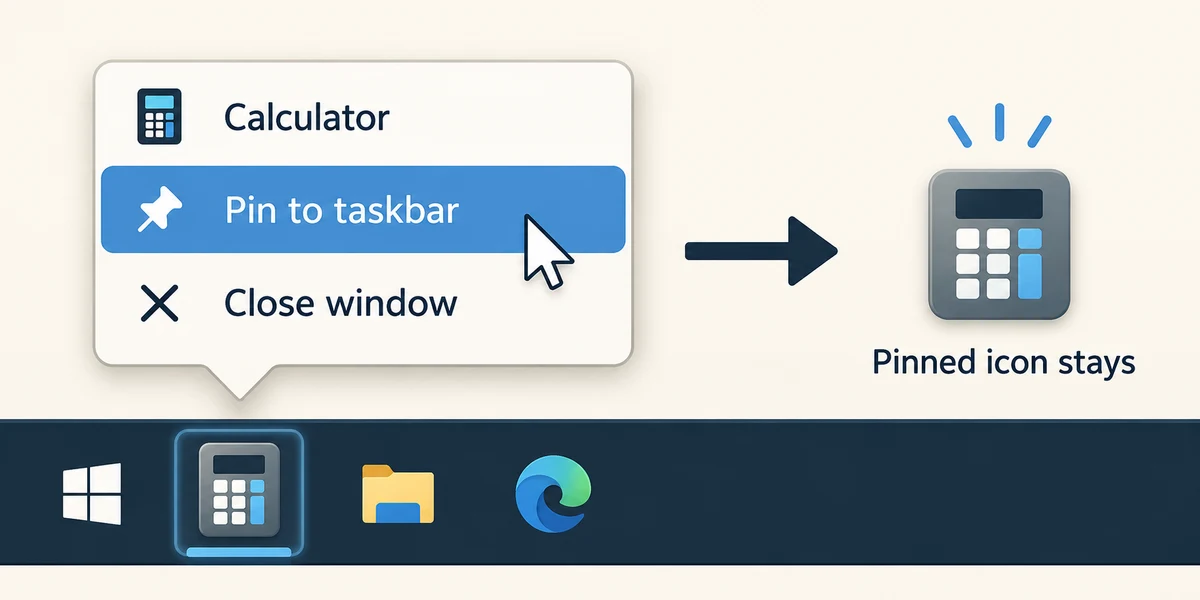
Another route is to open the app first, then right-click its taskbar icon and click Pin to taskbar. You can now close the app using its top-right X and still find its pinned icon.

To remove the shortcut, right-click that taskbar icon and click Unpin from taskbar. An app that is still running may remain visible until it closes. Unpinning does not delete documents or uninstall the app.
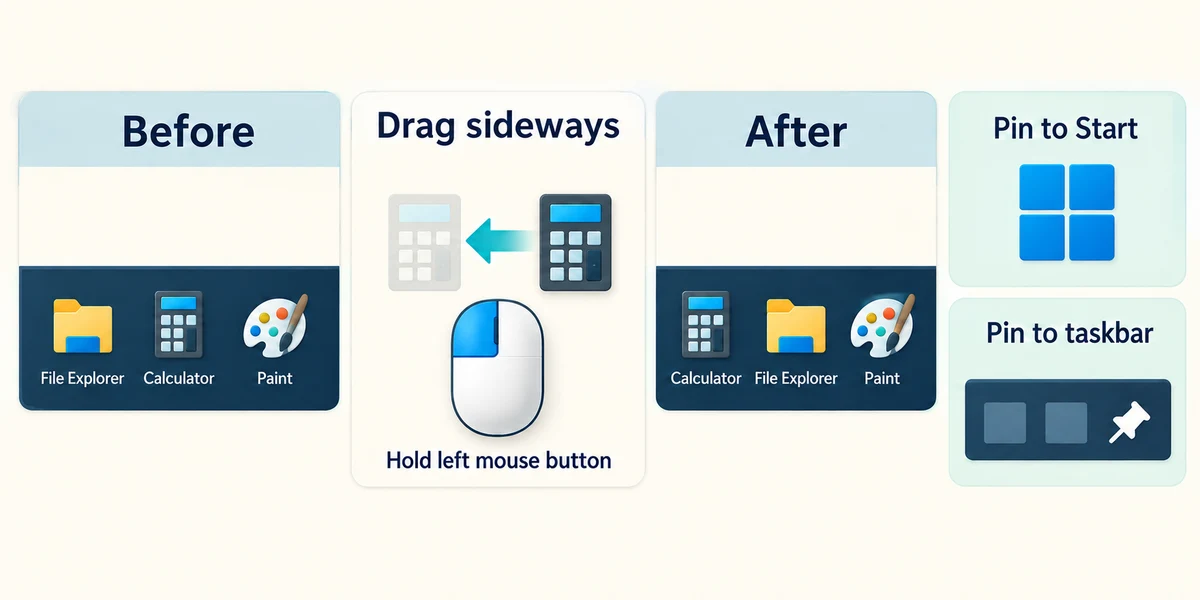
To change the order, point at a taskbar app icon, hold the left mouse button, move it sideways to the desired place and release. Start has its own pinned area; Pin to Start and Pin to taskbar are different destinations.
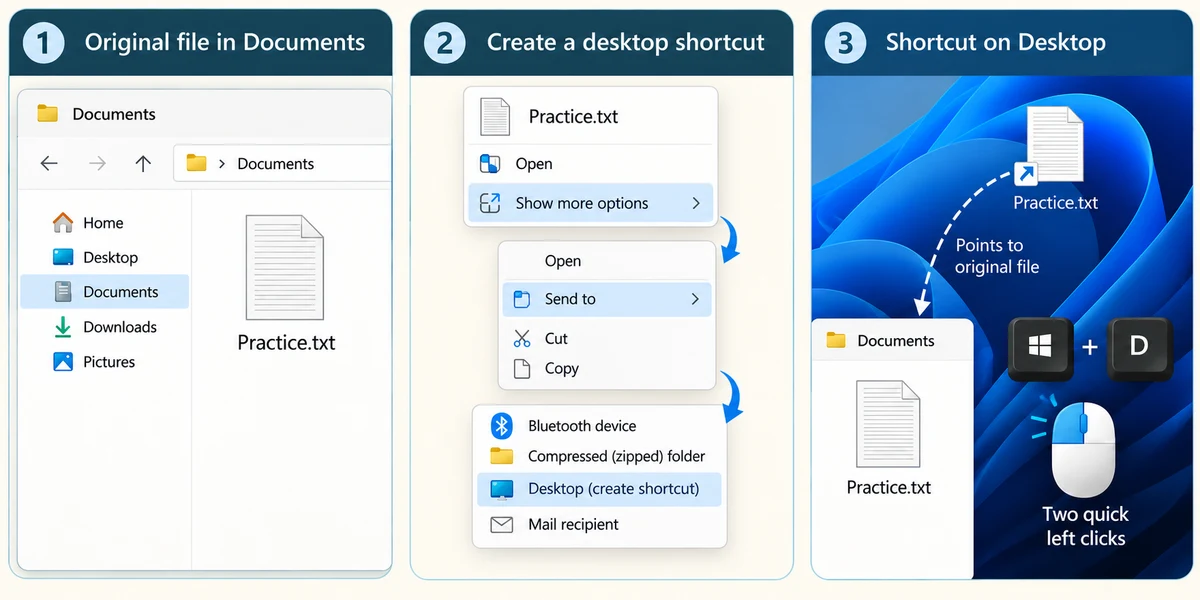
For a desktop shortcut to a known file or folder, hold Windows, press E and release to open File Explorer. Find the item, right-click its name once, then click Show more options if shown. Point at Send to and click Desktop (create shortcut). This adds a pointer on the desktop while the original stays in its folder. Hold Windows, press D and release to see the desktop; open the shortcut with two quick left clicks. Menus can vary. You do not need to create a real shortcut to finish this lesson.
You use a calculator daily and want its button available after closing it. What would help?
Pin the installed app to the taskbar
Check what you understand
In guided learning, click Start 3 questions to receive a selection from this lesson. Click the circle beside an answer, then click Check answer. Read the feedback and try again if needed. Click Next question after each correct answer. Answer all 3 correctly to continue.
Returning to guided learning keeps the questions and answers in your current attempt.
Read all 3 questions and explanations
After you unpin an app, it still appears on the taskbar. Why might that happen?
Answer: The app is still running
A running app can remain visible without being pinned.
You want to tidy the taskbar but keep using the app occasionally. Which action fits?
Answer: Unpin from taskbar
This removes the persistent shortcut and keeps the app installed.
You choose Pin to Start. Where should you look for the new shortcut?
Answer: The pinned area of Start
Start and the taskbar have separate pinned areas.
Take this to your computer
- 1
Press Windows, type Calculator and click its app result. Right-click Calculator’s taskbar icon and choose Pin to taskbar if it is not already pinned.
- 2
Close Calculator with its top-right X. Check whether the icon remains. To undo your new pin, right-click that icon and choose Unpin from taskbar. Keep a pin that was already there if you still want it.
The lesson examples do not change your computer. On your PC, read each confirmation before continuing; available controls can vary.
Prefer a more personal, one-to-one lesson? Basic Computing can help. Explore our services.