Review and cancel a subscription
The subscription belongs to a billing agreement
Distinguish cancelling renewal from removing an app.
You will know which subscription details and confirmation to check.
A subscription is an agreement for repeated access or service, often with repeated charges. The app is only one way to use it. Removing the app, signing out or deleting a shortcut does not by itself end the agreement with the organisation collecting payment.
Find the payer-facing record
How this works
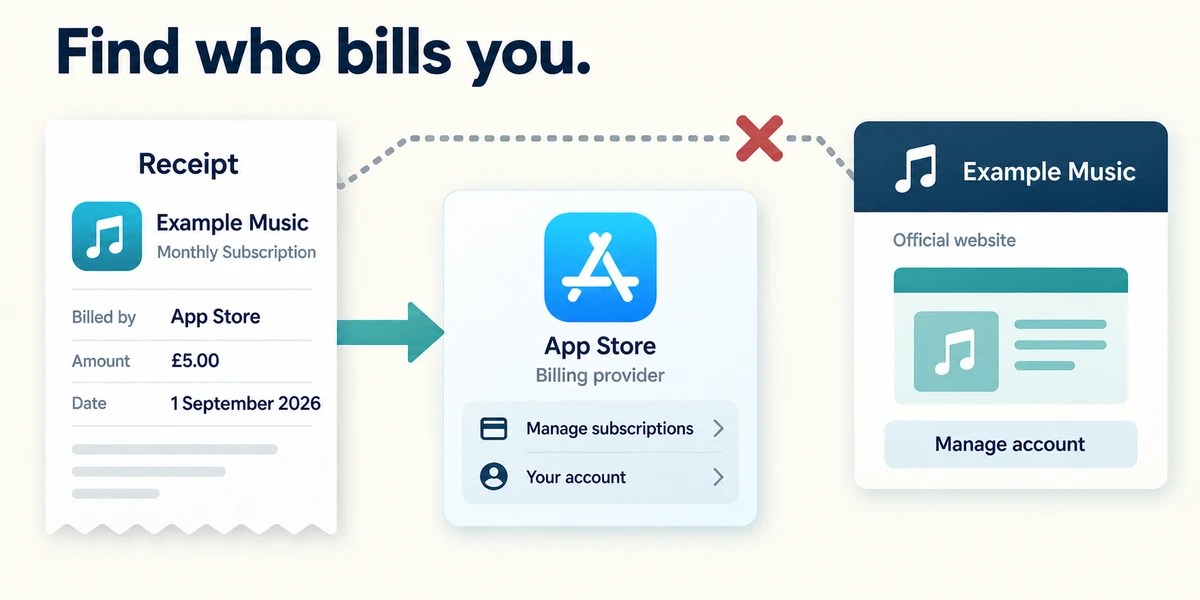
Use a receipt or the genuine account’s subscription page to identify the billing provider and account. An app bought through an app store may need to be managed through that store, even if the service has its own website. Do not follow an unexpected payment-warning link to locate the subscription.
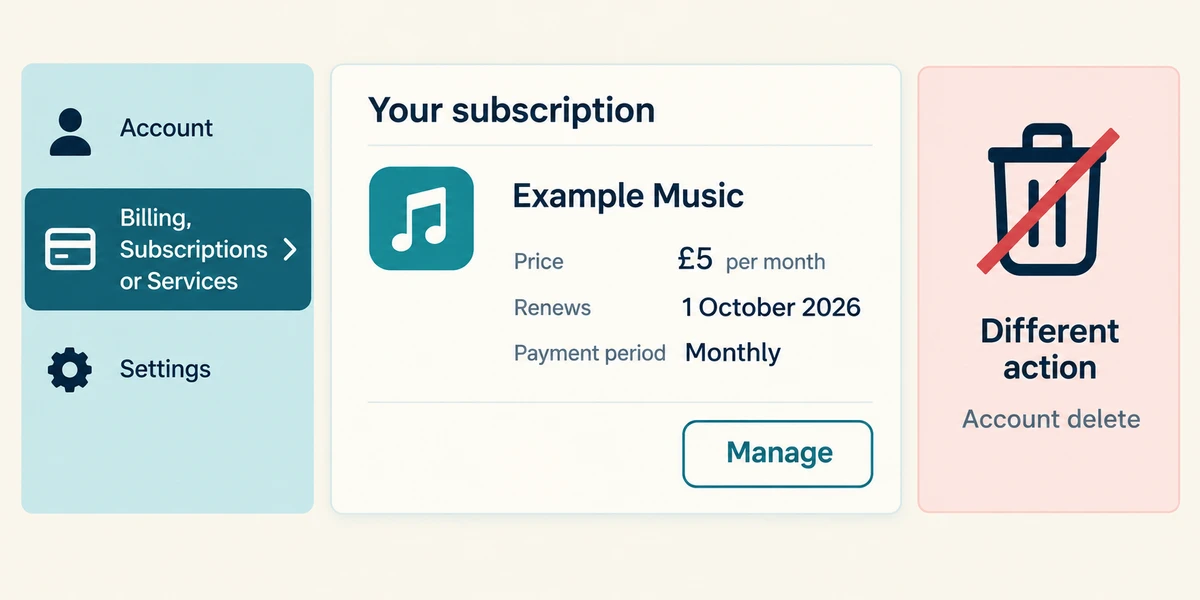
In the genuine account, click a labelled Billing, Subscriptions or Services and subscriptions option once. Read the plan, renewal date, price and payment period. Look for the named Manage control for that subscription. Keep account deletion separate from cancelling renewal, because deletion can affect access to data.
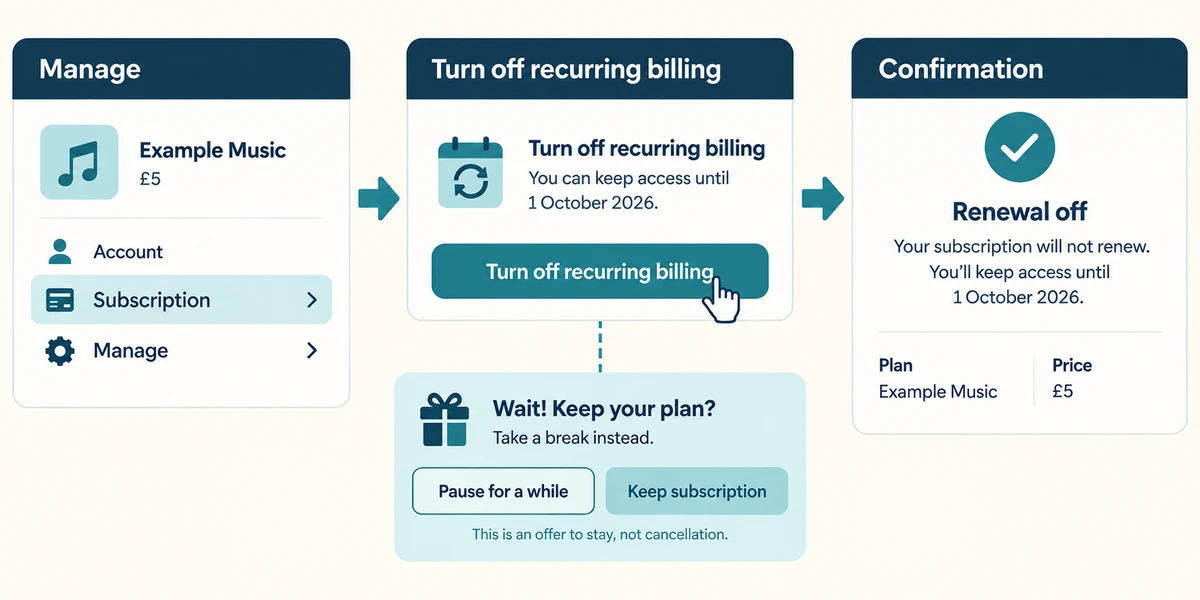
If you later choose to cancel, read the displayed Cancel subscription or Turn off recurring billing route carefully. Follow through to the confirmation rather than stopping at an offer to stay. Read when access ends and whether the action concerns future renewal or immediate cancellation; refunds and terms vary.
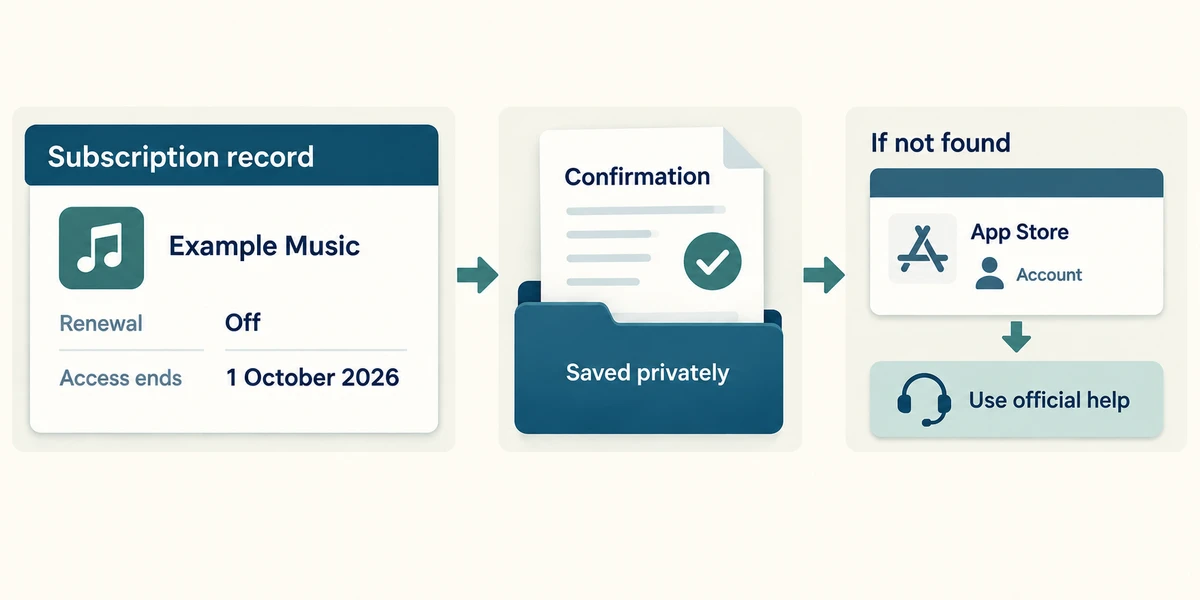
Return to the subscription record and confirm its status and end date. Retain an appropriate confirmation privately. If you cannot find the subscription, check the original billing provider and account, then use its official help. No cancellation or payment change is required here.
You removed a streaming app but its account still shows renewal next month. What has happened?
The app was removed, while the billing agreement still needs review
Check what you understand
In guided learning, click Start 3 questions to receive a selection from this lesson. Click the circle beside an answer, then click Check answer. Read the feedback and try again if needed. Click Next question after each correct answer. Answer all 3 correctly to continue.
Returning to guided learning keeps the questions and answers in your current attempt.
Read all 3 questions and explanations
A receipt says your app subscription was bought through an app store. Where should you first check cancellation instructions?
Answer: The billing app store’s subscription management
The billing provider controls that purchase. App-store purchases may not be cancellable through the service’s own billing page.
You click Cancel but see a page offering a cheaper plan and a Continue cancelling button. What is established?
Answer: You are still in a cancellation journey that needs a final result
Read the current page and complete the intended route. Keep the final status or confirmation rather than assuming the first click completed it.
A page confirms renewal is off and access ends on 30 June. What should you retain?
Answer: The confirmation and stated access end date
The record establishes the stated cancellation result and access period. Terms vary; an earlier offer does not replace it.
Take this to your computer
- 1
Optional: use an old non-sensitive receipt to identify where a subscription was billed. Do not change any account.
- 2
Write a checklist of provider, plan, renewal date and final confirmation.
Cancellation, access periods and refunds depend on the provider and agreement. This lesson makes no account changes.
Prefer a more personal, one-to-one lesson? Basic Computing can help. Explore our services.