Find and organise messages
An inbox is one view of your mailbox
Find a message that was moved out of the inbox but still needs keeping.
Use message clues and folder scope to find retained email.
A message can remain in your account after it leaves the inbox. Folders, labels and search help you find useful mail without keeping everything in one long list. Archiving keeps a message available; deleting puts it on a different recovery path and may eventually remove it.

Search first, then choose a home
How this works

In Outlook on the web, click the Search box near the top, type a sender, distinctive subject word or phrase, then press Enter. Check the search scope. Looking only in Inbox can miss a message moved into Archive or another folder; use the available folder or all-mail options to widen the search.
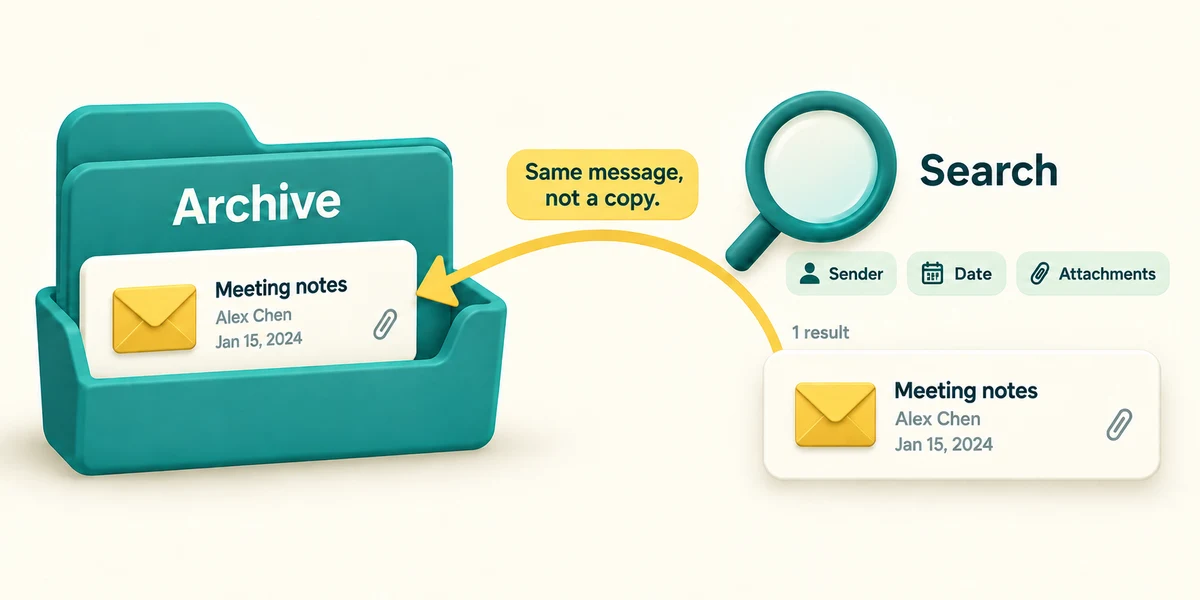
If there are too many matches, use the search filters for sender, date or attachments where offered. Read the date and conversation before opening a result. A search result is still the same message in its original location, not a newly created copy.
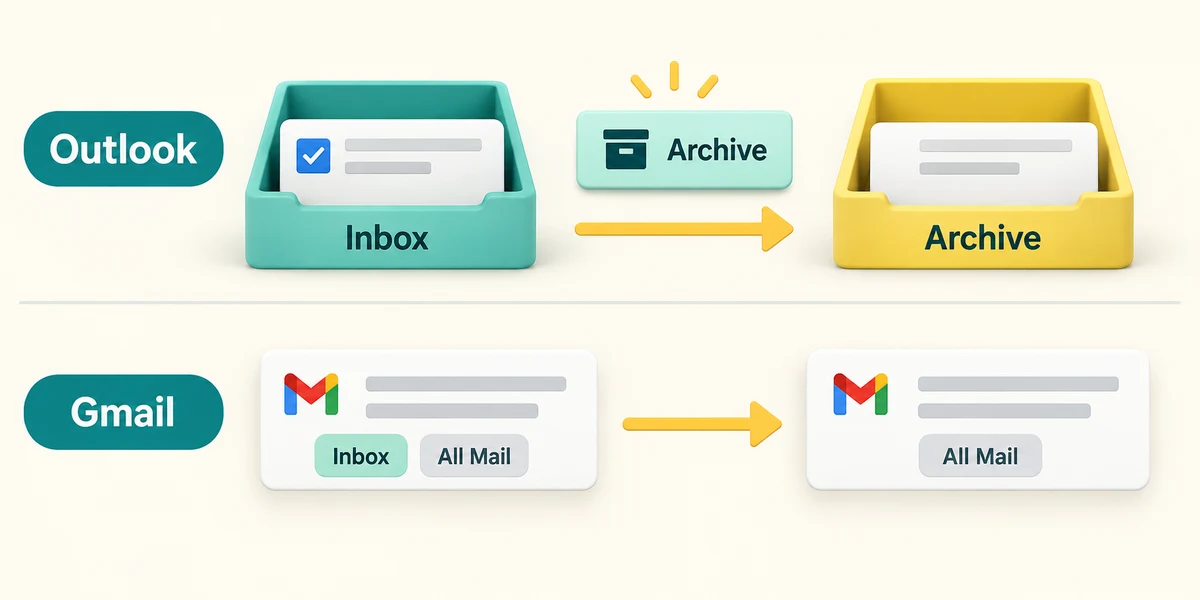
Archive is useful for a message you have finished with but want to keep. Select the message using its checkbox, then click Archive in the toolbar. In Outlook this moves it to Archive; in Gmail it removes the Inbox label while leaving it available in All Mail and search. This is different from Delete.

For a named collection in Outlook, select a message and choose Move from the toolbar, then choose its destination folder. Gmail commonly uses labels, and one message can have more than one label. Read the action in your service. If a retained message seems missing, check its folder and search scope before deciding it was deleted.
You archived a useful ticket email last week. Searching only Inbox finds nothing. What is the most useful next step?
Search Archive or widen the scope to include retained messages.
Check what you understand
In guided learning, click Start 3 questions to receive a selection from this lesson. Click the circle beside an answer, then click Check answer. Read the feedback and try again if needed. Click Next question after each correct answer. Answer all 3 correctly to continue.
Returning to guided learning keeps the questions and answers in your current attempt.
Read all 3 questions and explanations
How does Archive differ from Delete?
Answer: Archive keeps the message available in a retained location or view.
Archiving organises retained mail. Deleting follows the service's deleted-message process.
A search returns many messages from the same organisation. What helps find one booking?
Answer: Add a relevant date, subject word or attachment filter.
Relevant filters narrow the search. A broader search or unchecked recent result may not identify this booking.
In Gmail, one email has two labels. What does that necessarily mean?
Answer: It can appear in two labelled collections.
Labels can organise one message in several collections. They are not necessarily duplicate emails.
Take this to your computer
- 1
No mailbox changes are required. Think of a sender or subject word you would use to find a known message.
- 2
If you later search your own mail, follow the Search steps and read the scope before moving or deleting anything.
Retention and folder names vary by service. Do not empty folders merely to practise organisation.
Prefer a more personal, one-to-one lesson? Basic Computing can help. Explore our services.