Documents and spreadsheets
Documents and spreadsheets
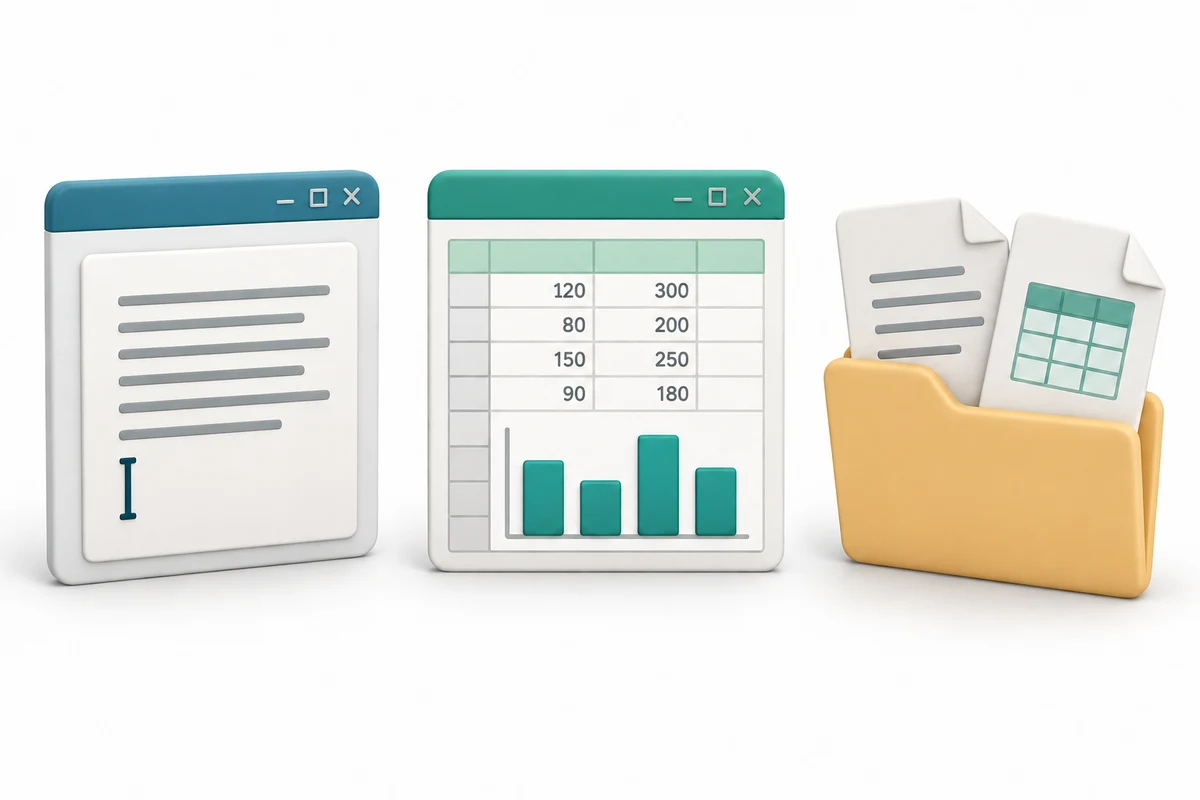
You are going to explore three short illustrated stages, try a practice choice and answer three quick-check questions.
Match writing and totals to suitable tools. Recognise rows, columns, cells and formulas. Separate an office app from the file it creates.
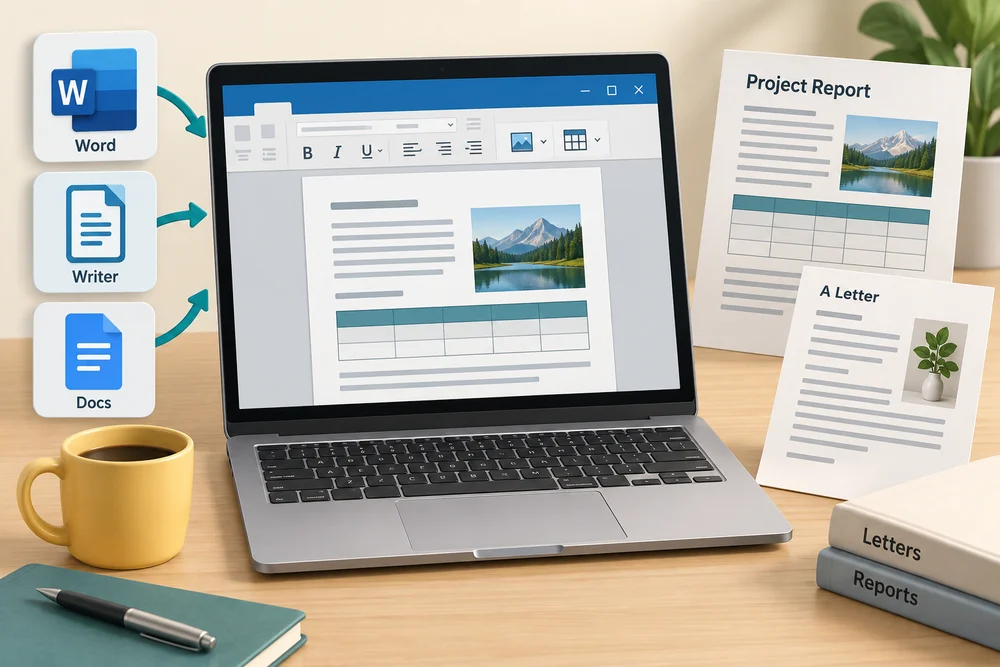
A document app helps you write and arrange text, such as a letter or report. Microsoft Word, LibreOffice Writer and Google Docs are examples. A document can include pictures and tables as well as words; it is not limited to plain text.
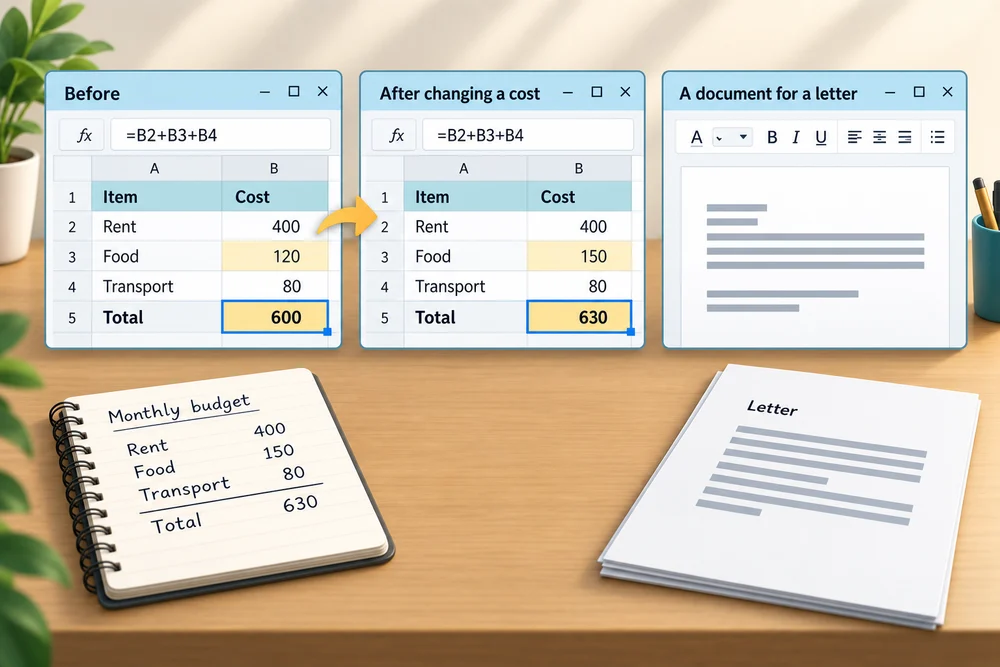
A spreadsheet arranges information in a grid. Microsoft Excel, LibreOffice Calc and Google Sheets are examples. Rows run across and columns run down. A cell is one box where a row and column meet; it can hold text, a number or a formula.

A formula is an instruction to calculate, such as adding several costs. A spreadsheet can recalculate a total when one of those costs changes. This makes it useful for a budget or a list of quantities, while a document app is usually a clearer starting point for a letter.
The app and the saved work are different things: Word is an app; your saved letter is a file. Opening another letter does not mean installing another copy of Word. Sharing a file also does not give the recipient an app automatically. Their tool needs to support the file’s format.
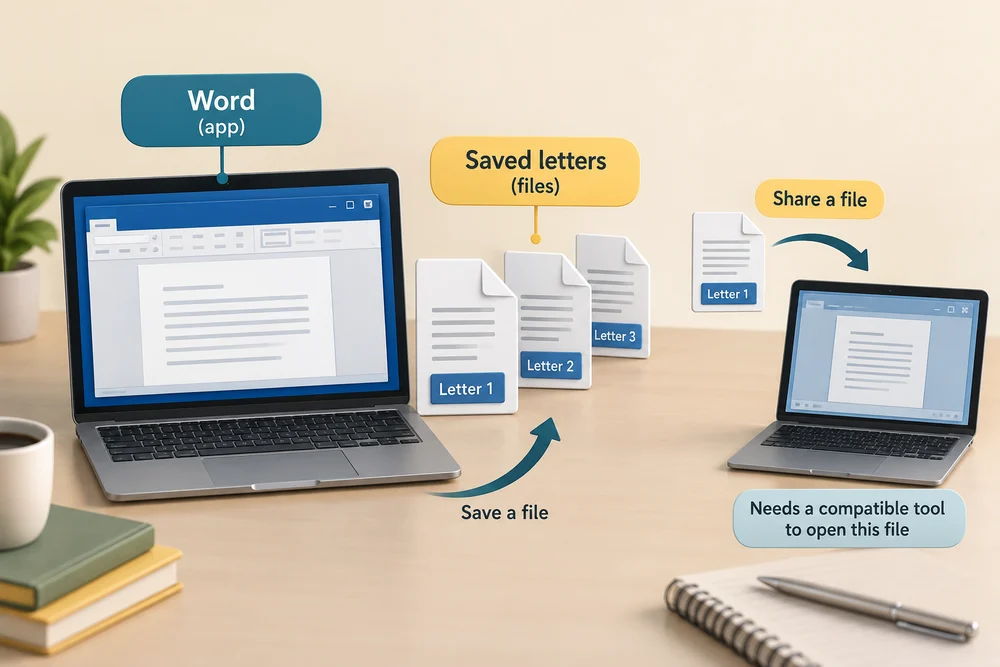
Some tools work in a browser, including Google Docs and Sheets. Word and Excel also have web versions. Installed desktop editions and web versions can differ in features, accounts and licences. Save controls or automatic saving keep changes, but the saved status and location still matter before closing your work.

Explore the example
Compare the workspaces in the three stages, then consider which approach fits the practice task. These are teaching pictures, so there is no need to create a file, buy software or sign in.
Explore the three stages, then try the practice choice. The guidance beside each control explains what to do. The separate Quick check comes next.
Choose the right kind of workspace
1. A document for writing
A word-processing app helps you write and arrange text, such as a letter or a report. It can also place pictures in a document. The app and the saved document are different things.
2. A spreadsheet for organised figures
A spreadsheet arranges information in rows and columns. Each box is a cell. Formulas can calculate results, such as a total, and update the result when the numbers change.
3. Keep the saved files
Saving keeps your document or spreadsheet as a file. A folder can hold both kinds together. The filename helps you recognise the work; the file type helps the computer choose an app that can open it.
Try a small task
You expect several costs to change and want the total to stay in step without retyping it. Which approach fits?
- Keep a screenshot of the original figures and total
A screenshot records how the figures looked at that time. It will not recalculate when costs change. Cells and a formula can do that.
- Write a fixed total below the list as ordinary text
Ordinary text does not recalculate from the costs. A spreadsheet formula can use those values and update its result when they change.
- Use a spreadsheet formula linked to the cost cells (the suitable choice)
The formula calculates from the values it uses. When one of those cost cells changes, its calculated total can change with it.
Your activity stays as you left it when you return to one section at a time.
Check your understanding
Click Start 3 questions to begin. Click the circle beside your answer, then Check answer. After each of the first two correct answers, click Next question. When all three are correct, click Continue below. You can change a wrong answer and check again. With a keyboard, Tab reaches choices, arrow keys choose an answer, and Tab then Enter activates a button.
In guided learning, click Start 3 questions to receive a selection from this lesson. Click the circle beside an answer, then click Check answer. Read the feedback and try again if needed. Click Next question after each correct answer. Answer all 3 correctly to continue.
Returning to guided learning keeps the questions and answers in your current attempt.
Read all 10 questions and explanations
You want a short invitation arranged as paragraphs on a page. Which tool is the clearest starting point?
Answer: A document app such as Word or Writer.
Yes. Document apps are designed for writing and arranging text.
Your costs change often and you want their total to update without retyping it. Which approach fits?
Answer: Use a spreadsheet calculation based on the cost cells.
Yes. A spreadsheet can use formulas to calculate totals from numbers in its grid.
You select one box in a sheet’s grid to enter a cost. What have you selected?
Answer: A cell, where one row and one column meet.
Yes. A cell is one place in the spreadsheet grid for text, numbers or a formula.
In a spreadsheet, which description matches a row?
Answer: A line of cells running across.
Yes. Rows run across; columns run down.
How can a sheet work out a total from the costs you enter?
Answer: Use an instruction that calculates from those values.
Yes. A formula performs a calculation such as adding costs.
A total uses a formula based on three costs. You change one of those values. What can the sheet do automatically?
Answer: Calculate a new result from the changed value.
Yes. Formulas can update their results when the values they use change.
Which pair is designed around grids, values and calculations?
Answer: Excel and Google Sheets.
Yes. Excel and Sheets are spreadsheets; Word and Writer are document apps.
You open two separately saved letters in Word. How do the app and those letters relate?
Answer: The same app can work with two different files.
Yes. An app is a tool; a saved document is a separate file.
Must a text document always be edited in a separately installed desktop tool?
Answer: No. Tools such as Google Docs and Word for the web run in a browser.
Yes. Document tools can have browser-based versions, with their own requirements and features.
You have finished changing a letter and want to use the new version tomorrow. What should you check?
Answer: That the changes are saved and you know their location.
Yes. A Save control or automatic saving can keep changes; check saved status and location.
Connect the idea to your computer
These observations are optional. You can finish using the lesson’s examples, without installing an app or changing your computer’s settings.
- 1
If you already have a document or spreadsheet open, look for its name near the top. Notice the difference between the app’s name and your work’s name.
- 2
Look at the work area. Paragraphs and page layout suggest a document; a grid of rows and columns suggests a spreadsheet. You do not need to change the contents.
- 3
If neither is available, click Learn at the top of this lesson to return to its examples. Click a numbered stage once, or press Tab until that stage button is outlined and press Enter.
App names and layouts can vary. If a suggested app or screen is not available, use the lesson example instead. Nothing needs to be bought, downloaded, sent or deleted.
Prefer a more personal, one-to-one lesson? Basic Computing can help. Explore our services.