Choose cookie and tracking settings
Remembering a basket and following activity are different jobs
Choose settings that match a visitor’s intention.
You will distinguish useful site functions from optional tracking choices.
Cookies are small pieces of information a website can ask your browser to store. Some support a sign-in or shopping basket; others help measure activity or personalise advertising. A cookie banner offers choices about some of these uses, rather than a guarantee about everything a website does.

Read the purpose of each choice
How this works
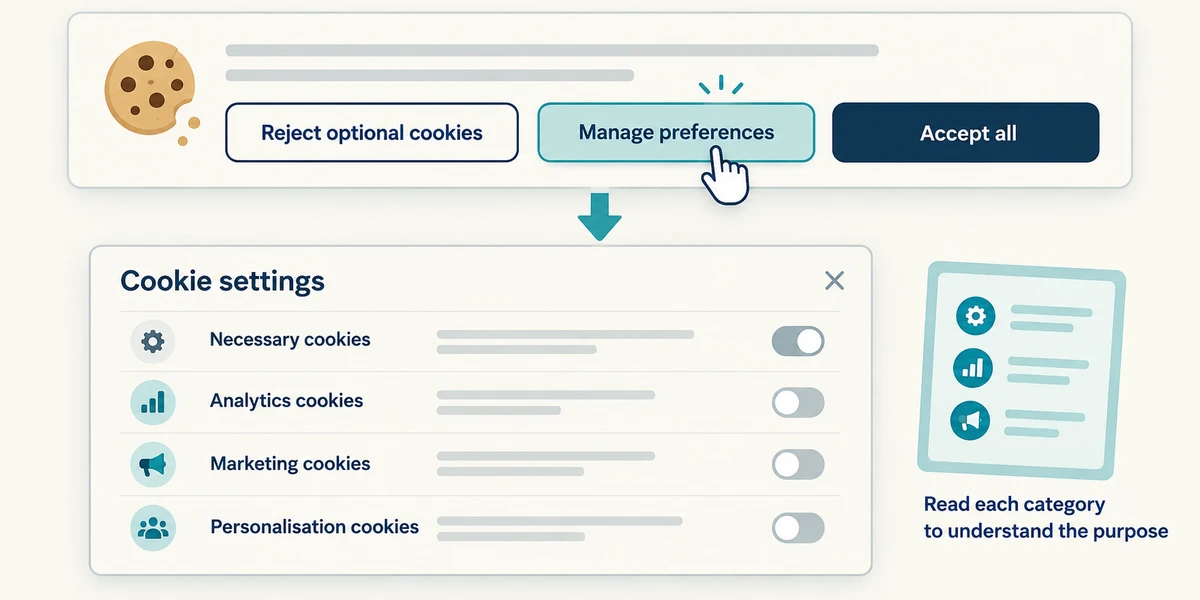
On a website, read the cookie banner before choosing. A labelled Reject optional cookies control can refuse optional uses where offered. Manage preferences or Cookie settings usually opens more detail. Click the named control once and read each category rather than treating every switch as the same purpose.
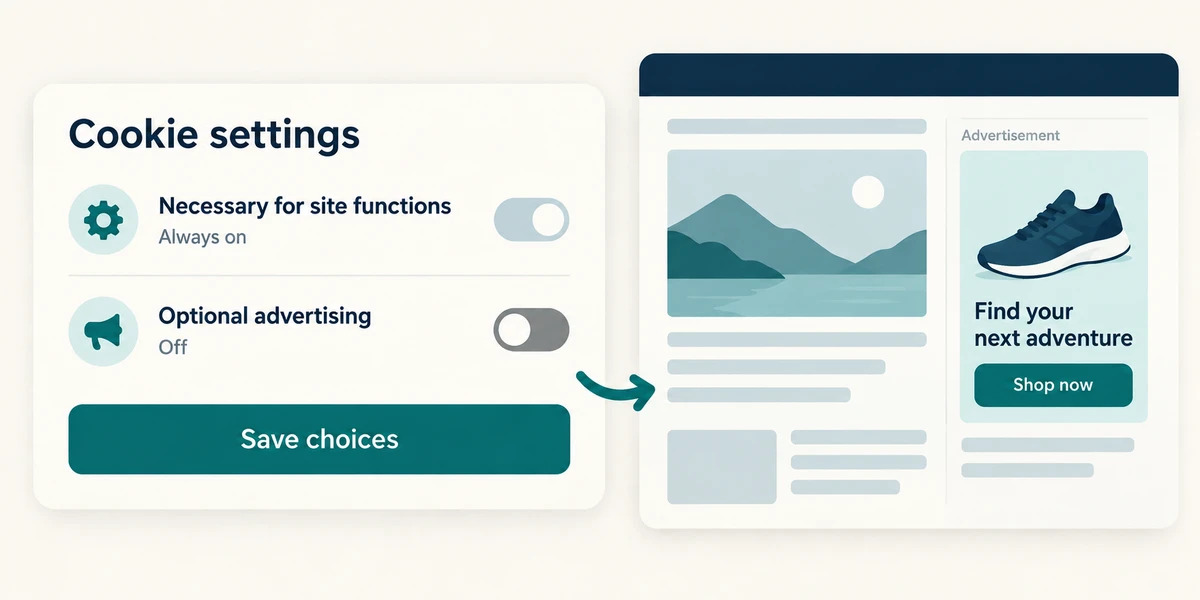
Necessary site functions and optional advertising are different. Choose optional categories according to your intention, then use the panel’s Save choices or equivalent confirmation. The wording varies. Refusing optional advertising cookies does not promise that you will see no adverts, or that the site collects no information by other means.
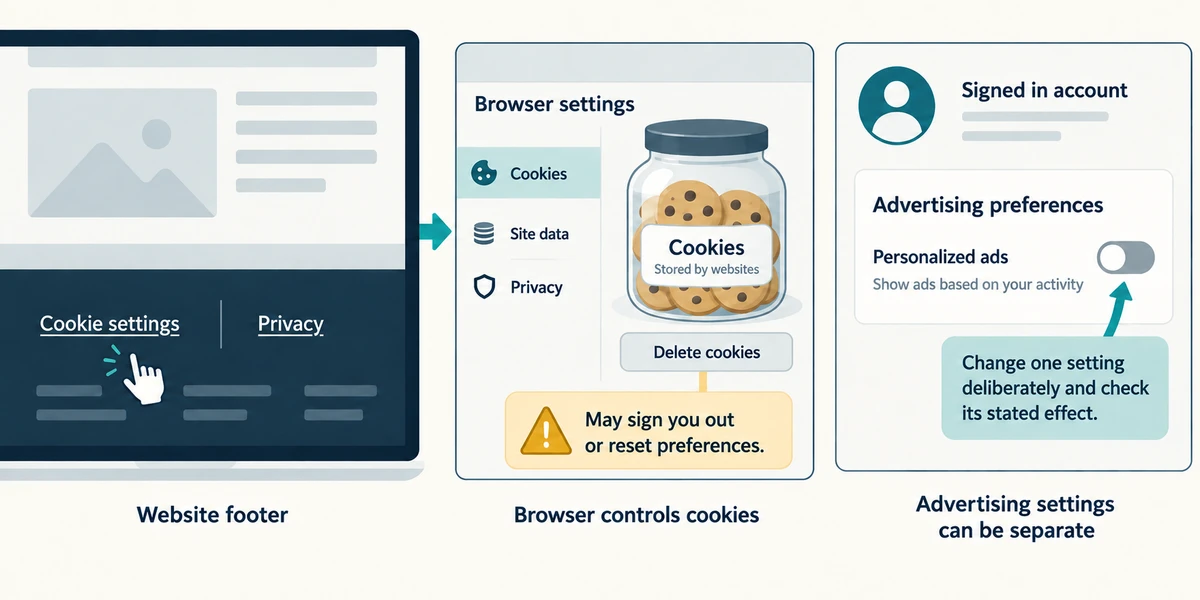
To revisit a choice, look for Cookie settings or Privacy at the bottom of the site. Browser settings can also control cookies, but deleting them may sign you out or reset preferences. Advertising settings in a signed-in account can be separate again. Change one setting deliberately and check its stated effect.
You want a shop’s basket to work but do not want its optional advertising tracking. Which choice fits?
Keep necessary functions and reject optional advertising
Check what you understand
In guided learning, click Start 3 questions to receive a selection from this lesson. Click the circle beside an answer, then click Check answer. Read the feedback and try again if needed. Click Next question after each correct answer. Answer all 3 correctly to continue.
Returning to guided learning keeps the questions and answers in your current attempt.
Read all 3 questions and explanations
After refusing optional advertising cookies, you still see an advert. What can be true?
Answer: The site can still show adverts without that optional tracking
Refusing a tracking purpose does not necessarily remove advertising itself.
You delete a site’s cookies and it asks you to sign in again. Why?
Answer: Stored sign-in or preference information may have been removed
Cookies can support a session. Removing them can sign you out without deleting the account or changing its password.
You change some switches in a preference panel which has Save choices below. What should you check next?
Answer: Whether the panel requires that confirmation to apply your choices
Follow the panel’s named confirmation and check the resulting choices. Interfaces differ.
Take this to your computer
- 1
Optional: read a familiar site’s cookie information without changing settings. Identify a functional and an optional purpose.
Cookie choices, browser controls and account advertising settings have different scopes.
Prefer a more personal, one-to-one lesson? Basic Computing can help. Explore our services.