Understand Windows recovery choices
Understand Windows recovery choices
Match a Windows problem with an appropriate recovery discussion.
You can distinguish diagnosis, system repair and personal-file recovery.
Recovery tools have different jobs. Some investigate faults, others change system settings or reinstall Windows. Retrieving a deleted letter is a different task. Choose by the problem and consequences, with checked backups and recovery access before major changes.

Work through the useful checks
How this works
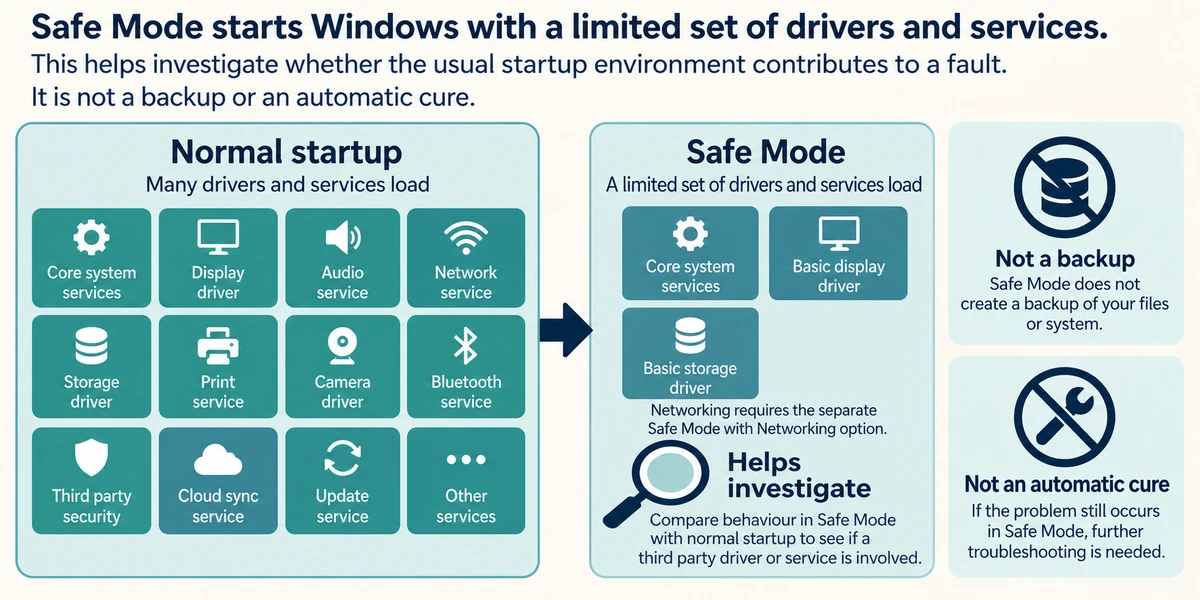
Safe Mode starts Windows with a limited set of drivers and services. This helps investigate whether the usual startup environment contributes to a fault. It is not a backup or an automatic cure.
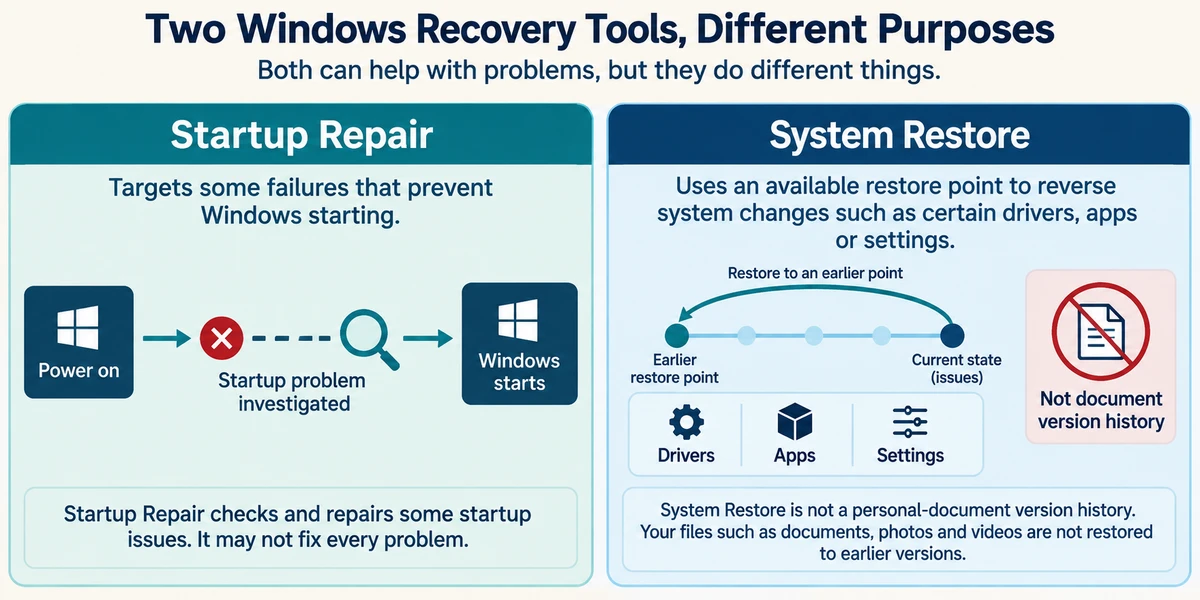
Startup Repair targets some failures that prevent Windows starting. System Restore uses an available restore point to reverse system changes such as certain drivers, apps or settings. It is not personal-document version history.
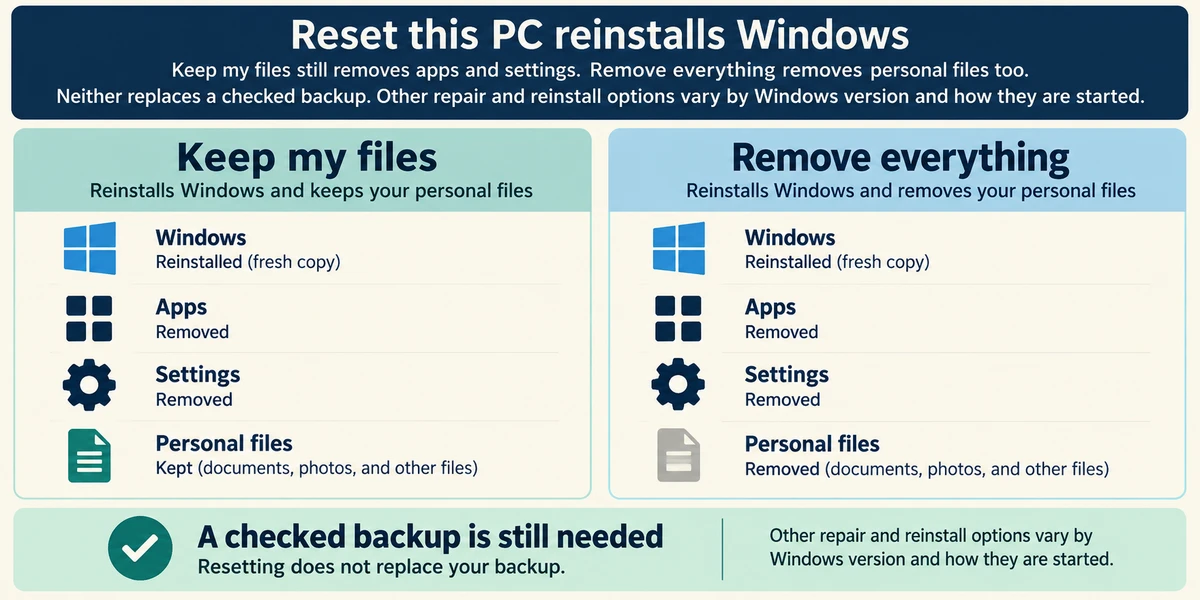
Reset this PC reinstalls Windows. Keep my files still removes apps and settings; Remove everything removes personal files too. Neither replaces a checked backup. Other repair and reinstall options vary by Windows version and how they are started.
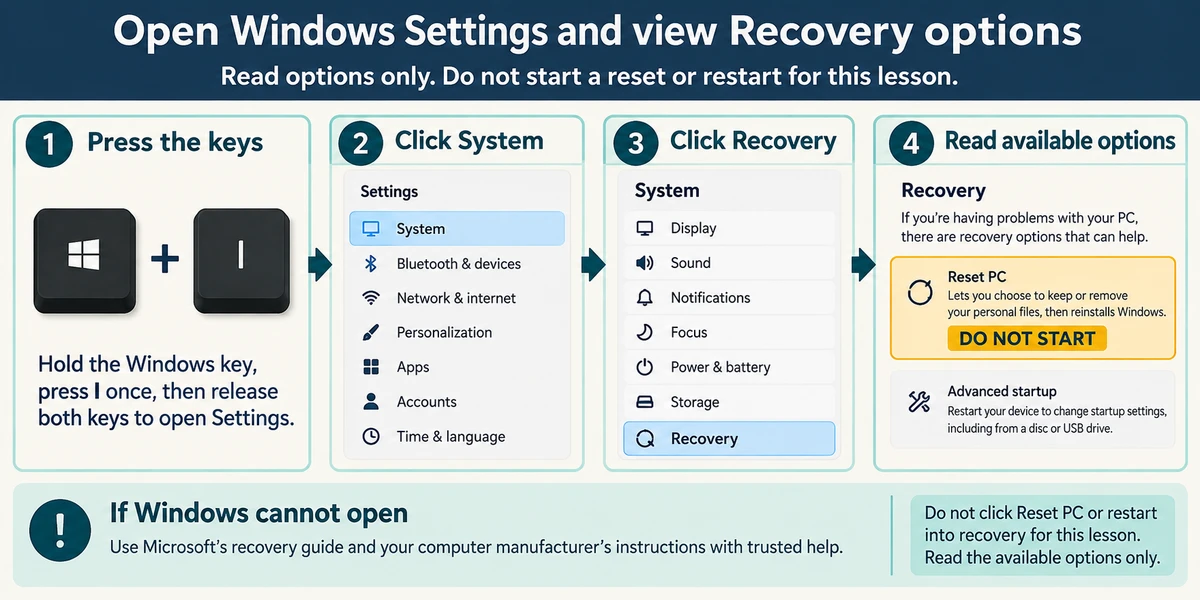
Hold the Windows key, press I once, then release both keys to open Settings. Click System, then Recovery to read available options. Do not click Reset PC or restart into recovery for this lesson. If Windows cannot open, use Microsoft’s recovery guide and your manufacturer’s instructions with trusted help.
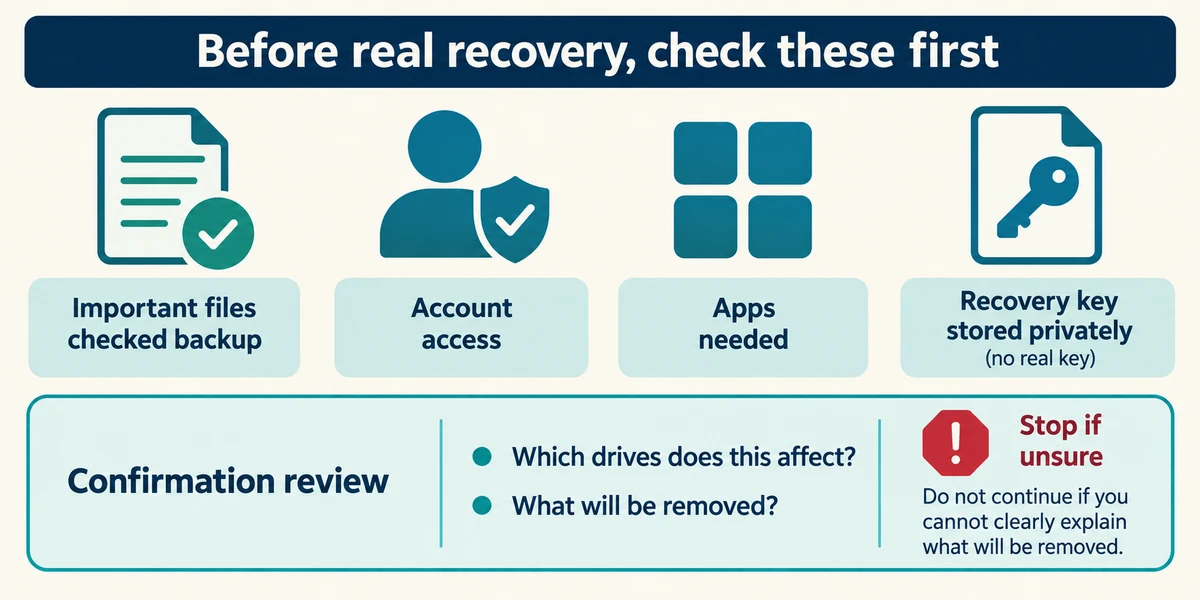
Before real recovery, check important files, account access, installed-app needs and any device-encryption recovery key. Read which drives a confirmation affects. Stop if you cannot explain what will be removed.
A letter opens, but you need yesterday’s version. Which route fits?
Its version history or a suitable backup.
Check what you understand
In guided learning, click Start 3 questions to receive a selection from this lesson. Click the circle beside an answer, then click Check answer. Read the feedback and try again if needed. Click Next question after each correct answer. Answer all 3 correctly to continue.
Returning to guided learning keeps the questions and answers in your current attempt.
Read all 3 questions and explanations
What matters when considering Keep my files?
Answer: Apps and settings are still removed, and a backup is needed.
Keep my files is still a reinstall with consequences. It does not create an independent backup.
A problem does not appear in Safe Mode. What does that establish?
Answer: The reduced startup environment provides useful evidence.
The changed environment helps investigation. It does not guarantee a permanent fix or perfect hardware.
A recovery confirmation is unclear about affected drives. What should happen?
Answer: Stop and clarify before confirming.
The target and consequences matter more than speed. Clarify them before a procedure that could remove data.
Take this to your computer
- 1
Hold the Windows key, press I once, then release both keys to open Settings. Click System, Recovery and read the choices. Close Settings with its top-right X without starting a reset or restart.
- 2
Choose an example problem and explain whether it concerns startup, system changes or a personal file. Name what you would protect before repair.
The lesson uses fictional examples. Optional checks on your computer can be observational. Settings and available features vary by model and Windows version.
Prefer a more personal, one-to-one lesson? Basic Computing can help. Explore our services.